Describe the use of Sales in Microsoft Copilot in customer engagement
Much of the work that moves an opportunity forward happens in email and meetings rather than in the CRM application itself. Sellers spend significant portions of their day writing emails to stakeholders, joining calls to discuss progress, and following up afterward with summaries and action items. Microsoft Copilot includes a sales-specific experience called Sales in Microsoft Copilot that connects the intelligence of Dynamics 365 Sales to these everyday tools. CRM insights are available where sellers are already working, without requiring them to switch applications.
Drafting personalized emails
Writing a thoughtful, personalized email to a stakeholder can take anywhere from 5 to 30 minutes depending on the complexity of what needs to be communicated. Across a full day of selling activity, email writing adds up to a substantial portion of a seller's time—time spent on composing rather than on direct customer engagement.
Copilot in Microsoft 365 accelerates this by generating email drafts grounded in CRM data. When a seller is composing an email in Outlook, Copilot can suggest a draft based on the context of the related opportunity, the recipient's role and engagement history, and the purpose of the message. The seller provides a brief direction, such as a follow-up on the proposal sent last week. Copilot then generates a complete draft that reflects the specific details of the deal—the product being proposed, the key concerns the stakeholder expressed, and the stage of the evaluation. The seller spends their time reviewing and refining rather than composing from scratch.
Working with meeting summaries
After a customer meeting, the seller's most immediate responsibilities are to capture what was discussed, document the key decisions, and identify the action items that need to follow. Without support, this debrief process is one of the most time-consuming parts of post-meeting work. Sellers who defer this process until later in the day often capture only partial details. Gaps in the opportunity record make it harder for teammates and managers to understand where the deal stands.
Copilot in Microsoft Teams can generate a meeting summary automatically after a call ends. The summary identifies key discussion points, highlights decisions, and extracts action items assigned to the appropriate participants. It also notes any open questions that the team still needs to resolve. The seller reviews the summary, makes any corrections, and the relevant details sync back to the Dynamics 365 Sales opportunity record. This integration captures meeting content while it's fresh and keeps the CRM record aligned with what actually happened—not a compressed or partially remembered version.
Creating follow-up suggestions
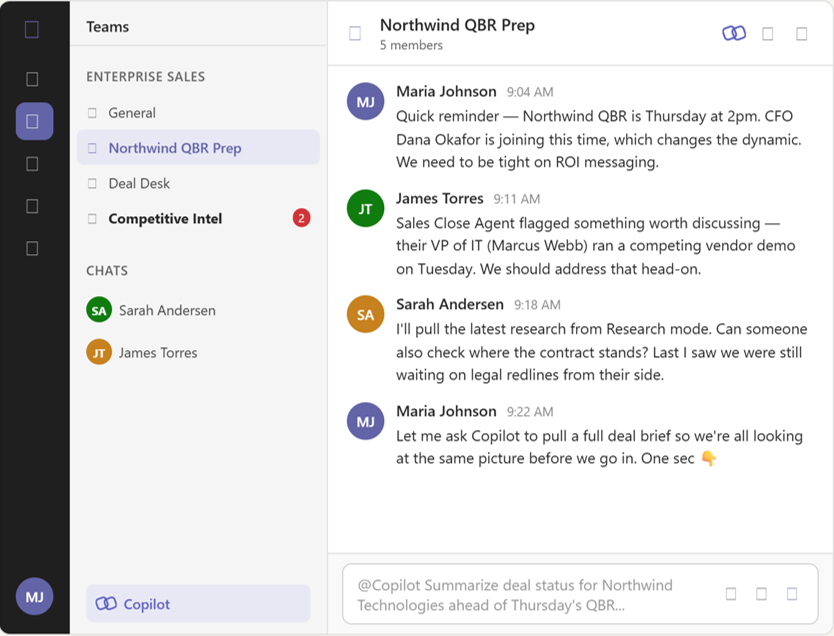
Knowing what to do next after a customer interaction isn't always obvious. A productive meeting might end with several threads in play—a mix of questions to answer, stakeholders to follow up with, and decisions still pending. Copilot in Microsoft 365 can analyze the meeting summary and the current state of the opportunity to generate a set of recommended follow-up actions.
These suggestions might include sending documentation to the technical evaluator, scheduling a follow-up call with the finance stakeholder to address pricing questions, or updating the opportunity stage based on progress made. Copilot might also flag a risk that surfaced during the conversation but deserves attention before the next interaction. The seller reviews the suggestions and acts on the ones most relevant, ensuring that important threads don't get dropped in the complexity of managing multiple active deals simultaneously.
Keeping email and CRM in sync
Sales in Microsoft Copilot reduces the friction of maintaining an accurate CRM record. It surfaces CRM context within Outlook and Teams and makes it easy to log email interactions back to the relevant opportunity record—without requiring the seller to leave their inbox. This keeps the record current and accurate without adding extra steps to an already busy workflow. Managers, teammates, and the AI agents working alongside the seller always have access to the most current picture of each deal.
Real-world scenario: Copilot supporting a proposal review meeting at Contoso
Contoso's seller just completed a 90-minute proposal review call with three stakeholders at Northwind Transport. The discussion covered pricing, implementation timeline, data migration complexity, and a question about how the platform handles multi-site inventory synchronization that no one on the call could answer definitively.
Copilot in Microsoft Teams generates a meeting summary within minutes of the call ending. The summary identifies four key decisions. Pricing is acceptable pending final approval from the CFO. Implementation begins in Q2. The team scopes data migration in a separate workshop. A technical follow-up call is needed for the multi-site synchronization question. The summary extracts three action items with owners—the seller to send the final proposal document, the implementation team to prepare a migration scoping questionnaire, and the seller to schedule the technical follow-up.
Copilot drafts a follow-up email to the evaluation lead summarizing the decisions, confirming the next steps, and providing a suggested date for the technical call. The seller reviews the draft, adjusts one paragraph to better reflect the tone of the relationship, and sends it within 15 minutes of the meeting ending. The opportunity record updates automatically with the key outcomes. The following morning, the seller's Focused View surfaces the outstanding action items as priorities for the day.