Describe the Focused View in the sales process
A seller managing a full pipeline typically has many open opportunities at different stages—alongside follow-up tasks, pending responses from stakeholders, and incoming notifications from AI agents working on active deals. Without a clear way to separate what genuinely needs attention today from what can wait, sellers risk spending time on lower-priority items while their most important deals fall behind. The Focused View in Dynamics 365 Sales solves this by giving sellers a curated workspace that surfaces the right opportunities and the right actions at the right time.
What the Focused View does
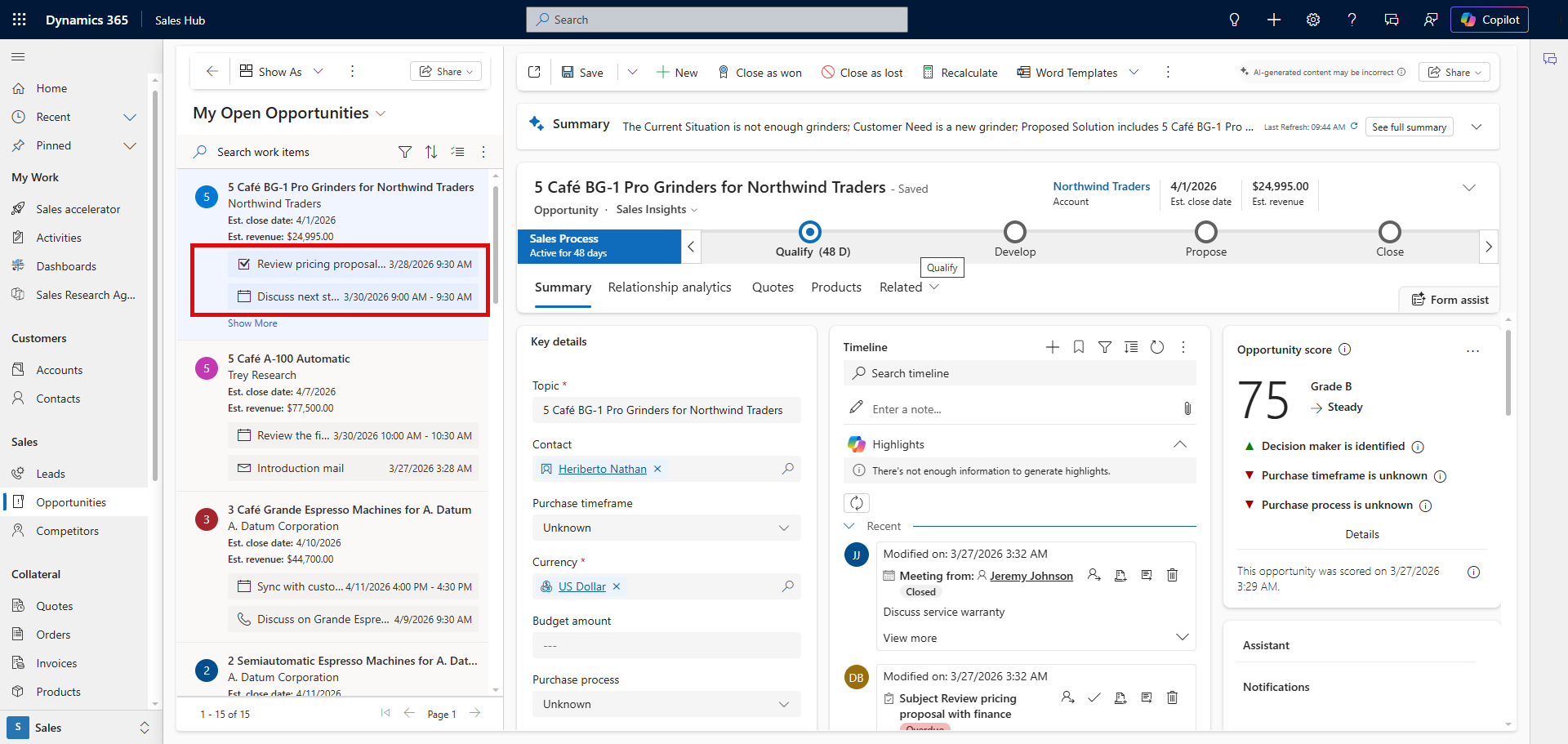
The Focused View is a dedicated workspace within Dynamics 365 Sales that applies AI-driven prioritization to the seller's pipeline and presents the highest-priority opportunities alongside their most relevant next actions. Instead of displaying every open record in a flat list, the Focused View prioritizes opportunities automatically. It uses a combination of deal signals that reflect the true urgency and health of each opportunity.
The Focused View uses several signals to prioritize opportunities: the close date and proximity, the AI-generated health score, recent activity levels, and outstanding follow-up tasks that are overdue or coming due. It also surfaces flags raised by agents like the Sales Close Agent when a record is escalated for human attention. An opportunity with a close date in two weeks, an overdue task, and an escalation flag from the Sales Close Agent will appear at the top of the Focused View. An opportunity with a close date six months away and strong recent engagement will appear lower.
Integrate the Focused View with agent activity
The Focused View integrates directly with the activity of the Sales Close Agent – Research and Sales Close Agent – Engage. When an agent completes a task, such as identifying a new stakeholder gap or escalating a customer interaction, the result surfaces in the Focused View as an action item the seller needs to review. This means the seller doesn't need to navigate to the agent views separately and then return to their prioritized list. Everything flows into a single, unified workspace.
When the Sales Close Agent – Engage escalates a record because a high-value customer raises a question outside the agent's knowledge scope, the escalation appears in the Focused View as an immediate priority. The seller sees it alongside all their other current priorities, selects the opportunity, reads the full interaction history in the Timeline, and responds to the customer with full context already in hand. The handover from agent to seller is seamless.
Work through the day with the Focused View
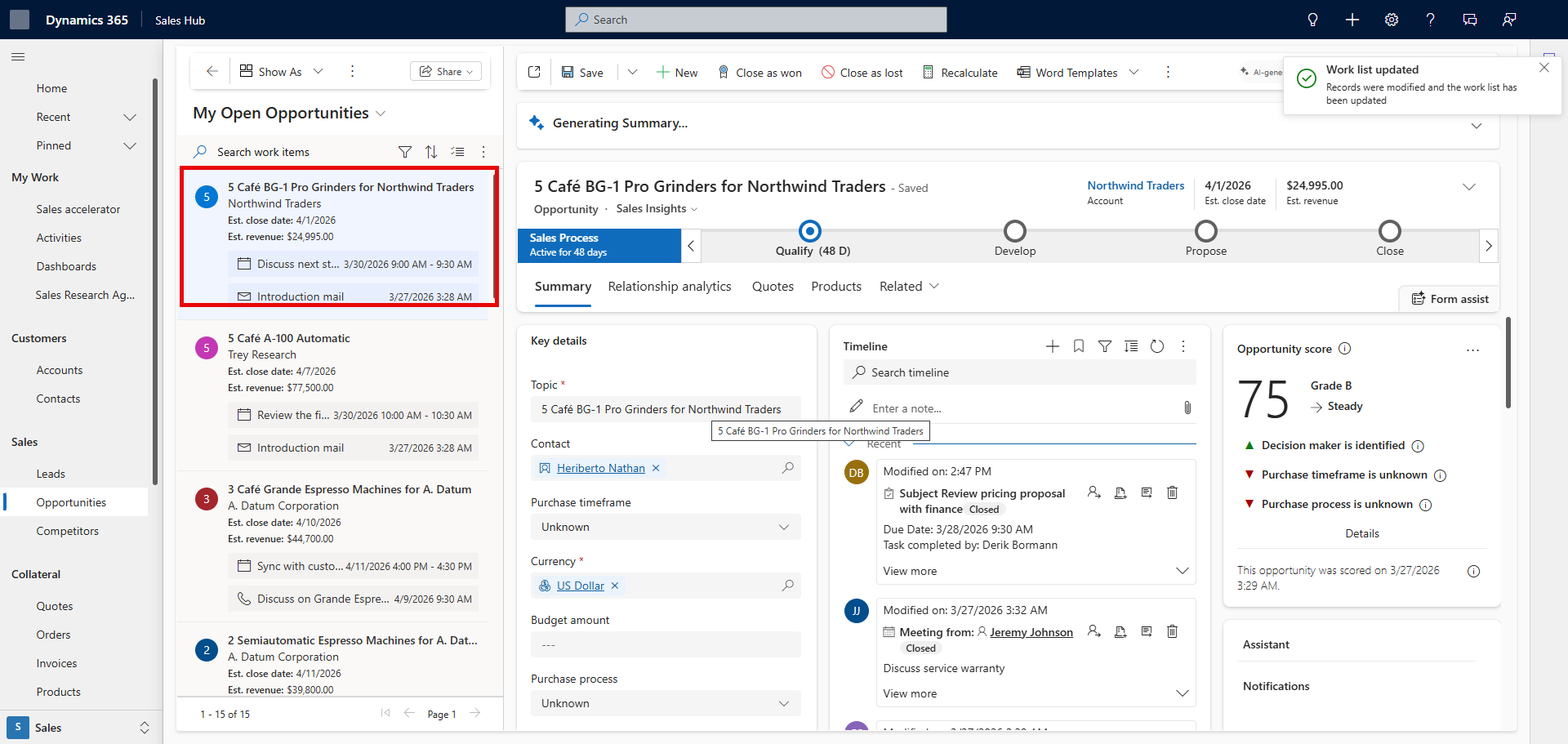
The Focused View serves as the seller's starting point for their working day. Rather than opening the full pipeline list and manually deciding where to focus, the seller opens the Focused View and finds their daily agenda already organized. Each opportunity shows the immediate next action needed, whether that is a call to make, a follow-up email to send, a document to prepare, or an agent escalation to address.
As the seller completes actions throughout the day, the Focused View updates dynamically. The view removes completed items and surfaces new urgencies. The view always reflects the current state of what needs attention, making it a live tool for managing the day rather than a static list to check once in the morning.
Real-world scenario: A seller's morning with the Focused View at Contoso
It's Tuesday morning and Contoso's seller opens Dynamics 365 Sales. They have 14 active opportunities. Rather than scrolling through the full pipeline list, they open the Focused View.
At the top is a notification flag: Sales Close Agent – Engage escalated the Northwind Transport opportunity. A customer contact asked a specific question about cross-border compliance that falls outside the agent's configured knowledge scope. The Focused View shows this as the first priority, with a link directly to the Timeline where they can read the full exchange.
Below that is a reminder that a follow-up proposal document is due today for a second opportunity. Below that, Sales Close Agent – Research surfaced a new competitive signal for a third deal: a competitor just announced pricing changes that affect the evaluation the prospect is conducting. The agent recommends a seller-initiated check-in call.
By 9:15 AM, the seller reviewed the escalated Northwind conversation, sent a personal response to the compliance question, forwarded the proposal document for the second opportunity, and sent the check-in message for the third. They didn't check their email inbox, scroll through a long record list, or spend any time deciding where to focus. The Focused View did that for them.