Describe collaboration with Microsoft Teams in the sales process
Complex opportunities rarely advance through the effort of a single seller working in isolation. Enterprise deals typically require input from solution architects, legal teams, finance, product specialists, and leadership—sometimes within the same week. Coordinating these internal resources effectively, while simultaneously maintaining momentum with the customer, is one of the most challenging aspects of complex selling. Microsoft Teams, integrated with Dynamics 365 Sales, makes this internal collaboration seamless and directly connected to the deal itself.
Why internal collaboration matters for deal advancement
A seller who can't quickly access the right internal expertise is at a meaningful disadvantage in a competitive evaluation. When a prospect raises a detailed technical question that the seller can't answer confidently, every day without a response is a day the competition may be moving forward. When a contract negotiation requires legal input, delays in the internal approval process can undermine the prospect's confidence in the seller's organization.
Microsoft Teams addresses this by giving sellers a fast, organized way to bring in colleagues when needed and share the relevant deal context. Sellers can coordinate a response without creating sprawling email threads that are difficult to track and hard for newcomers to navigate.
Connecting Teams conversations to opportunity records
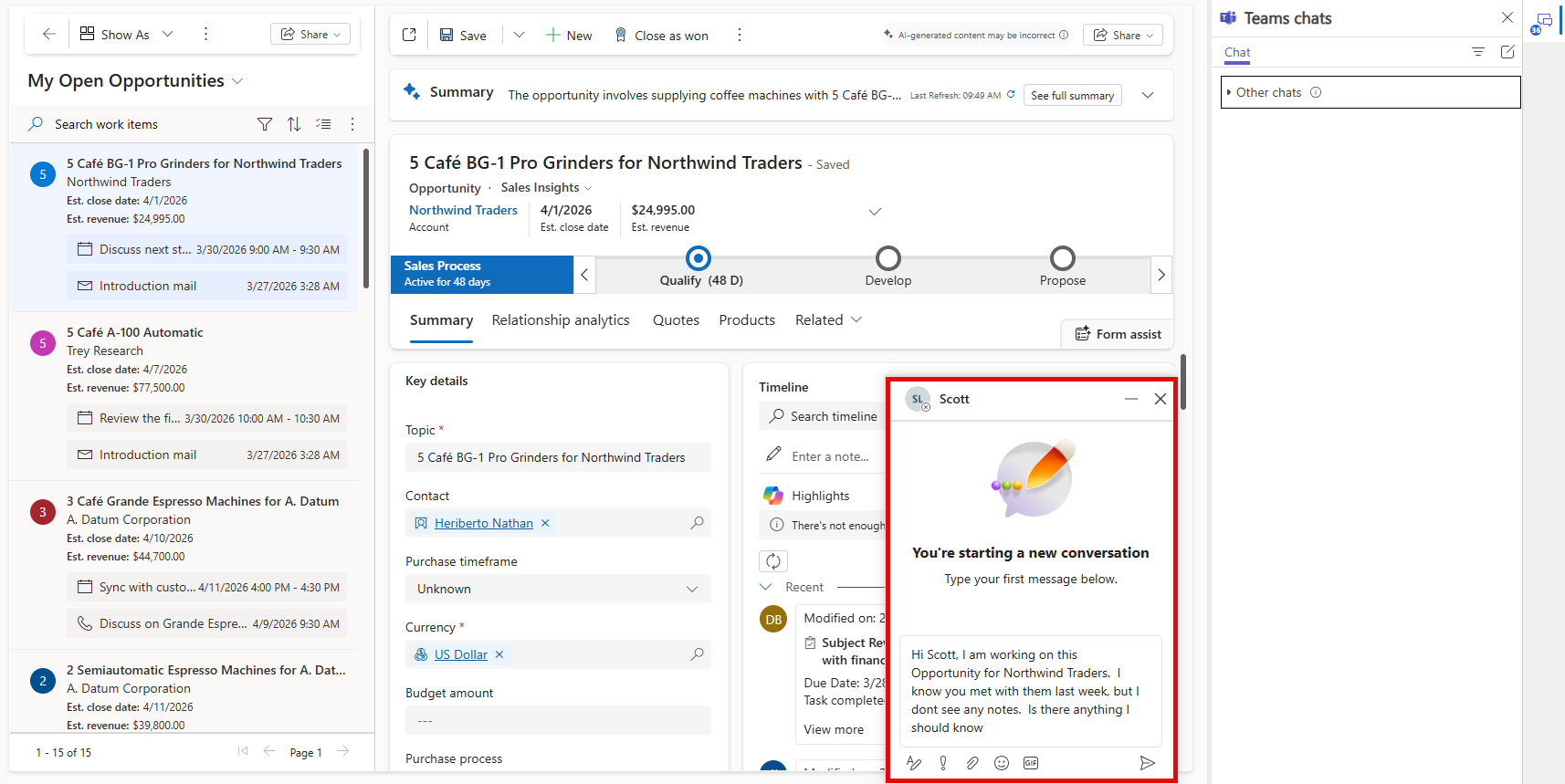
When a seller connects a Teams channel or chat conversation to a Dynamics 365 Sales opportunity record, all relevant participants can access the same deal context without requiring a separate briefing. Opportunity details, recent activity, stakeholder information, and associated documents are accessible from within the Teams interface.
An architect added to a Teams channel linked to an active opportunity can review the account history, the current stage of the deal, and the specific technical questions the prospect raised before the first conversation with the seller. The collaboration begins at a much higher level of readiness than if the seller had to provide context through a series of individual messages.
Engaging subject matter experts efficiently
Subject matter experts typically support multiple deals simultaneously and can't dedicate significant time to reviewing context before they can contribute. With Teams integrated into Dynamics 365 Sales, a seller can tag a subject matter expert in a channel conversation, share the specific question or requirement, and provide a link to the opportunity record. The expert reviews the context, responds directly in the thread, and prepares materials that Dynamics 365 automatically associates with the deal. The entire exchange is visible to all participants and logged as part of the opportunity's activity history.
Collaborating in Teams is substantially more efficient than managing the same coordination through email. In email, context fragments across threads, team members join and leave CC lists, and people forward documents separately from the conversations that explain their purpose.
Preparing for customer conversations as a team
Before significant stakeholder presentations or negotiation sessions, the selling team can use Teams to align on messaging, review intelligence from the Sales Close Agent – Research, and discuss competitive positioning. The team can also prepare for the specific moments that are likely to define the meeting. Copilot in Teams can assist this preparation by summarizing the deal status, surfacing the most relevant recent intelligence, and helping the team identify which stakeholder concerns to prioritize.
When the customer meeting begins, everyone involved knows where the deal stands and what the objectives are—rather than arriving with different incomplete versions of the same picture.
Supporting internal approval processes
Beyond the customer-facing work, Teams collaboration also supports the internal processes that deals must pass through before they can close. Many organizations require opportunities above a certain value to go through a deal review before the team can submit a proposal. Legal review, finance approval for pricing exceptions, and leadership sign-off on strategic accounts all require coordinated internal activity.
When teams manage these processes through Teams channels connected to the Dynamics 365 Sales record, every internal stakeholder has access to the same information. The channel captures decisions, tracks approvals, and gives the seller a clear record of where each internal process stands—reducing delays caused by information gaps and helping the deal advance as quickly as internal processes allow.