Understand default storage
When you deploy Azure Databricks workspaces, you typically need to configure cloud storage accounts, set up access credentials, and manage storage permissions. Default storage in Azure Databricks simplifies this process by providing ready-to-use, fully managed storage that's automatically available in serverless workspaces.
What is default storage?
Default storage is a fully managed object storage platform built into Azure Databricks. It provides immediate storage capabilities without requiring you to configure external cloud storage accounts or manage access credentials.
Default storage is used across both classic and serverless workspaces for internal Azure Databricks features. Capabilities such as Data Classification, Anomaly detection, Clean Rooms, and Knowledge Assistant all store their operational data in default storage regardless of workspace type.
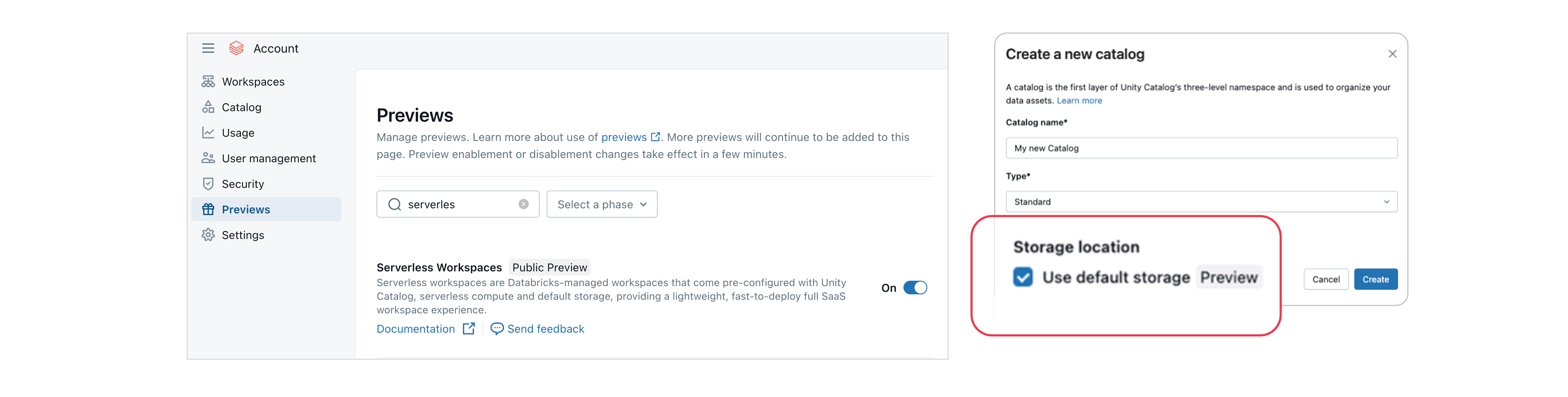
In serverless workspaces, default storage also serves as the primary storage for workspace system data and for the catalogs you create. When you create a serverless workspace, Azure Databricks automatically provisions a default catalog that uses default storage. You can also create additional catalogs that use either default storage or your own cloud object storage, giving you flexibility in how you organize your data.
Where is default storage available?
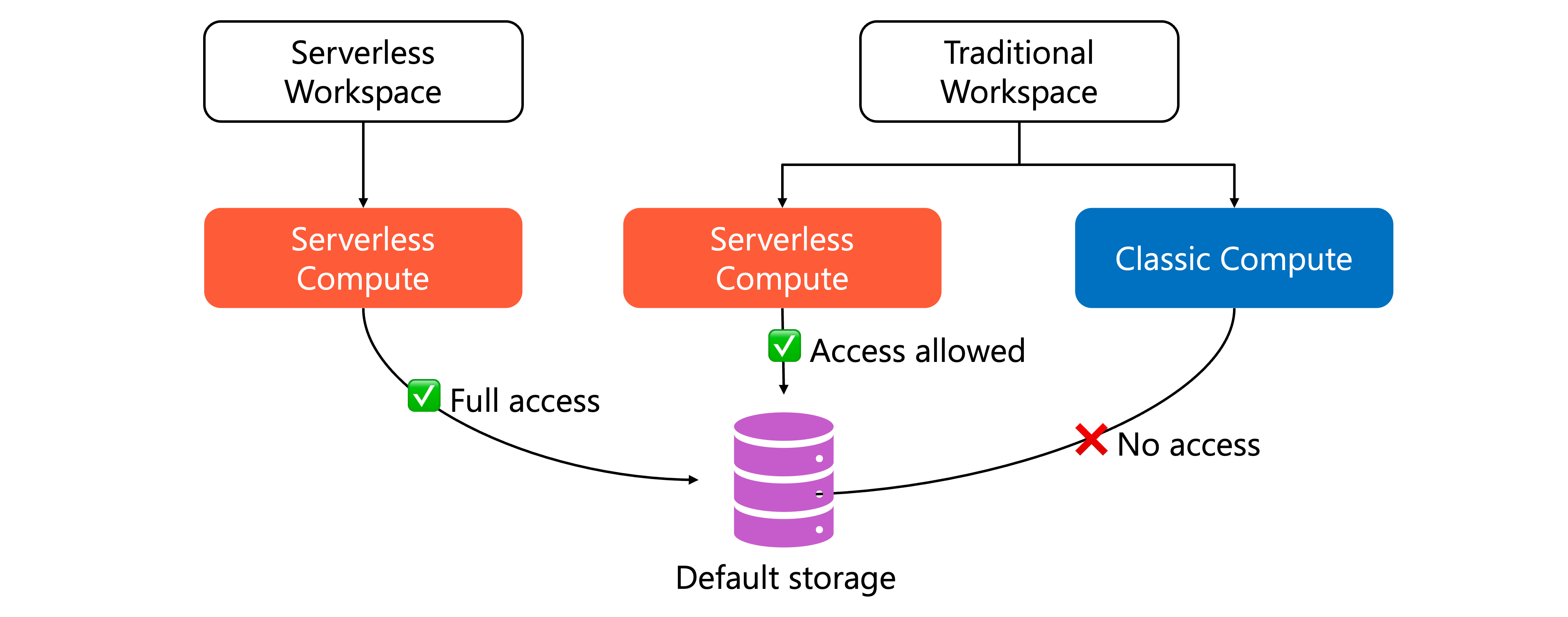
Creating new catalogs in default storage is available exclusively in serverless workspaces. Classic workspaces can access catalogs stored in default storage, but only when using serverless compute.
Serverless workspaces use default storage for three key areas. First, they use it for internal workspace operations and workspace system data. Second, they store workspace-level files and artifacts there. Third, catalogs you create can use default storage to store managed tables and volumes.
This means you can share data across workspace types while maintaining the requirement for serverless compute when accessing default storage catalogs.
Default storage benefits and considerations
The following table summarizes the key benefits and considerations when using default storage:
| Feature | Benefits | Considerations |
|---|---|---|
| Configuration and setup | No need to create separate cloud storage accounts, configure access credentials, or manage storage permissions. Azure Databricks handles infrastructure automatically, enabling immediate data access. | Only available in serverless workspaces. Not suitable for organizations that require full control over storage infrastructure. |
| Compute requirements | Serverless compute provides instant, scalable resources without provisioning. Consistent compute model across all default storage access. | All access requires serverless compute. Classic compute clusters cannot read from or write to catalogs on default storage. Existing classic compute workloads need migration. |
| Governance and security | Catalogs integrate with Unity Catalog's privilege model. Manage access using SQL GRANT statements instead of cloud storage RBAC (Role Based Access Control), creating a consistent security model across all data assets. | Access control limited to Unity Catalog mechanisms. Organizations requiring cloud-native RBAC integration should use external storage. |
| Workspace isolation | Catalogs are only accessible from the workspace where they were created by default. Provides natural isolation for development, testing, and production environments. | Cross-workspace access requires explicit catalog binding configuration. Plan workspace architecture carefully to ensure data accessibility where needed. |
| Data lifecycle management | Automatic cleanup of underlying data files when you drop managed tables or volumes. Prevents orphaned data and reduces storage costs over time. | Only applies to managed tables and volumes. External tables must still manage their own storage lifecycle. |
| External access | BI tools like Power BI and Tableau can access data through Azure Databricks ODBC and JDBC drivers. | External tools that directly read Delta Lake or Iceberg metadata files cannot access default storage. Direct file access not supported. External data pipelines that read files directly need external storage. |
Default storage works best for new serverless workloads, development environments, and features that specifically require it. For production workloads with external access requirements or those using classic compute, external storage provides more flexibility.