Note
Access to this page requires authorization. You can try signing in or changing directories.
Access to this page requires authorization. You can try changing directories.
This article helps you work around the problem that occurs when you configure the Wi-Fi connection settings in the Network Connections item in Control Panel on a Windows Embedded Compact 7 device.
Original product version: Windows Embedded Compact 7
Original KB number: 4476975
Symptoms
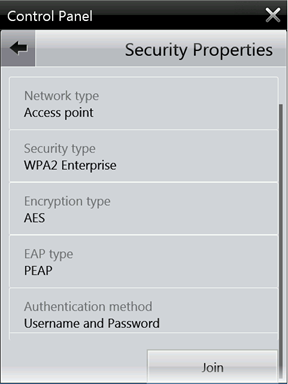
After you configure the Wi-Fi connection settings in the Network Connections item in Control Panel on a Windows Embedded Compact 7 device, the settings are lost when the device restarts. This problem occurs during either a warm reboot or a cold reboot. For example, this problem occurs when you configure following settings:
Name (SSID): TEST-WPA2-Enterprise
Network type: Access point
Security type: WPA2 Enterprise
Encryption type: AES
EAP type: PEAP
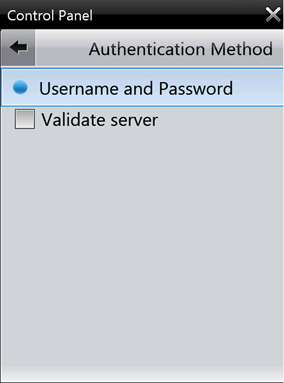
Authentication method: Username and Password
Validate server: Cleared
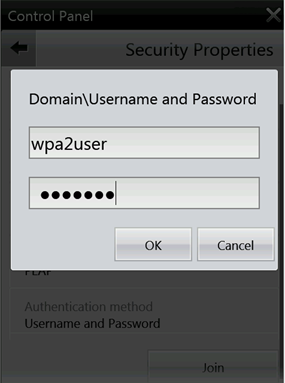
Domain\Username: wpa2user
Password: 123456#
Cause
This problem occurs because of an issue in the Connection Manager service (CmService.dll) of Windows Embedded Compact 7. When the data length of a Wi-Fi profile that is encrypted by CmService.dll becomes a specific size (multiples of 4,096 bytes), the data is not saved correctly to the device's registry. Therefore, the Wi-Fi profile is lost after the device restarts.
For example, the following registry value of the profile will be lost:
[HKLM\Comm\ConnMgr\Settings\Connection\Wi-Fi Profile Name] "Size"=dword:1000 ; 4096 bytes
Workaround
To avoid this problem, change the character length of the SSID. In the example in the Symptoms section, you can change the SSID to My-WPA2-Enterprise.