Note
Access to this page requires authorization. You can try signing in or changing directories.
Access to this page requires authorization. You can try changing directories.
AI coding assistants can create a working app quickly, but they can also combine APIs from different generations of Windows development. A response might look convincing while mixing WinUI 3 with UWP, WPF, WinUI 2, or .NET MAUI.
In this tutorial, you use an AI coding assistant to build Task Tally, a small WinUI 3 task app. More importantly, you learn how to direct the assistant, inspect its work, and verify the result against Microsoft Learn.
The tutorial uses this cycle:
Ask → Generate → Build → Inspect → Verify → Refine
The assistant can write code and explain it, but the compiler, the running app, and the current documentation remain your sources of truth.
What you build
Task Tally lets a user:
- Add and delete tasks.
- Mark tasks complete.
- Save tasks in local app storage.
- Resize the window without losing access to commands.
- Use the app with a keyboard and accessibility tools.
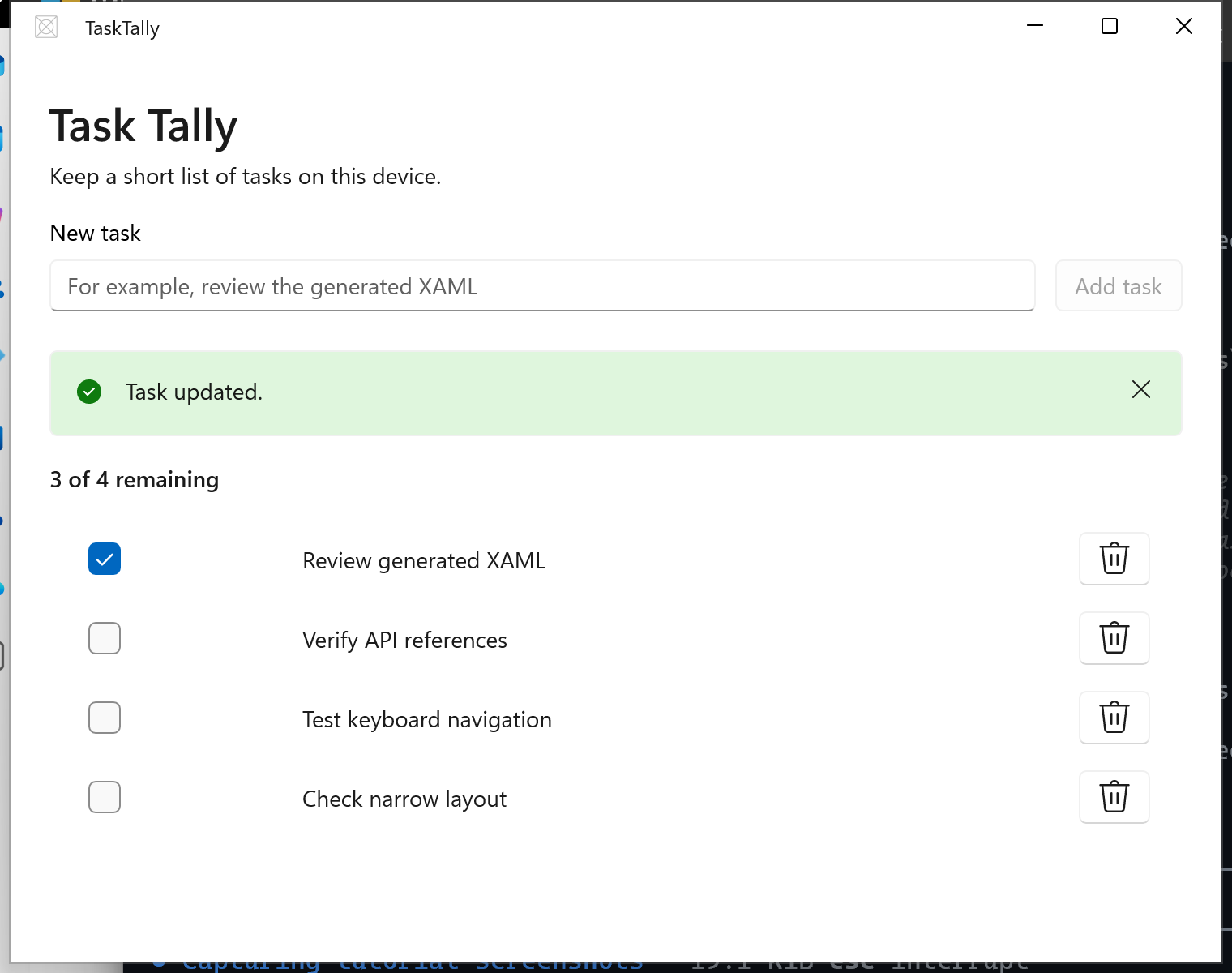
You use C#, WinUI 3, the Windows App SDK, and the MVVM Toolkit. The app is packaged with MSIX for local development.
What you learn
- Write requirements that keep generated code within WinUI 3.
- Break a feature into prompts that you can build and verify independently.
- Inspect generated project files, namespaces, controls, and data binding.
- Verify Windows APIs against Microsoft Learn.
- Recognize common AI-generated mistakes in Windows app code.
- Test generated code instead of accepting it because it looks plausible.
Prerequisites
Complete Quick start: Create your first WinUI 3 app first. You need:
- Windows 10 version 1809 (build 17763) or later.
- Developer Mode enabled.
- Visual Studio 2026 with the WinUI application development workload, or the .NET 10 SDK and WinUI templates.
- An AI coding assistant that can read and edit files in your project.
You don't need previous WinUI experience. The prompts in this tutorial are tool-neutral, so adapt their command wording to your assistant.
Important
Review changes before you accept them. Don't paste credentials, private source code, personal data, or other sensitive information into a service that isn't approved for that data.
Collaborate with us on GitHub
The source for this content can be found on GitHub, where you can also create and review issues and pull requests. For more information, see our contributor guide.

Windows developer