Note
Access to this page requires authorization. You can try signing in or changing directories.
Access to this page requires authorization. You can try changing directories.
Command Palette is the go-to launcher for Windows power users — a fast, extensible interface for launching apps, running commands, and getting things done. With the Command Palette extension platform, you can build tools that plug directly into that workflow — putting your ideas right where people are already working.
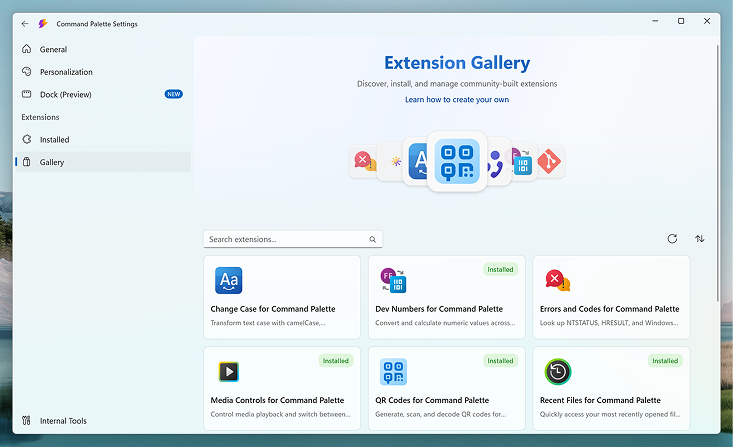
Whether you want to build something for yourself, share it with the community, or distribute it to your team, the platform is designed to get you from idea to working extension quickly.
Why build for Command Palette?
- Reach users where they are. Your extension shows up right in the Command Palette — no separate app to open, no context switching.
- Built on .NET. Use C# and the tools you already know. Leverage the full NuGet ecosystem to build what you imagine.
- Rich UI without the overhead. Use built-in page types — lists, forms, markdown, detail views, and grids — to create polished experiences without designing UI from scratch.
- Scaffold and go. Run the
Create extensioncommand directly from Command Palette to generate a ready-to-build project in seconds. - Share with the community. Publish your extension to the built-in Gallery and make it available to every Command Palette user.
How to build and publish an extension
Here's the high-level process for creating and sharing a Command Palette extension:
- Understand how it works — Learn how the extension model works, including page types, commands, and how extensions communicate with Command Palette.
- Build your extension — Set up your project, add commands and pages, and test your extension locally.
- Publish your extension — Distribute your extension through the Microsoft Store, WinGet, or your own hosting.
What's in the docs
- How it works — Understand the extension architecture, page types, and core concepts.
- Getting started — Step-by-step guide to building your first extension.
- Building your extension — Deep dives into commands, lists, forms, markdown, and Dock support.
- Publishing your extension — Learn how to package and publish to the Gallery.
- Extension samples — Open-source examples to learn from and build on.
- API reference — Detailed API reference for the Command Palette SDK.
Now, let's build. 💪
Collaborate with us on GitHub
The source for this content can be found on GitHub, where you can also create and review issues and pull requests. For more information, see our contributor guide.

Windows developer