Note
Access to this page requires authorization. You can try signing in or changing directories.
Access to this page requires authorization. You can try changing directories.
The Span object is a fundamental building block in the Trace data model. Each span captures a single step in a trace, for example, an LLM call, a tool execution, or a retrieval operation.
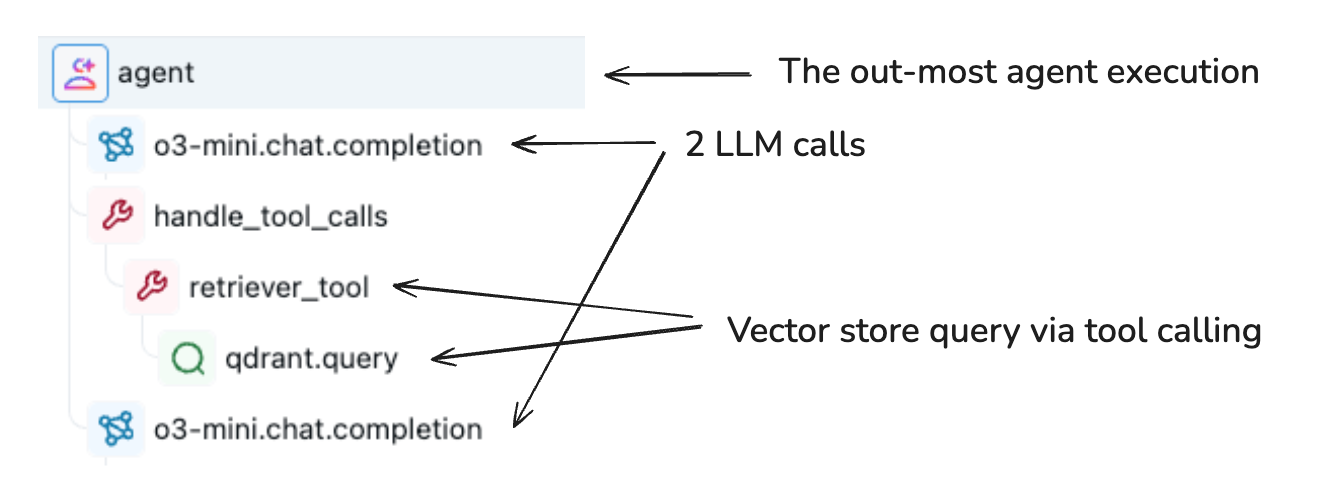
Spans are organized hierarchically in a trace to represent your application's execution flow. Each span captures:
- Input and output data
- Timing information (start and end times)
- Status (success or error)
- Metadata and attributes about the operation
- Relationship to other spans (parent-child connections)
Span object schema
The MLflow Span schema is compatible with the OpenTelemetry specification. The schema has 11 core properties:
| Property | Type | Description |
|---|---|---|
span_id |
str |
Unique identifier for this span in the trace |
trace_id |
str |
Links span to its parent trace |
parent_id |
Optional[str] |
Establishes the parent-child relationship. Set to None for root spans. |
name |
str |
User-defined or auto-generated span name |
start_time_ns |
int |
Unix timestamp (nanoseconds) when span started |
end_time_ns |
int |
Unix timestamp (nanoseconds) when span ended |
status |
SpanStatus |
Span status: OK, UNSET, or ERROR with optional description |
inputs |
Optional[Any] |
Input data entering this operation |
outputs |
Optional[Any] |
Output data exiting this operation |
attributes |
Dict[str, Any] |
Metadata key-value pairs providing behavioral insights |
events |
List[SpanEvent] |
System-level exceptions and stack trace information |
For more information, see the MLflow API reference.
Span attributes
Attributes are key-value pairs that provide insight into behavioral modifications for function and method calls. They capture metadata about the operation's configuration and execution context.
You can add platform-specific attributes to enrich observability. For example, you can add the Unity Catalog objects the span touched, the model serving endpoint, or the compute resource.
For example, set attributes on a span that wraps an LLM call:
span.set_attributes({
    "ai.model.name": "claude-3-5-sonnet-20250122",
    "ai.model.version": "2025-01-22",
    "ai.model.provider": "anthropic",
    "ai.model.temperature": 0.7,
    "ai.model.max_tokens": 1000,
})
Span types
MLflow provides predefined SpanType values for common operations. For specialized cases, pass a custom string value as the span type.
| Type | Description |
|---|---|
CHAT_MODEL |
Query to a chat model (specialized LLM interaction) |
CHAIN |
Chain of operations |
AGENT |
Autonomous agent operation |
TOOL |
Tool execution (typically by agents), such as search queries |
EMBEDDING |
Text embedding operation |
RETRIEVER |
Context retrieval operation such as vector database queries |
PARSER |
Parsing operation transforming text to structured format |
RERANKER |
Re-ranking operation ordering contexts by relevance |
MEMORY |
Memory operation persisting context in long-term storage |
UNKNOWN |
Default type used when no other type is specified |
Setting span types
To set the SpanType for a span, pass span_type to the decorator or context manager:
import mlflow
from mlflow.entities import SpanType

# Using a built-in span type
@mlflow.trace(span_type=SpanType.RETRIEVER)
def retrieve_documents(query: str):
    ...

# Using a custom span type
@mlflow.trace(span_type="ROUTER")
def route_request(request):
    ...

# With context manager
with mlflow.start_span(name="process", span_type=SpanType.TOOL) as span:
    span.set_inputs({"data": data})
    result = process_data(data)
    span.set_outputs({"result": result})
Searching spans by type
Query spans programmatically using MLflow search_spans():
import mlflow
from mlflow.entities import SpanType

trace = mlflow.get_trace("<trace_id>")
retriever_spans = trace.search_spans(span_type=SpanType.RETRIEVER)
You can also filter by span type in the MLflow UI when viewing traces.
Active vs. finished spans
An active span, represented by LiveSpan, is one that MLflow is currently writing. Active spans are produced by a function decorated with @mlflow.trace or by a span context manager. After the decorated function exits or the context manager closes, the span is finished and becomes an immutable Span.
To modify the active span, retrieve it with mlflow.get_current_active_span().
RETRIEVER span schema
The RETRIEVER span type represents operations that fetch data from a data store, for example, querying documents from a vector store. RETRIEVER spans use a fixed output schema, which unlocks richer UI rendering and evaluation features in MLflow. The output must be a list of documents, where each document is a dictionary with:
page_content(str): Text content of the retrieved document chunkmetadata(Optional[Dict[str, Any]]): Additional metadata, including:doc_uri(str): The document source URI. When you use Vector Search on Azure Databricks, you can record Unity Catalog volume paths indoc_urifor full lineage tracking.chunk_id(str): Identifier if the document is part of a larger chunked document.
id(Optional[str]): Unique identifier for the document chunk.
Use the MLflow Document entity to construct this output structure.
Example implementation:
import mlflow
from mlflow.entities import SpanType, Document

def search_store(query: str) -> list[tuple[str, str]]:
    # Simulate retrieving documents (content, doc_uri pairs) from a vector database.
    return [
        ("MLflow Tracing helps debug GenAI applications...", "docs/mlflow/tracing_intro.md"),
        ("Key components of a trace include spans...", "docs/mlflow/tracing_datamodel.md"),
        ("MLflow provides automatic instrumentation...", "docs/mlflow/auto_trace.md"),
    ]

@mlflow.trace(span_type=SpanType.RETRIEVER)
def retrieve_relevant_documents(query: str):
    docs = search_store(query)
    span = mlflow.get_current_active_span()

    # Set outputs in the expected format
    outputs = [
        Document(page_content=doc, metadata={"doc_uri": uri})
        for doc, uri in docs
    ]
    span.set_outputs(outputs)

    # Return the raw tuples for the caller; the trace records the structured Document objects.
    return docs

# Usage
user_query = "MLflow Tracing benefits"
retrieved_docs = retrieve_relevant_documents(user_query)
Next steps
- Trace concepts — Understand trace-level concepts and structure.
- Get started: MLflow Tracing for GenAI (Databricks Notebook) — Get hands-on experience with tracing in a notebook.