
Might also try from a clean boot.
https://support.microsoft.com/en-us/help/929135/how-to-perform-a-clean-boot-in-windows
--please don't forget to Accept as answer if the reply is helpful--
This browser is no longer supported.
Upgrade to Microsoft Edge to take advantage of the latest features, security updates, and technical support.
' cx='32' cy='32' r='32' /%3E%3Ctext x='50%25' y='55%25' dominant-baseline='middle' text-anchor='middle' fill='%23FFF' %3EAL%3C/text%3E%3C/svg%3E)
After a reboot i am able to connect to the hyper-v VM's but after some time not any more.
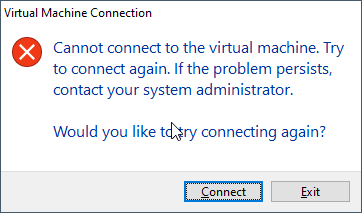
I have it with all VM's
I don't find any eventlog messages related
I use the latest Windows 10 and updates. System is running with high performance powersettings.
Any help appreciated.
' cx='32' cy='32' r='32' /%3E%3Ctext x='50%25' y='55%25' dominant-baseline='middle' text-anchor='middle' fill='%23FFF' %3EA%3C/text%3E%3C/svg%3E)
Might also try from a clean boot.
https://support.microsoft.com/en-us/help/929135/how-to-perform-a-clean-boot-in-windows
--please don't forget to Accept as answer if the reply is helpful--
Thing is that it happens after some time. Even with an existing connection still open. Must be related to sleep settings. Is there a way to debug this?

Hi,
Please check if you are running any third-party applications on the Hyper V host, especially anti-virus applications, if yes, please uninstall anti-virus application and monitor.
If the issue still exists, and occurred randomly, to debug the issue, it's recommended to open a case with MS for deep troubleshooting.
Below is the link to open a case with MS:
https://support.microsoft.com/en-us/gp/customer-service-phone-numbers
Thanks for your time!
Best Regards,
Anne
-----------------------------
If the Answer is helpful, please click "Accept Answer" and upvote it.
Note: Please follow the steps in our documentation to enable e-mail notifications if you want to receive the related email notification for this thread.

Changing the listener port as per the following article worked for me. I suspect my anti-virus is up to something. See this article.