
Then it's even more weird...
This browser is no longer supported.
Upgrade to Microsoft Edge to take advantage of the latest features, security updates, and technical support.

Hello!
Have anyone spotted any difference in how Restricted Admin Mode works in Windows Server 2019?
I'm asking that question because after deploying exactly the same remote access configuration as in my Windows Server 2016 environment in the new network with Windows Server 2019 machines I can't seem to make RDP with Restricted Admin Mode work.
I've doubled-checked that
1) all respective machines (both servers and workstations) have the following GPO settings applied:
a) Require Restricted Admin Mode
b) Restrict Delegation of credential to remote servers -enabled
2) I'm trying to RDP with the user account that is a member of the local Administrators group on the target server
In the Windows Server 2016 environment it works as expected:
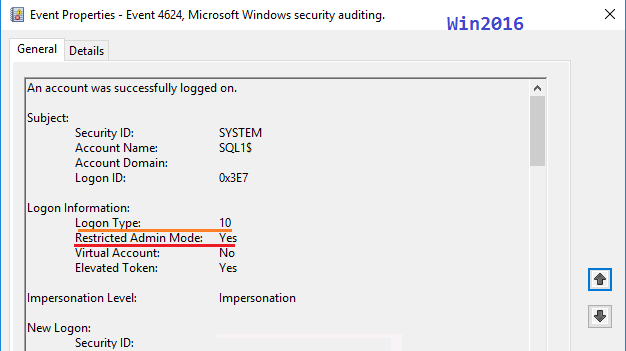
In the Windows Server 2019 environment the error arises as if the Restricted Admin mode were not enabled (I had no problems connecting to the Win2019 server prior to applying the gpo with the RDP-related settings):
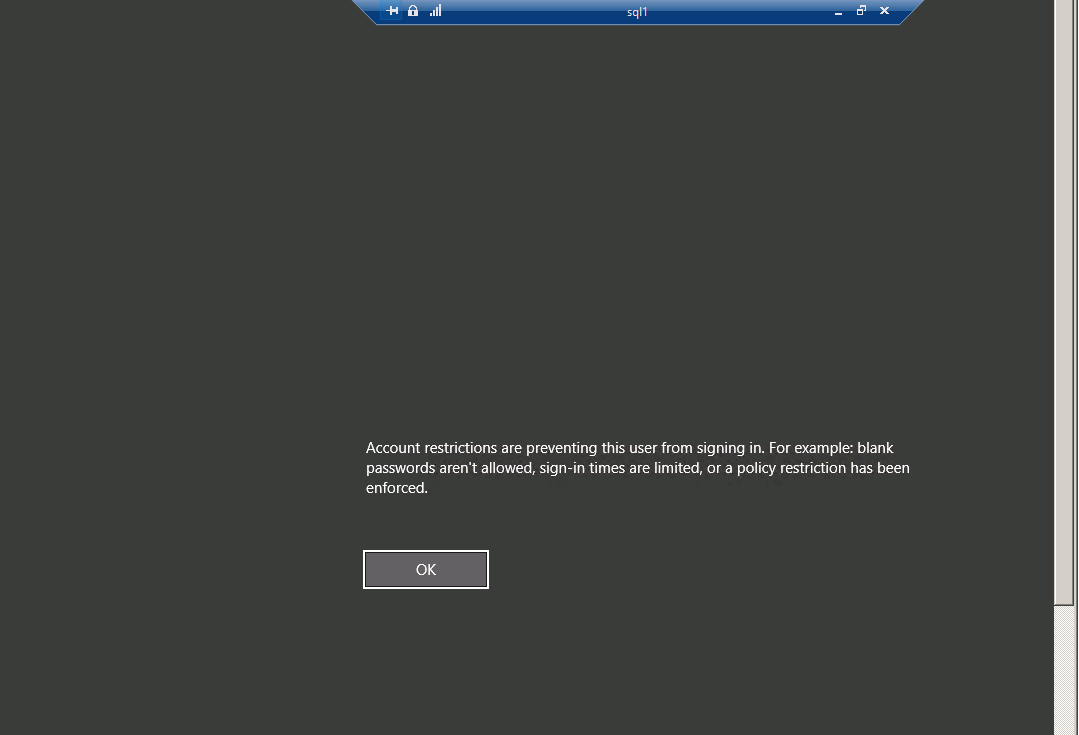
Thank you in advance,
Michael
' cx='32' cy='32' r='32' /%3E%3Ctext x='50%25' y='55%25' dominant-baseline='middle' text-anchor='middle' fill='%23FFF' %3ERA%3C/text%3E%3C/svg%3E)
Have you tried to use the gpupdate /force command?
If yes, then try open the Feedback Hub app in one of the Windows 10 PCs (since it is not available in the Windows Server) and under categories select the Windows Server and report this issue.
Then it's even more weird...
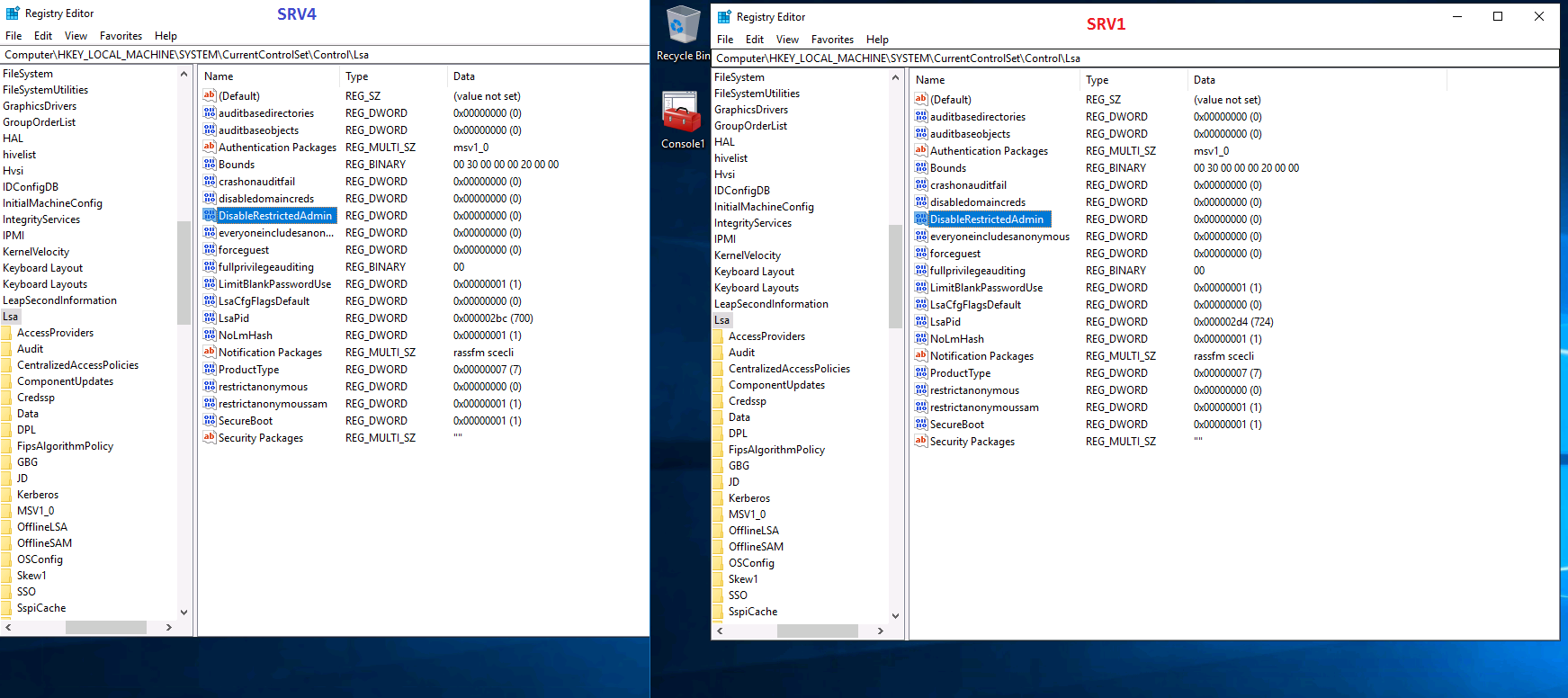
Have you added the DisableRestrictedAdmin regestry key as on my screenshot above?
' cx='32' cy='32' r='32' /%3E%3Ctext x='50%25' y='55%25' dominant-baseline='middle' text-anchor='middle' fill='%23FFF' %3EA%3C/text%3E%3C/svg%3E)
I tried values with 0 and 1 , no difference there, I will test again.
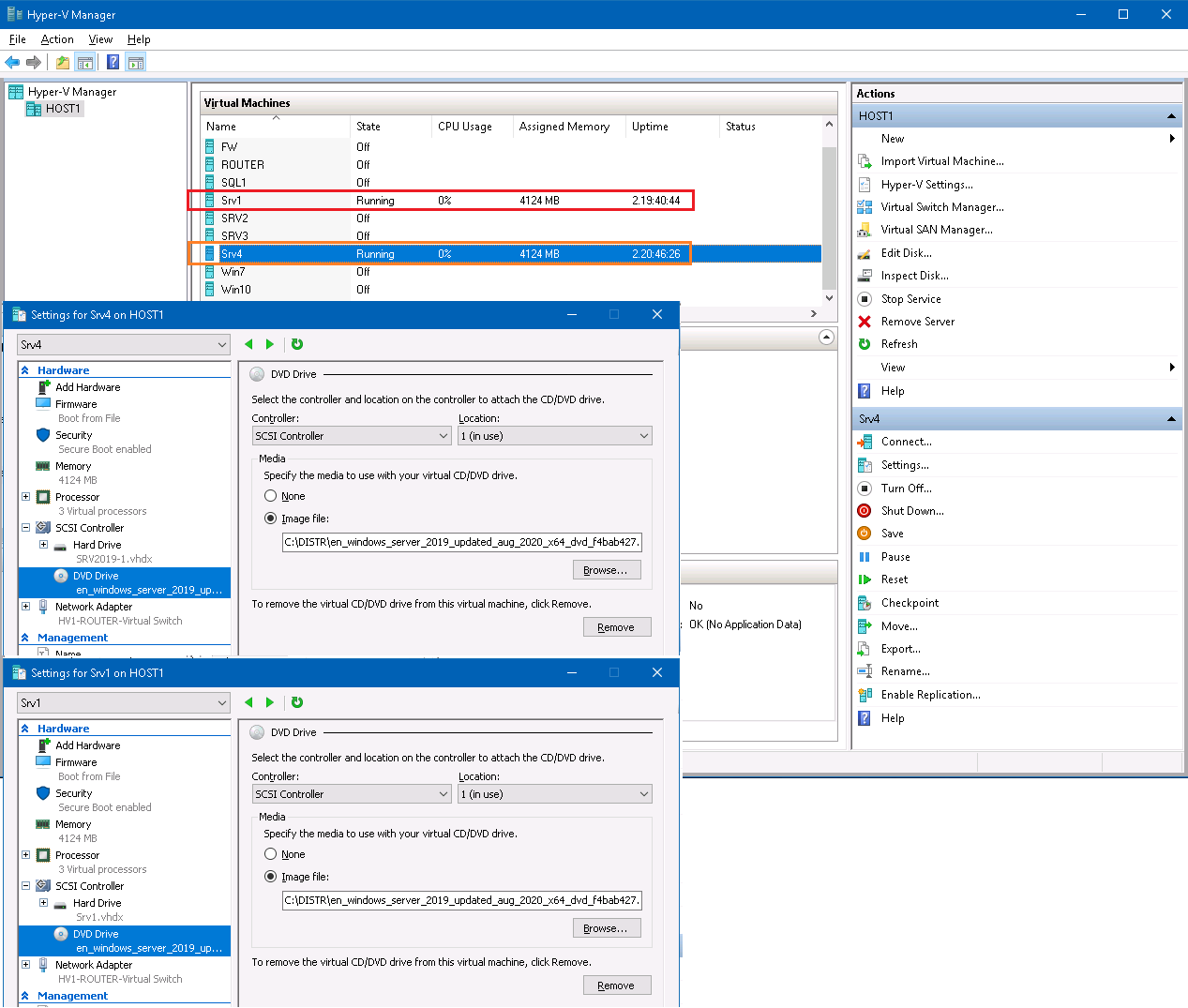
"Have you tried this on another server2019 ?" - yes, I have, and it clarifies nothing: I installed another Windows Server 2019 VM - Srv4 - alongside with the first one - Srv1, and it did work... I have no explanation for that. Here's my test lab:
1) Both servers 2019 are hosted on the same host machine (Host1) and were deployed using the same ISO:
2) Both of them are just standalone servers - no policies have been applied to them, the single setting applied was DisableRestrictedAdmin set to 0 (I also created one more local admin account - Admin):
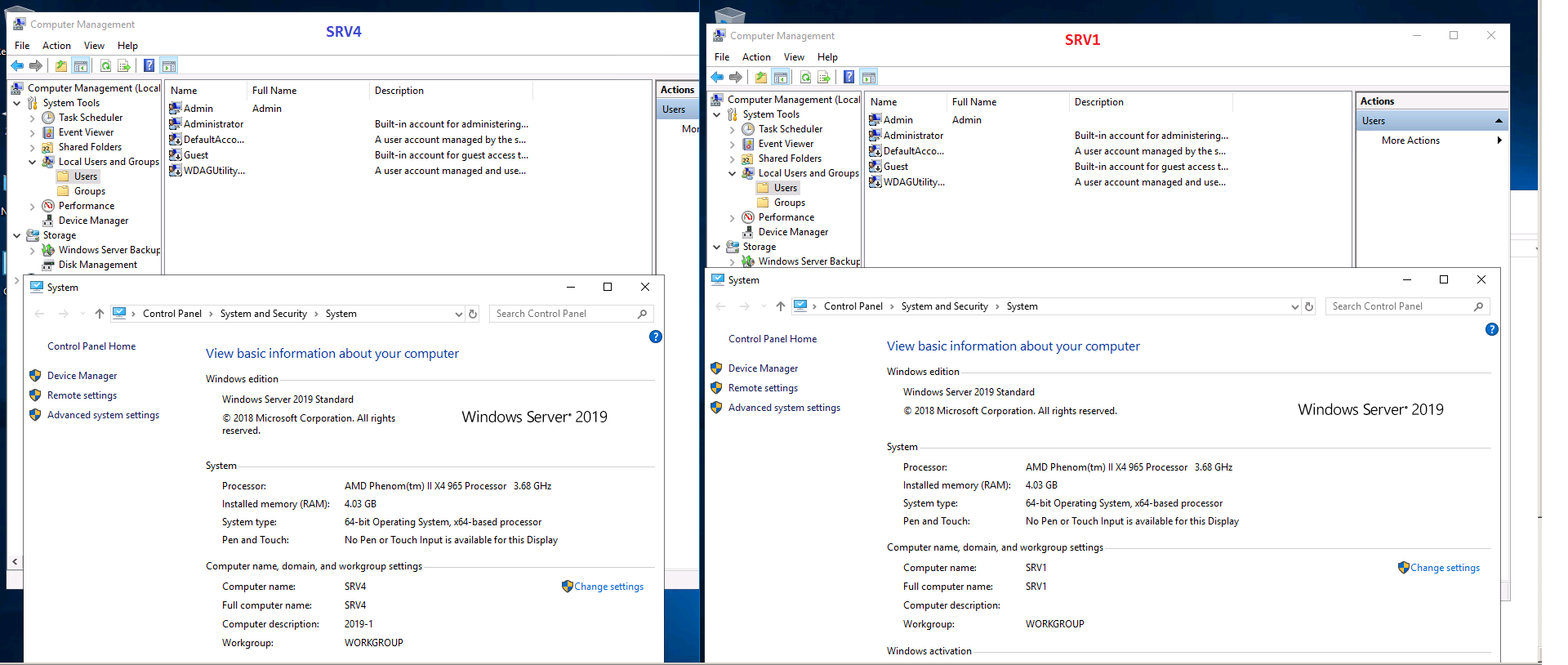
3) Now if I connect to Srv4 from ANY other computer (server or workstation, domain-joined or not) - I will succeed:
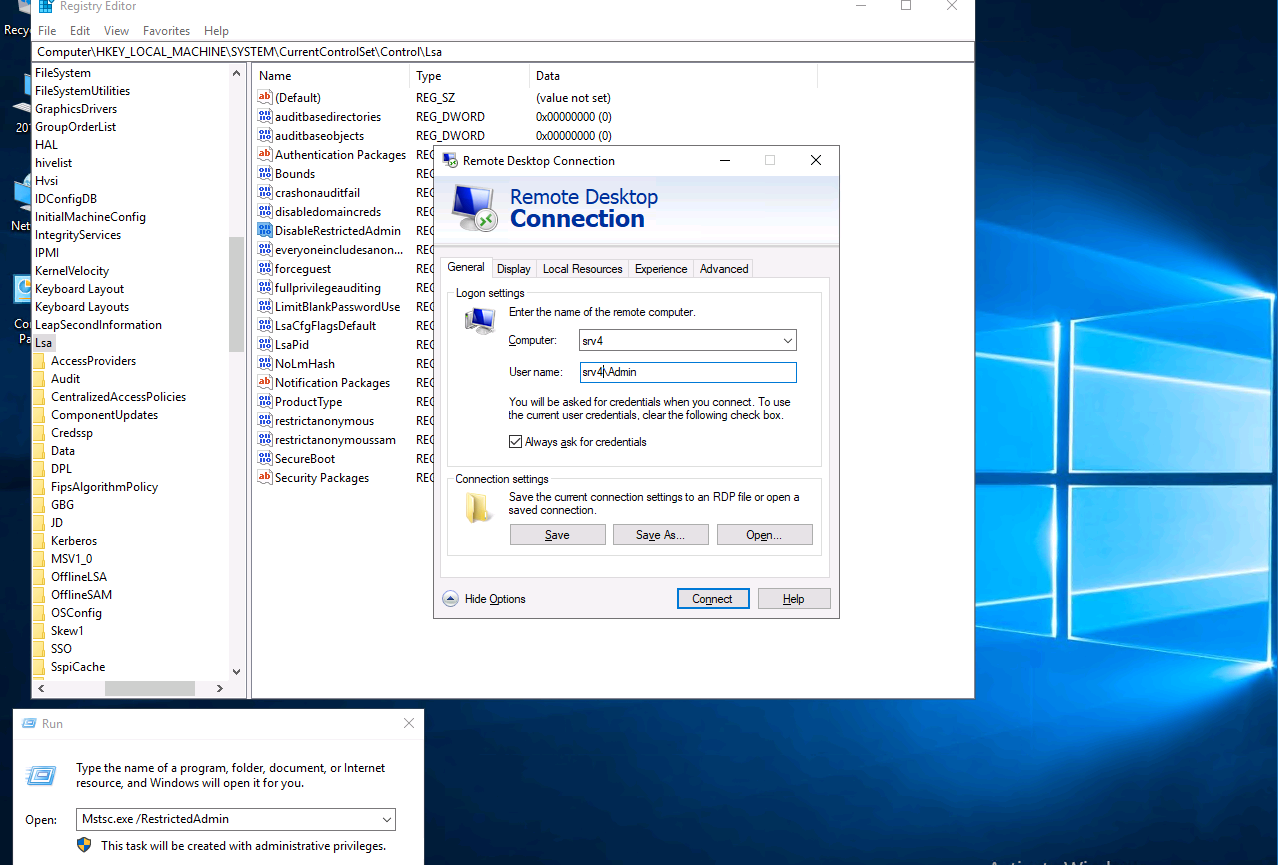
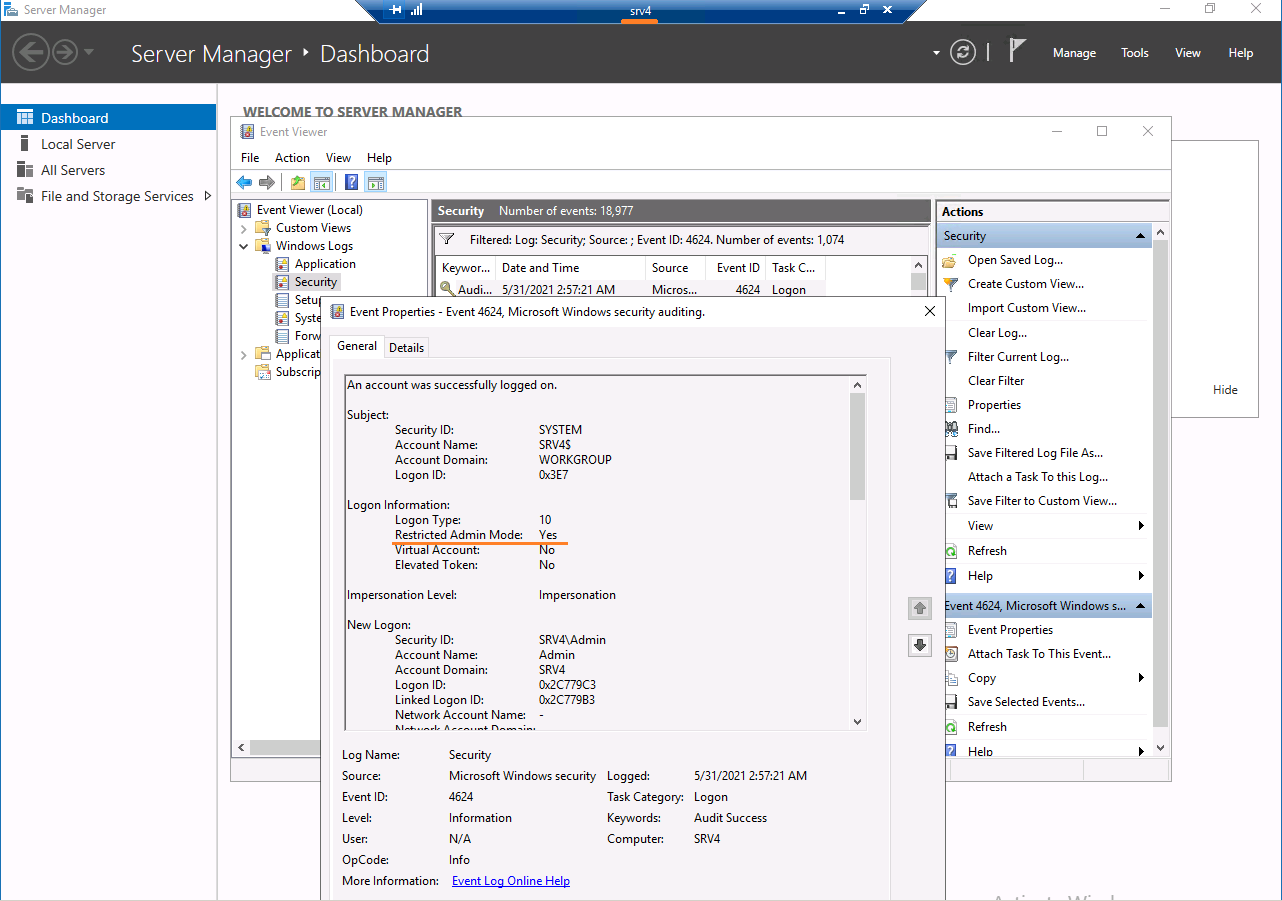
4) Connecting to Srv1 would fail for any client and for any user (Administrator or Admin):
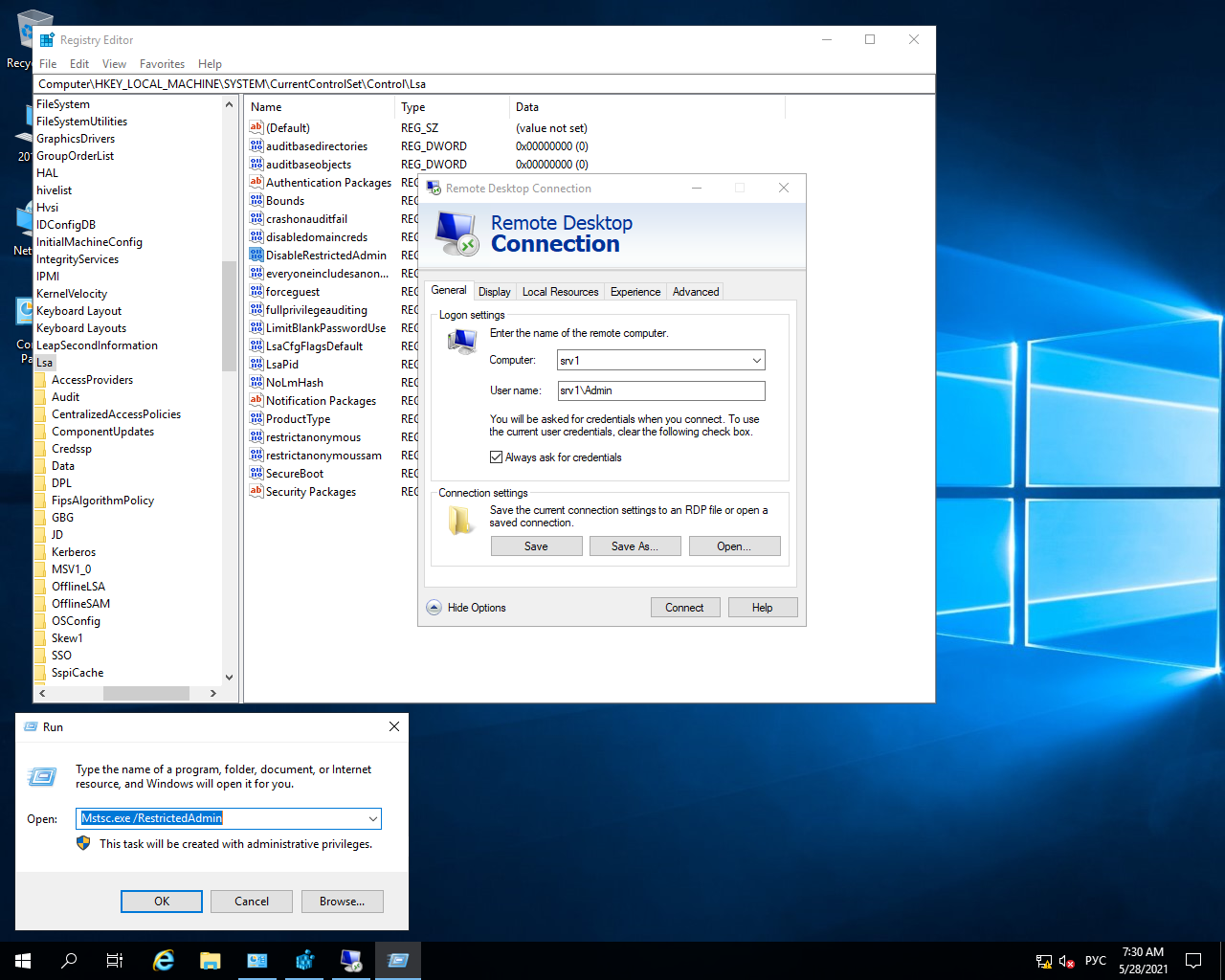

In fact this newly-installed Srv4 is the only Windows Server 2019 machine that I can connect to - all other Win2019 servers produce the same error.
I re-deployed some of my Windows Server 2016 machines and tested them again - all of them are working flawlessly.
Regards,
Michael
Thanks for your clarified explanation.
I tried your same test, but I got below result:

:(
Hello @Mikhail Firsov
Please check if below article helps:
Pass-The-Hash with RDP in 2019
Restrict delegation of credentials to remote servers
Best Regards
Karlie
----------
If the Answer is helpful, please click "Accept Answer" and upvote it.
Hello all,
KarlieWeng-MSFT, thank you for the interesting articles but they can't help...
"...and report this issue." - yes, thanks!
Regards,
Michael
Have you tried this on another server2019 ? Does it has the same performance..