Note
Access to this page requires authorization. You can try signing in or changing directories.
Access to this page requires authorization. You can try changing directories.
Video collaboration device settings managed with the Settings application, including Partner settings, needs to be synchronized between the touchscreen console and Front of the Room device.
As for any Android device in general, with the Settings App, the user can make use of the Bluetooth module and discover and pair to different accessories (e.g., a hearing aid). Because our system is composed of two inter-connected devices, we must be able to control the Bluetooth functions of front of room from the touch console. Like Bluetooth management, MDEP should be capable of managing the WiFi module on front of room device using the touchscreen console.
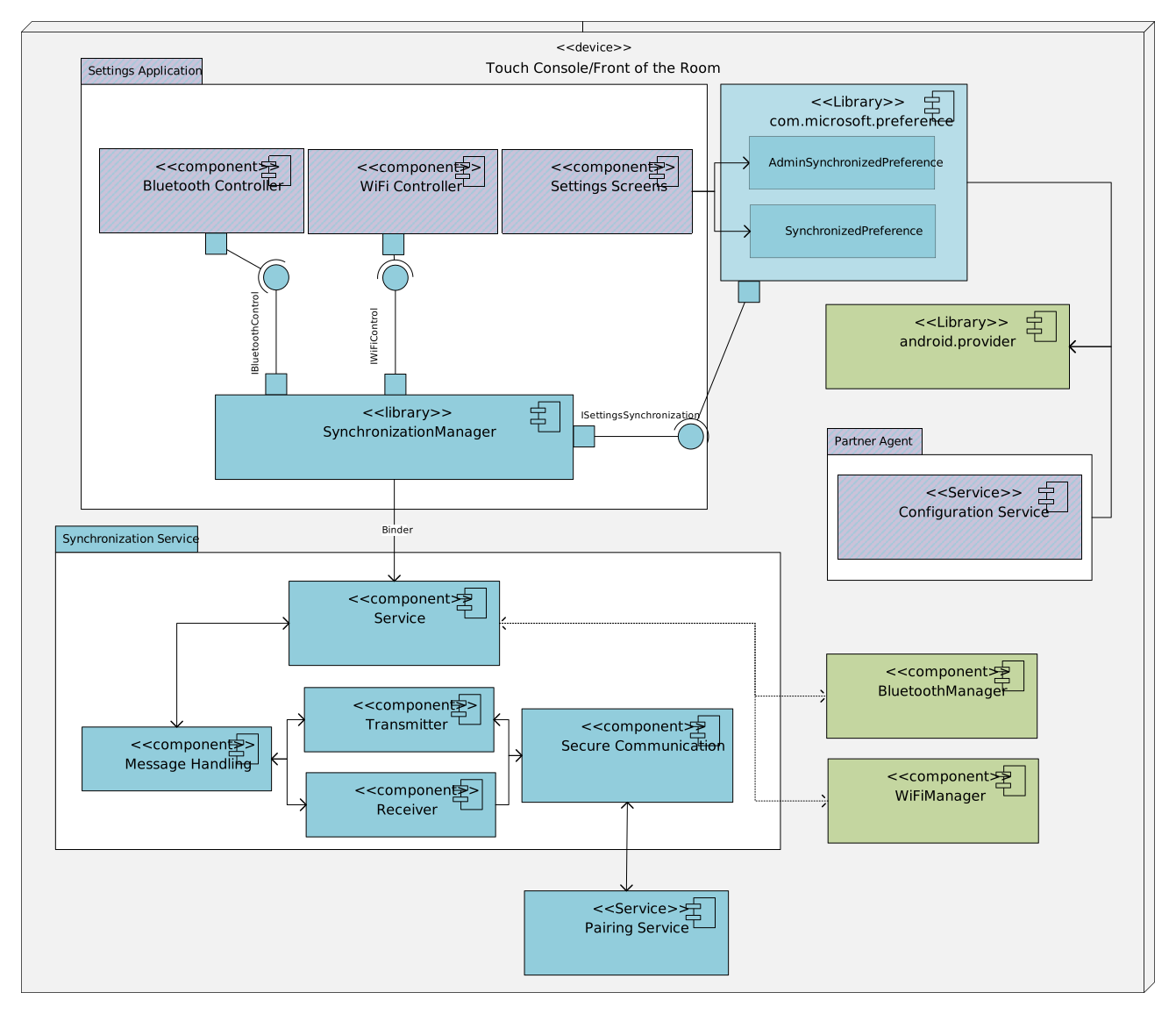
Settings Service Component Diagram
The Settings Synchronization service is a standalone background service which handles the serialization/deserialization of the data and the protocol of communication with the remote device to:
- Transfer data which needs to be synchronized between the touchscreen console and Front of Room, such as:
- User settings,
- Admin settings,
- Setup Wizard configuration, including service provider selection.
- Manage Bluetooth devices accessories on Front of Room using touchscreen console,
- Manage WiFi networks on Front of Room using touchscreen console.
Initial iteration of Synchronization Service will include a secured socket connection between the two devices, established using an IP address provided by the Paring Service via the PairingManager API. The Front of Room device will act as a server, accepting any incoming connection, while the touchscreen console will act as a client, connecting to the Front of Room device. This connection is maintained by background Services running on both devices.
Future iterations of this feature will rely on APIs provided by the Pairing Service, which will use secure communication channels. Changing a setting will call an API from the Pairing Service that will trigger a callback on the second device. This callback will change the setting to the new value.