Describe using Copilot in Dynamics 365 Sales
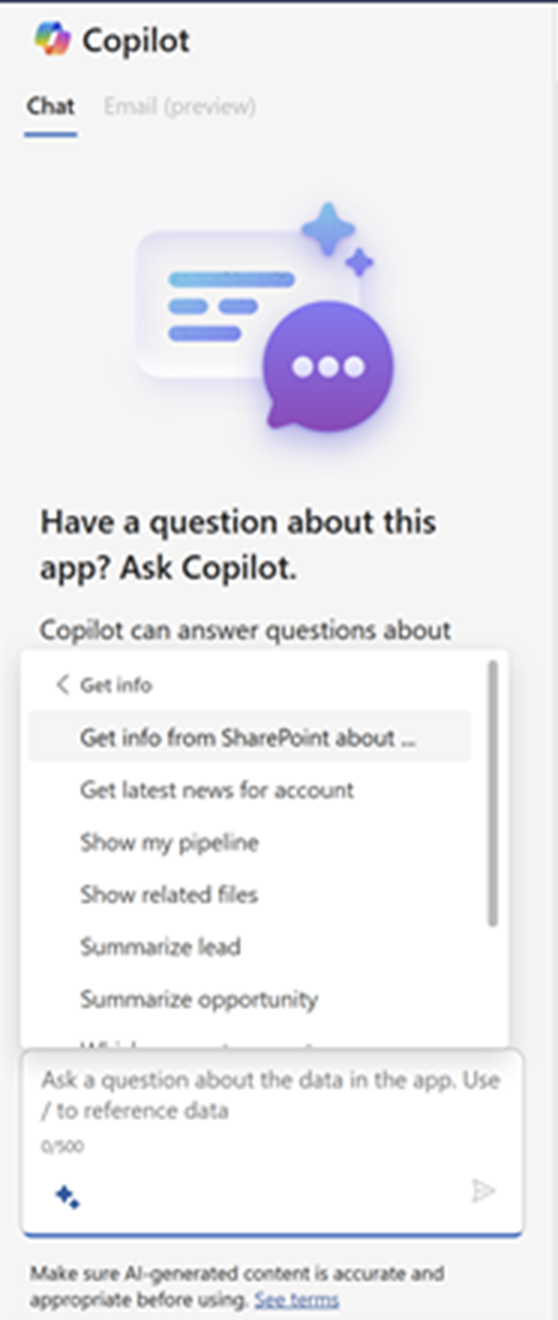
Copilot is an AI assistant in Dynamics 365 Sales that helps sales teams be more productive and efficient in their daily work. Dynamics 365 Sales users can use the chat interface to interact with and obtain information. They can get a quick summary of their opportunity and lead records, catch up on recent changes to their records, prepare for meetings, and read the latest news about their accounts.
The following Copilot capabilities are available in Dynamics 365 Sales:
Record summarization: Record summarization examines all the details related to a lead or opportunity and provides sellers with a quick summary. Having Copilot complete those tasks reduces the amount of time that a seller needs to prep when getting ready to interact with a lead or opportunity.
Recent changes: Summarizes any changes that were made to your lead, opportunity, and account records.
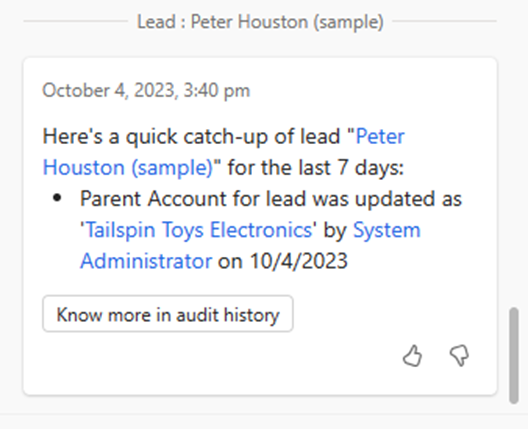
Meeting preparation: Helps you prepare for your upcoming meetings effortlessly, summarizing relevant information from the opportunity or lead records that are associated with the meeting.
Compose emails: Helps you compose professional-looking emails, summarize email conversations to add to your customer notes, and gives you reminders to follow up on unanswered emails.
Product content recommendations: Provides contextual content recommendations based on the products that are included on an Opportunity. This data may come from different data sources such as SharePoint.
Get answers from sales documents: Looks up relevant sales information across all SharePoint files that the signed-in user has access to.
Sales Qualification agent
The process of qualifying leads is critical to a sellers success. Effectively qualifying leads takes time. You must do significant research, and you need to comb through many different sources. The Sales Qualification agent in Dynamics 365 Sales is an AI assistant that automates the manual aspects of lead qualification. While it doesn't replace your judgment or decision-making process, it’s designed to help you qualify leads faster and more effectively.
The agent autonomously researches leads to determine if they're a good fit for further engagement. It provides you with detailed insights about each lead. These insights include:
Background: Allows you to better understand the lead's role, company, and industry.
Insights: Helps determine whether you should engage with the lead or not. Learn more about the lead's recent activities, such as their recent opportunities, colleagues who worked with the leads, and why this lead matches your ideal customer profile.
News: Keeps you updated with the latest news about the lead's company and industry.
Once active, the lead qualification agent displays on lead records that meet the agent’s selection criteria. A banner displays that includes the agent’s recommendation and two action buttons:
Review email: Opens a draft outreach email that the agent generated for you based on its insights. The email is ready to send, but you should review it and make any required changes before you send it.
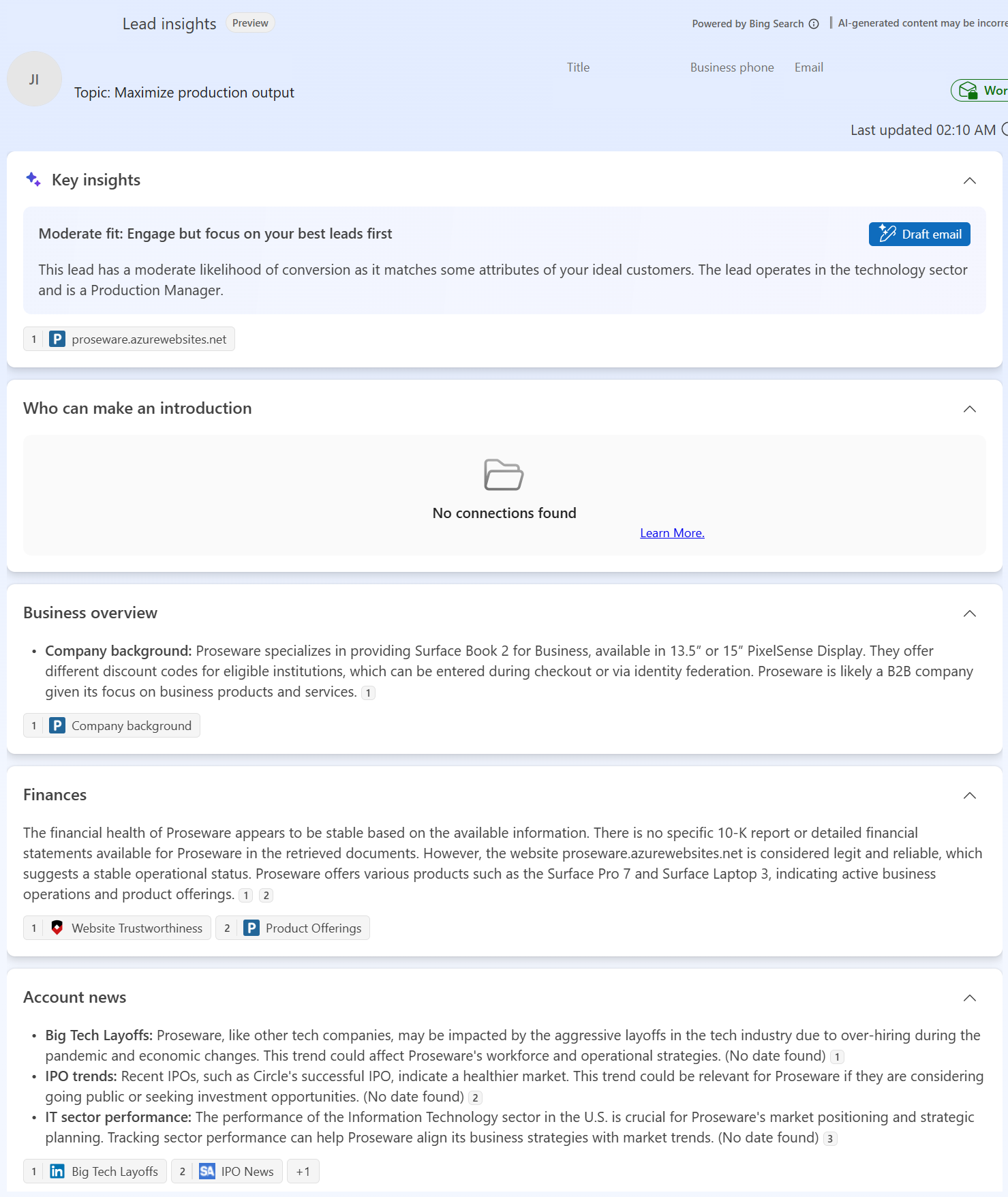
More insights: This opens the Lead insights page, which offers a 360-degree view of the lead and includes the date the agent last updated its research data.
The Lead Insights page includes the following information.
- Key insights: This section summarizes key insights about the lead, including why it is or isn't a good fit for your business based on the ideal customer profile.
If your company uses Dynamics 365 Customer Insights - Journeys, key insights also include recent marketing activities, such as email opens, link clicks, event registrations and attendance, and form submissions.
Email validation: The agent performs two checks on a lead's primary email address: whether it's a valid address and whether it's a work or personal address. These checks help make sure that the lead's email address is active, deliverable, and relevant for business communications.
Email validity: The agent looks for email validation errors to make sure that the address is properly formatted and deliverable. If the email address is invalid, the agent prompts you to enter a valid address.
Email type: The agent determines whether the address is a work or personal email address and labels it in the interface.
About lead: This section includes a summary of key fields, opportunities that are open with the lead, and your colleagues who interacted with the lead in emails or meetings.
About account: This section includes a summary of key details about the account based on insights that the agent pulls from the web.
Business overview: Insights on the company's industry, size, products and services, and mission statement.
Finances: Insights on the company's financial health and key financial metrics.
Account news: Insights from relevant news articles, such as product launches, leadership changes, contracts or clients won, community involvement, awards, and recognition.