Note
Access to this page requires authorization. You can try signing in or changing directories.
Access to this page requires authorization. You can try changing directories.
Summary
If an operation on an ExpressRoute circuit fails, the circuit can enter a failed state. This article shows how to reset a failed Azure ExpressRoute circuit to restore connectivity quickly.
Azure portal
Sign in to the Azure portal with your Azure account.
Search for ExpressRoute circuits in the search box at the top of the portal.
Select the ExpressRoute circuit that you want to reset.
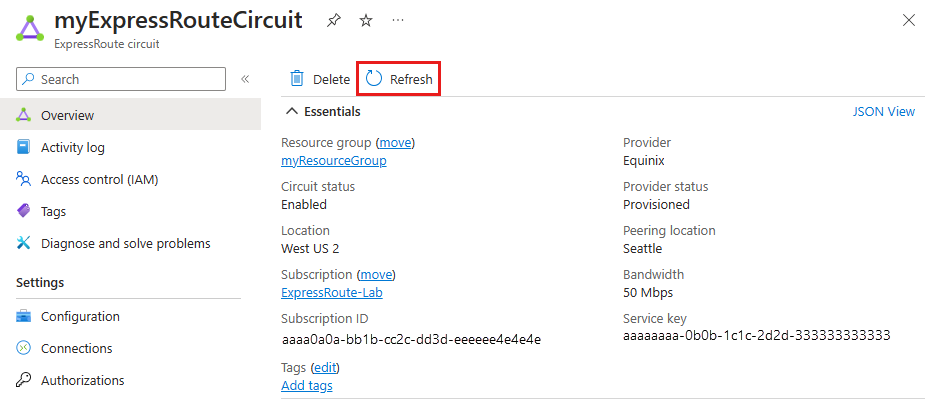
Select Refresh from the top menu.
Azure PowerShell
The steps and examples in this article use Azure PowerShell Az modules. To install the Az modules locally on your computer, see Install Azure PowerShell. To learn more about the new Az module, see Introducing the new Azure PowerShell Az module. PowerShell cmdlets are updated frequently. If you're not running the latest version, the values specified in the instructions might not work. To find the installed versions of PowerShell on your system, use the Get-Module -ListAvailable Az cmdlet.
Install the latest version of the Azure Resource Manager PowerShell cmdlets. For more information, see Install and configure Azure PowerShell.
Open your PowerShell console with elevated privileges, and connect to your account. Use the following example to help you connect:
Connect-AzAccountIf you have multiple Azure subscriptions, check the subscriptions for the account.
Get-AzSubscriptionSpecify the subscription that you want to use.
Select-AzSubscription -SubscriptionName "Replace_with_your_subscription_name"Run the following commands to reset a circuit that's in a failed state:
$ckt = Get-AzExpressRouteCircuit -Name "ExpressRouteARMCircuit" -ResourceGroupName "ExpressRouteResourceGroup"

Set-AzExpressRouteCircuit -ExpressRouteCircuit $ckt
The circuit is now healthy. Open a support ticket with Microsoft support if the circuit is still in a failed state.
Next steps
Open a support ticket with Microsoft support if you're still experiencing issues.