Note
Access to this page requires authorization. You can try signing in or changing directories.
Access to this page requires authorization. You can try changing directories.
Microsoft Defender for Cloud integrates with Mend.io to help identify and mitigate vulnerabilities in partner dependencies. The integration streamlines discovery and remediation.
This article explains the benefits and steps to connect Mend.io to Defender for Cloud. After setup, security teams get improved visibility and control over threats from code development to runtime.
Prerequisites
You need a Microsoft Azure subscription. If you don't have an Azure subscription, you can sign up for a free subscription.
You must enable Microsoft Defender for Cloud on your Azure subscription.
You must enable Defender Cloud Security Posture Management (CSPM) on your Azure subscription.
Connect your DevOps environments to Defender for Cloud:
Have an account with Mend.io.
Obtain an activation key from Mend.io. For instructions, see Mend.io integration activation token Application Programming Interface (API).
You must have the appropriate role to:
Task Role Create DevOps connectors Security Admin or Contributor assigned at the subscription level through Azure role-based-access control. Create the Mend.io connector Security Administrator or Global Administrator assigned at the tenant level through Microsoft Entra. Permissions can be granted through Privileged Identity Management. View reachability analysis findings Security Admin or Security Reader assigned at the subscription level through Azure role-based-access control on the subscription that hosts the DevOps connector. Connect only one Mend.io connector per tenant.
Ensure repositories monitored by Mend.io are also connected to Defender for Cloud. Findings won't appear if those repositories aren't connected.
Connect Mend.io
To connect your Mend.io account to Defender for Cloud:
Sign in to the Azure portal at portal.azure.com.
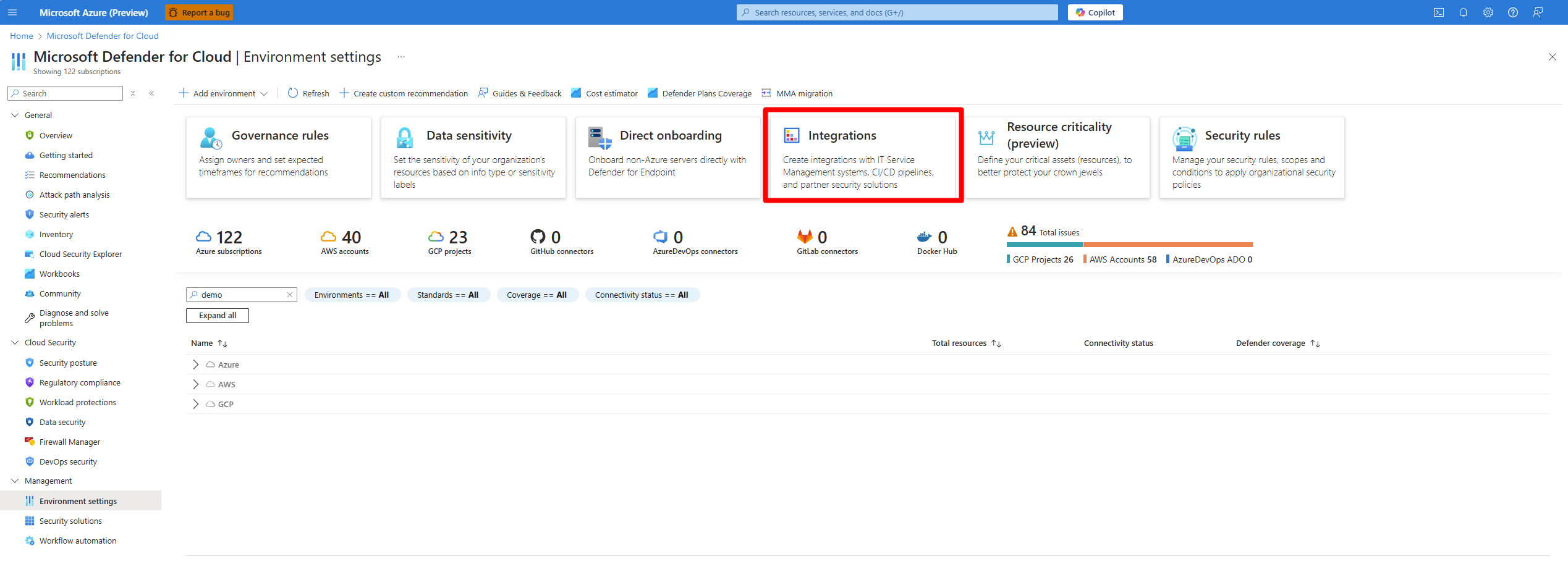
Navigate to Microsoft Defender for Cloud > Environment settings.
Select Integrations.
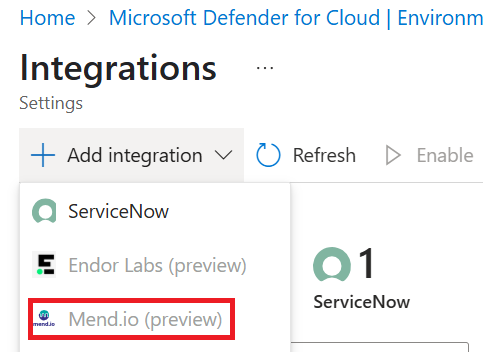
Select Add integration > Mend.io.
Note
The option to add the Mend.io integration isn't available if you don't have the appropriate permissions, or if you already have an existing connector to Mend.io.
Enter a Mend.io activation key.
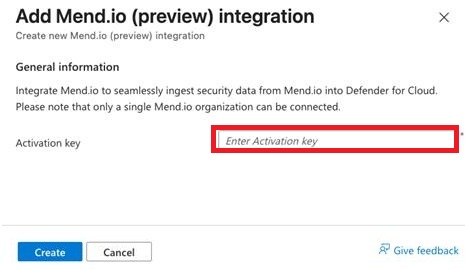
Select Create.
After the integration is successfully created, a notice appears. Defender for Cloud scans repositories connected to Mend.io and populates results after six hours.
Related content
For information about partner integrations, see Partner integrations.