Share via

Microsoft.SQLServer.ManagedDTS reference missing

CC 321 Reputation points
2021-06-24T21:54:22.683+00:00

I've pulled down a solution from Team Foundation Server developed by team member.
I am missing references for:
Microsoft.SQLServer.ManagedDTS
Microsoft.SqlServer.Management.IntegrationServices

I have SSIS on my machine along with Reporting Services.

If I go to Visual Studios >> top 'Tools' menu >> Get Tools and Features
Looks like I already have SQL Server Data Tools installed:

109110-image.png

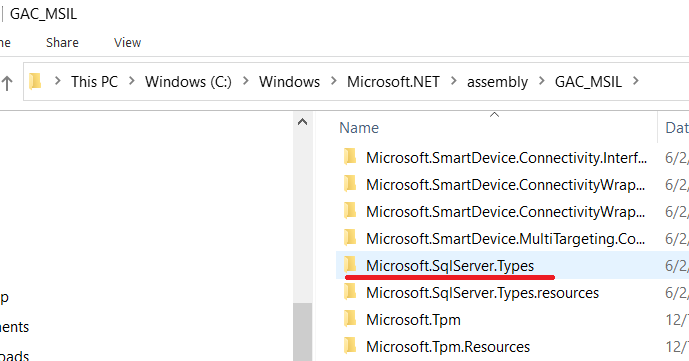
This is all I have in GAC_MSIL:
109163-image.png

SQL Server | Other
0 comments No comments
{count} votes

Answer accepted by question author
  1. CC 321 Reputation points
    2021-06-28T20:40:49.593+00:00

    Re-downloaded Microsoft® SQL Server® 2019 Express
    https://www.microsoft.com/en-us/Download/details.aspx?id=101064

    1. Chose Custom from Installer initial popup
    2. Click top right link on "SQL Server Installation Center" popup to add features to an existing installation
    3. Run Setup and make sure you have needed installs.
    0 comments No comments

3 additional answers

Sort by: Most helpful
  1. CathyJi-MSFT 22,416 Reputation points Microsoft External Staff
    2021-06-28T01:57:40.353+00:00

    Hi @CC ,

    If recently installed Microsoft SQL Server (or related software), please uninstall then try reinstalling Microsoft SQL Server software to resolve the issue. If it is not work, please try the other solutions from the below blog.

    Fix Microsoft.SqlServer.ManagedDTS.dll DLL Errors and Download Now

    0 comments No comments

  2. CC 321 Reputation points
    2021-06-25T14:07:09.237+00:00

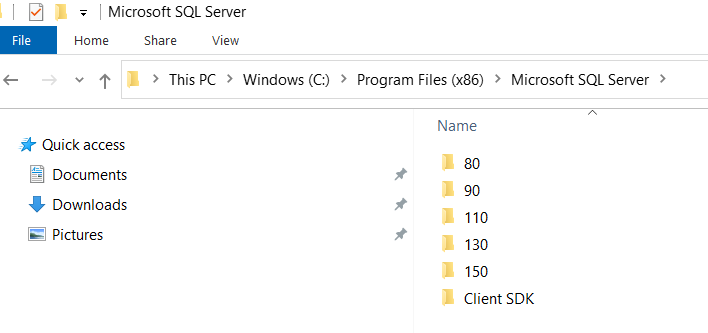
    If I look in C:\Program Files (x86)\Microsoft SQL Server directory and all its folders,

    109442-image.png

    ...there are no 'SDK/Assemblies' paths.
    I also searched for the .dll file in this directory and nothing came up.

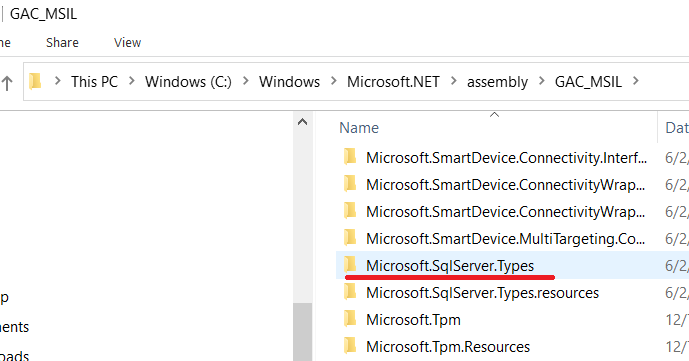
    For the GAC_MSIL, this is all I have:

    109328-image.png

    0 comments No comments

  3. CathyJi-MSFT 22,416 Reputation points Microsoft External Staff
    2021-06-25T06:58:36.46+00:00

    Hi @CC ,

    Quote from the old thread missing Microsoft.SqlServer.ManagedDTS.

    In the Add Reference dialog window, click on the browse tab. Then navigate your way to:

    C:\Program Files\Microsoft SQL Server\90\SDK\Assemblies

    There you will find the Microsoft.SQLServer.ManagedDTS.dll, select it and hit okay.

    For Microsoft.SqlServer.Management.IntegrationServices, we can get this once we installed SSIS. Please check you have installed SSIS from SQL server configuration manager. Below is the test that I check today, once I add the SSIS feature in SQL 2019 instance in my environment, I get this file.
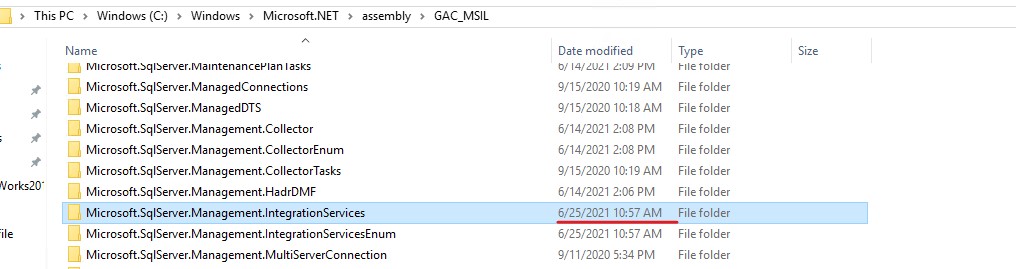
    109227-screenshot-2021-06-25-145616.jpg

    By the way, what is the version of your SQL server.


    If the response is helpful, please click "Accept Answer" and upvote it, as this could help other community members looking for similar queries.

    0 comments No comments

Your answer

Answers can be marked as 'Accepted' by the question author and 'Recommended' by moderators, which helps users know the answer solved the author's problem.