Microsoft Security | Microsoft Graph
An API that connects multiple Microsoft services, enabling data access and automation across platforms

This browser is no longer supported.
Upgrade to Microsoft Edge to take advantage of the latest features, security updates, and technical support.
' cx='32' cy='32' r='32' /%3E%3Ctext x='50%25' y='55%25' dominant-baseline='middle' text-anchor='middle' fill='%23FFF' %3EGJ%3C/text%3E%3C/svg%3E)
Using the microsoft-graph library I am able to create shareable links as follows:
use Microsoft\Graph\Graph;

$data = [
                'type' => 'edit',
                'scope' => 'organization',
            ];
            $url = '/drives/'.$driveId.'/items/'.$driveitemId.'/createLink';
            $link = $this->graph->createRequest("POST", $url)
                        ->attachBody($data)
                        ->execute();
The above is successful.
What I really want to do is create an 'anonymous' link so that people outside of the organization have access to the file. However, if I change the scope to 'anonymous' then the above link creation fails. Likewise, if I go to Onedrive on the web, I cannot share the link with anyone as it says that my organization is preventing me from selecting the option.
The API documentation does say that "Anonymous link support may be disabled by an administrator.", however it doesn't say where or how to enable or disable anonymous link support.
The idea is that the link will initially be editable, but will be later changed to read only.
Please could you tell me where I can enable this support so that I can manage the link using microsoft-graph API.
Apologies in advance @JosephXu-MSFT - you are the only person I know to tag, please forward as appropriate.

Hi @Graham Jarvis , I'm glad to do my best to help you. I found solution in this document. It says: we need to sign in with an account that has admin permissions for your organization.
Admin center. 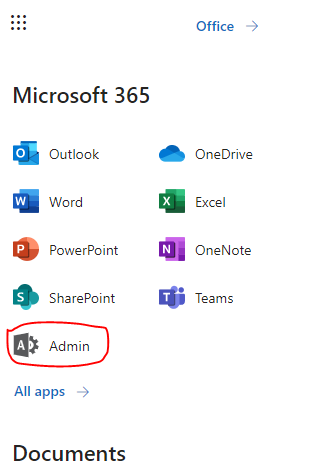
show all and we can see SharePoint, then click it. 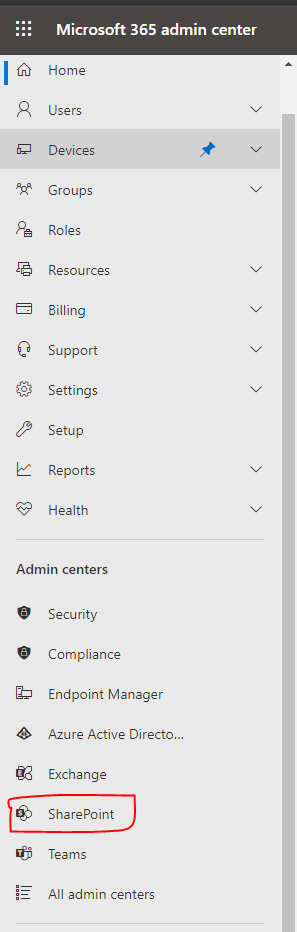
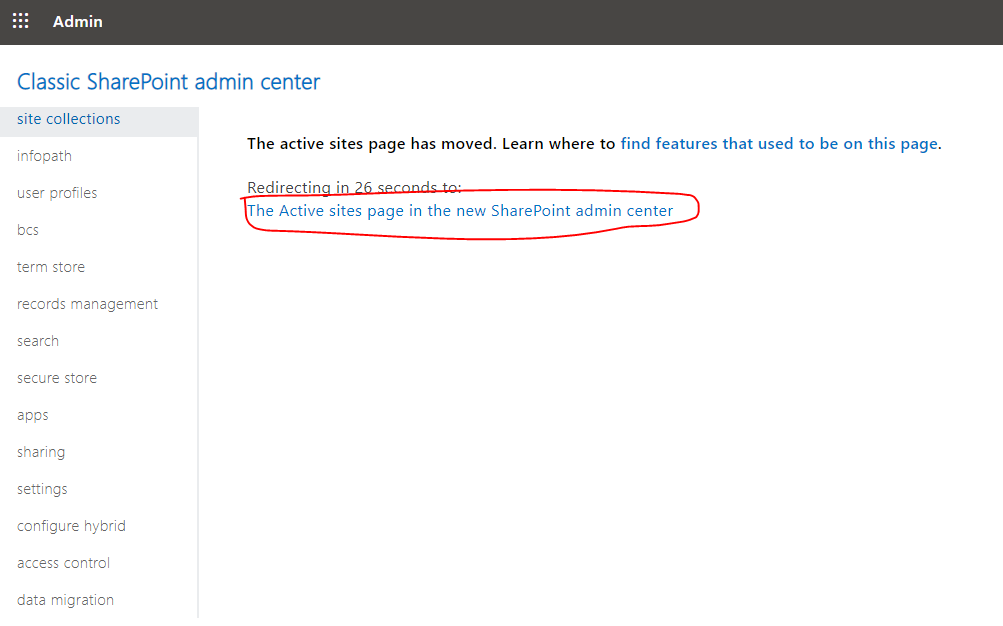
Policies -> Sharing menu bar, we can set to Anyone level. After that we can enable anonymous access. :) 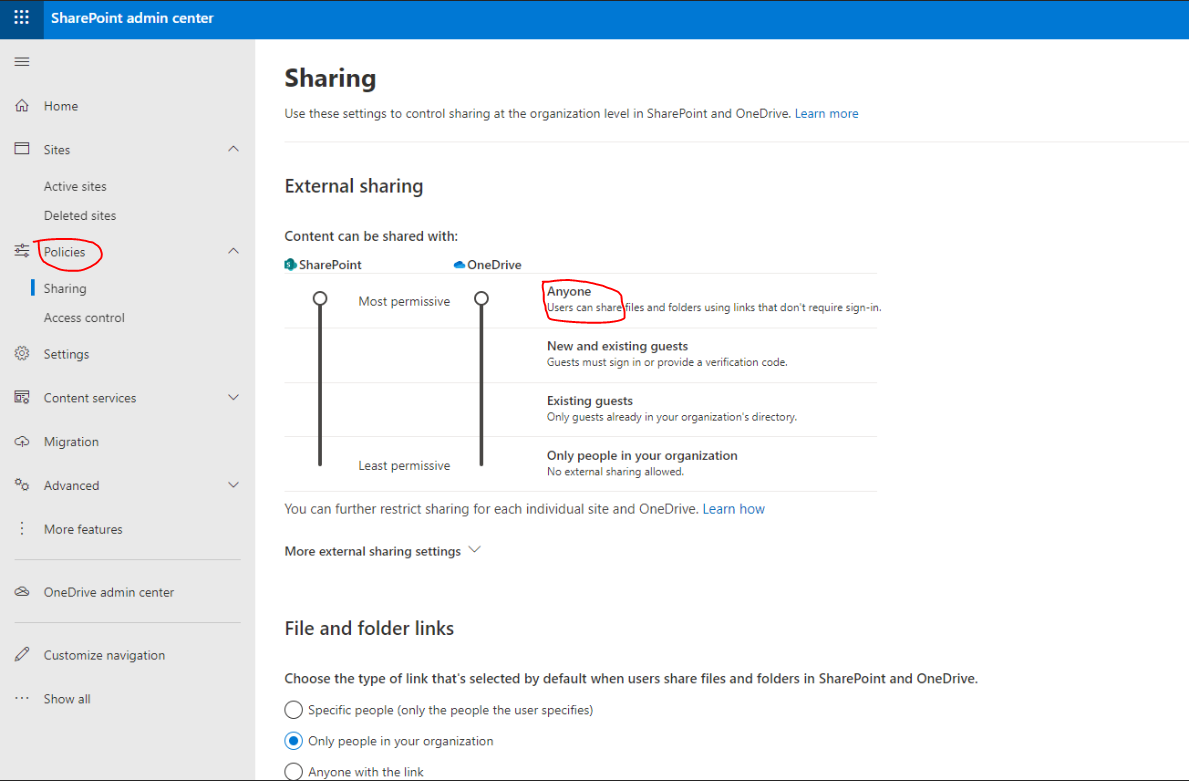
## Update:
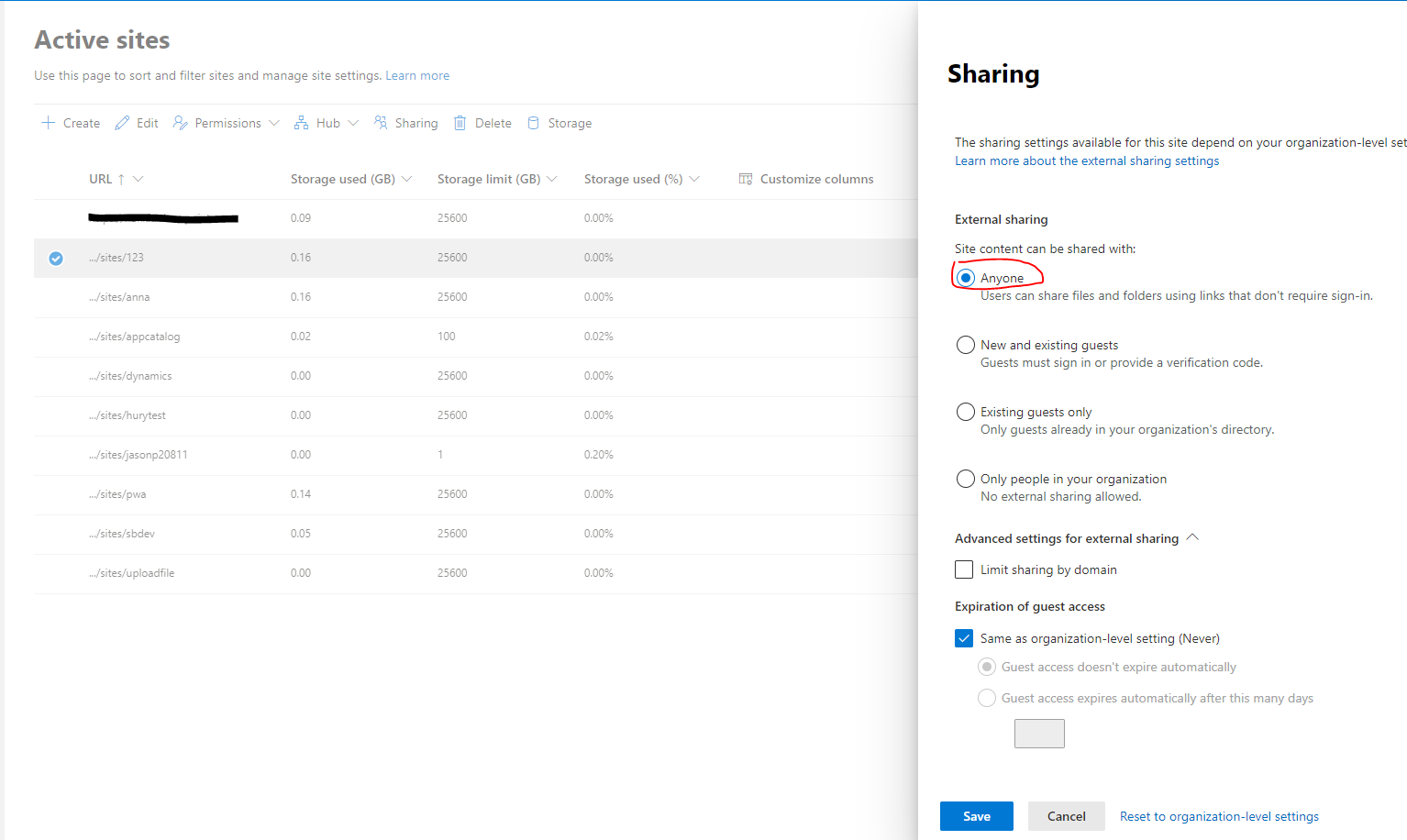
Hi @Graham Jarvis Glad to hear that you got it works. We also can set site scope external sharing settings.
Thank you so much @JosephXu-MSFT
Getting to the Sharepoint Admin area was the key! I checked the settings under Policies that you highlighted, but found that they were already set to 'Anyone with the link'. However, the page you highlighted above mentioned 'You can further restrict sharing for each individual site' and had a link to further explanation.
To fully fix my problem I had to:
Following this change, my code snippet successfully created an Anonymous link.
I'm happy to accept your answer, but I'm not sure whether you might want to add a note about also needing to check site settings too? Thank you again for pointing me in the right direction.
Hi @Graham Jarvis I've updated my answer. :)