Microsoft 365 and Office | SharePoint | Development
The process of building custom applications and tools that interact with Microsoft SharePoint, including SharePoint Online in Microsoft 365.

This browser is no longer supported.
Upgrade to Microsoft Edge to take advantage of the latest features, security updates, and technical support.
' cx='32' cy='32' r='32' /%3E%3Ctext x='50%25' y='55%25' dominant-baseline='middle' text-anchor='middle' fill='%23FFF' %3EAC%3C/text%3E%3C/svg%3E)
Request information:
{
"__metadata": {
"type": "SP.Folder"
},
"ServerRelativeUrl": "/PODEV/SAP%20Library/test"
}
Response information:
{
"error": {
"code": "-1, Microsoft.SharePoint.Client.InvalidClientQueryException",
"message": {
"lang": "en-US",
"value": "The property '__metadata' does not exist on type 'SP.Folder'. Make sure to only use property names that are defined by the type."
}
}
}
The process of building custom applications and tools that interact with Microsoft SharePoint, including SharePoint Online in Microsoft 365.
A group of Microsoft Products and technologies used for sharing and managing content, knowledge, and applications.
Answer accepted by question author
I solved the problem.
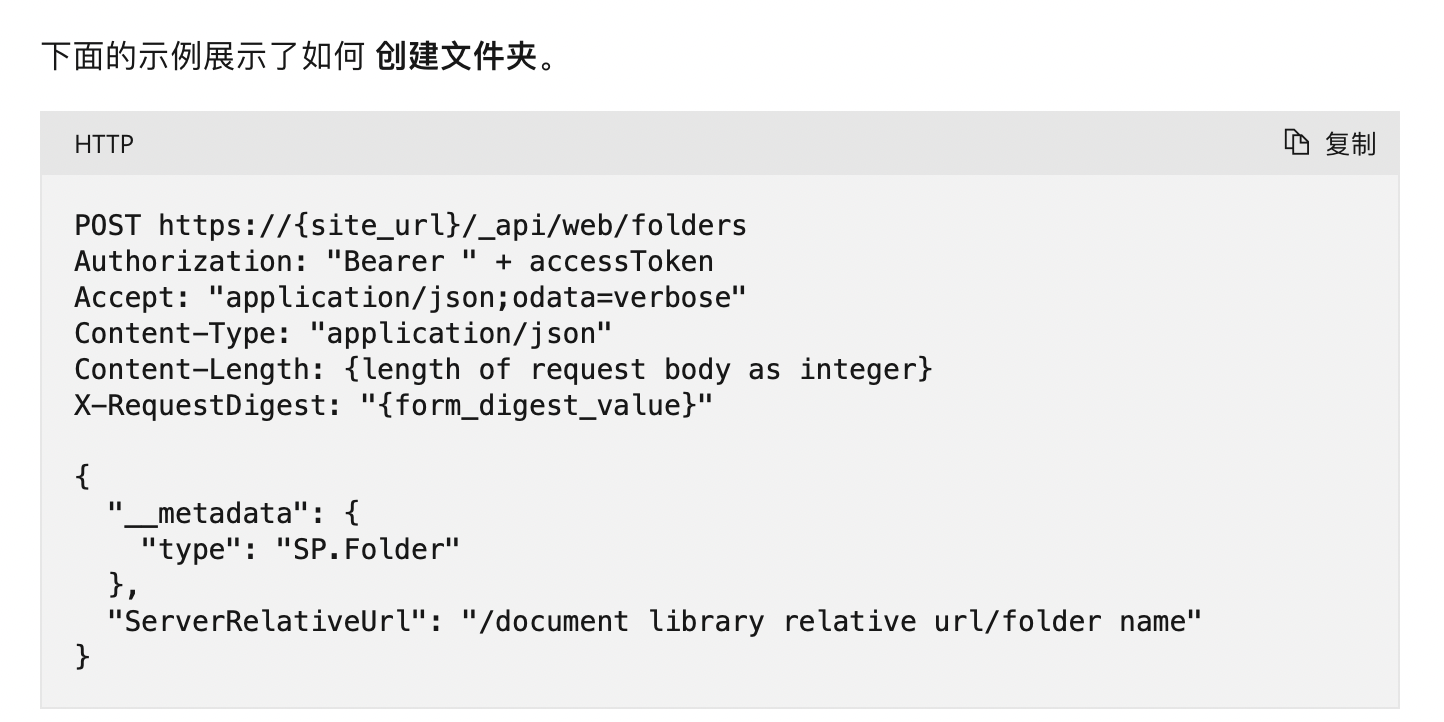
The problem with the content-type parameter is in the official documentation
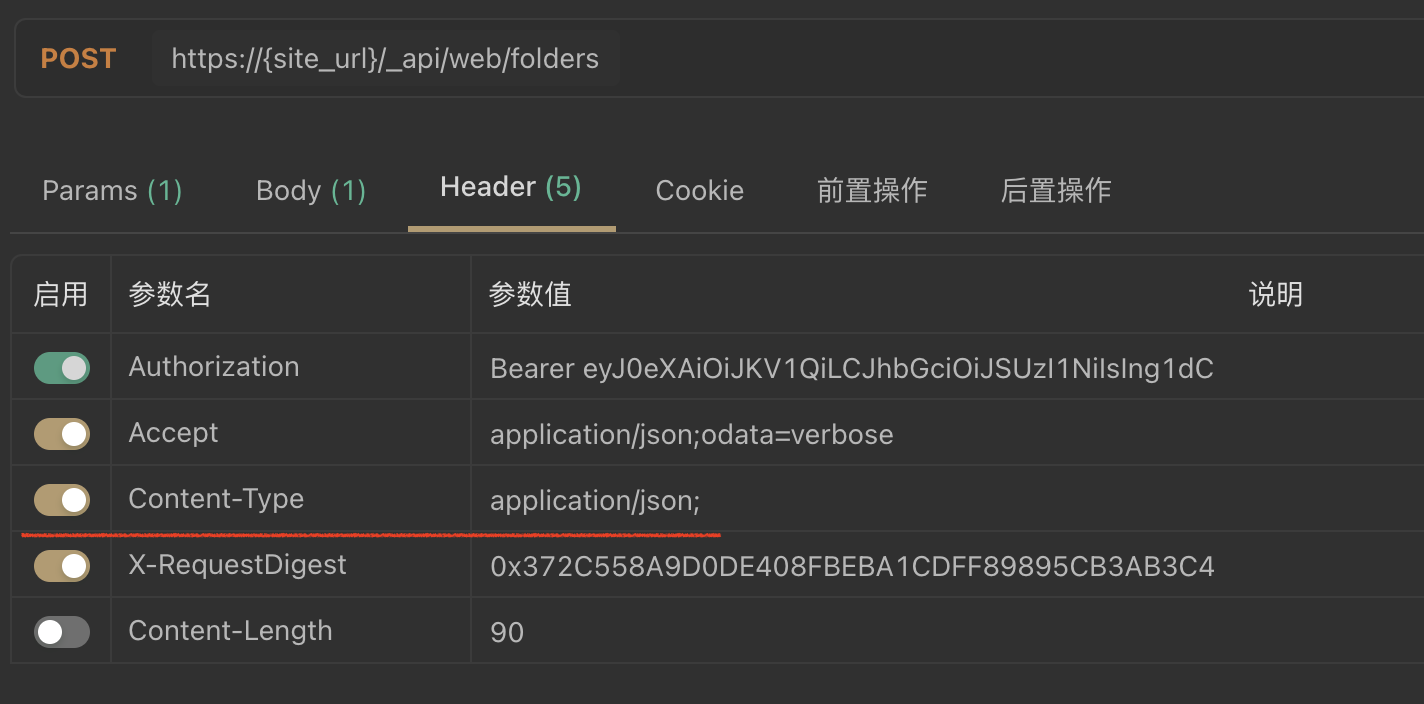
Send the request based on the above example
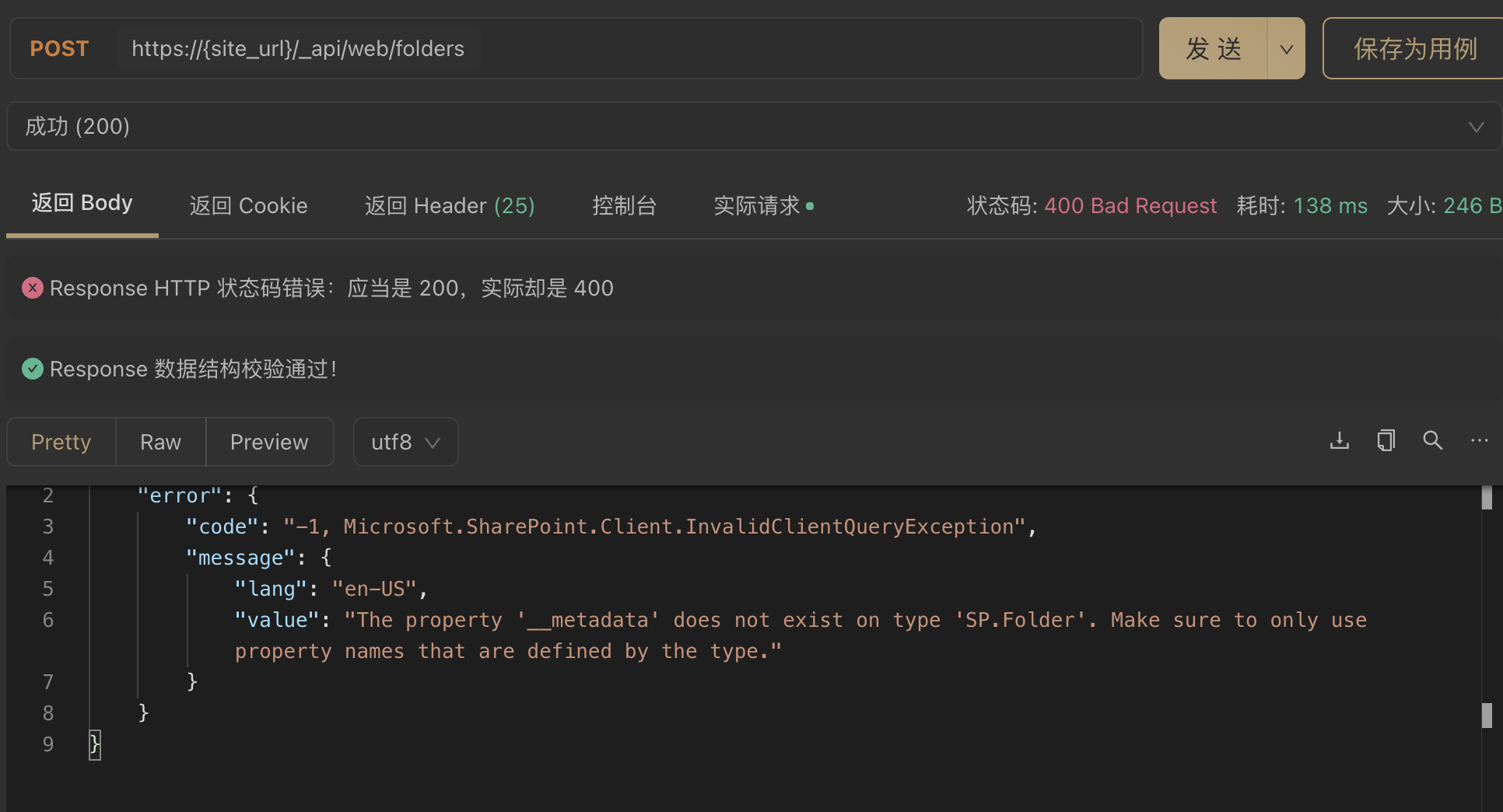
The server will report an error
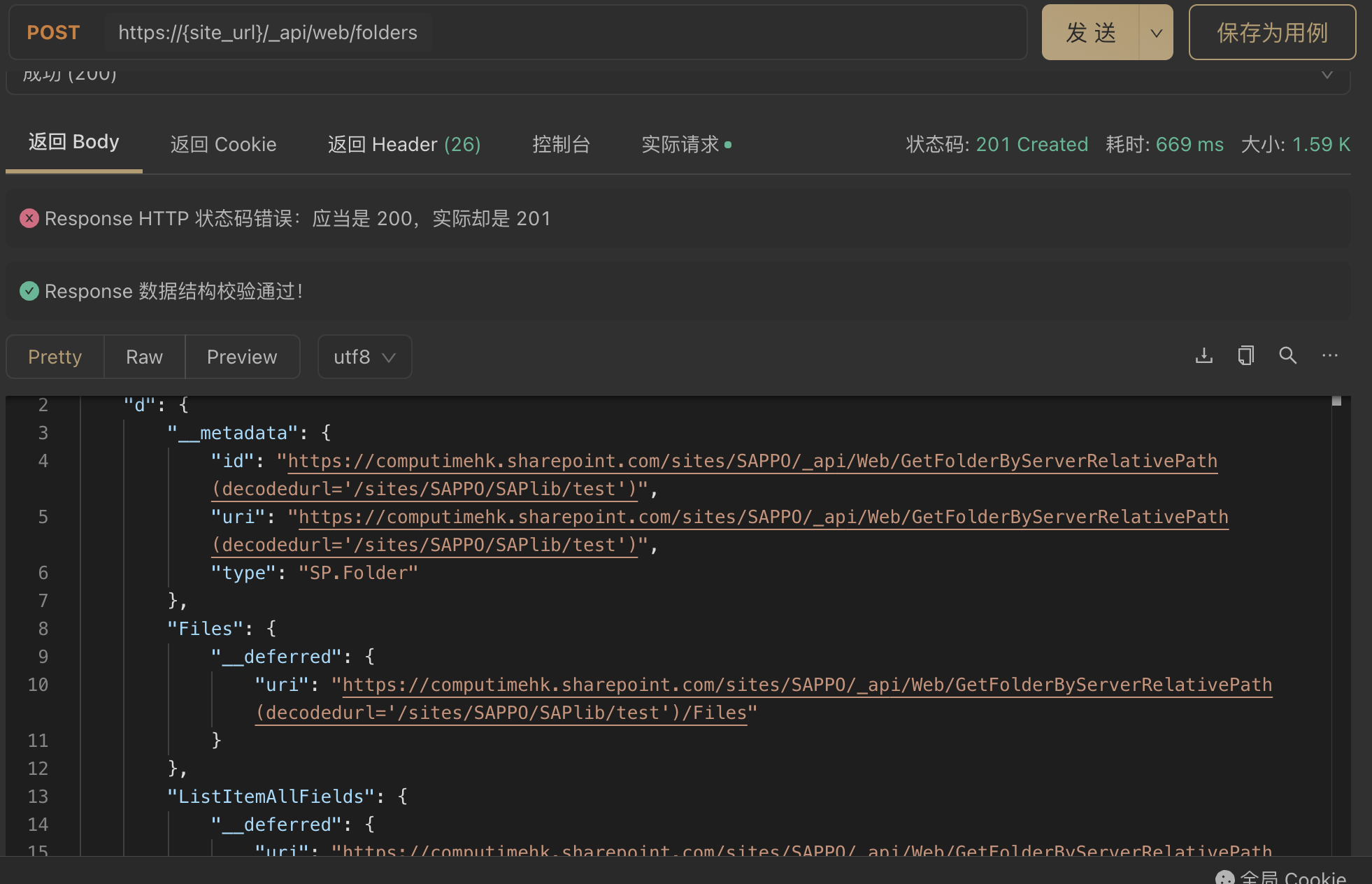
Then I refer to your answer and change the content-type parameter to: application/json; odata=verbose
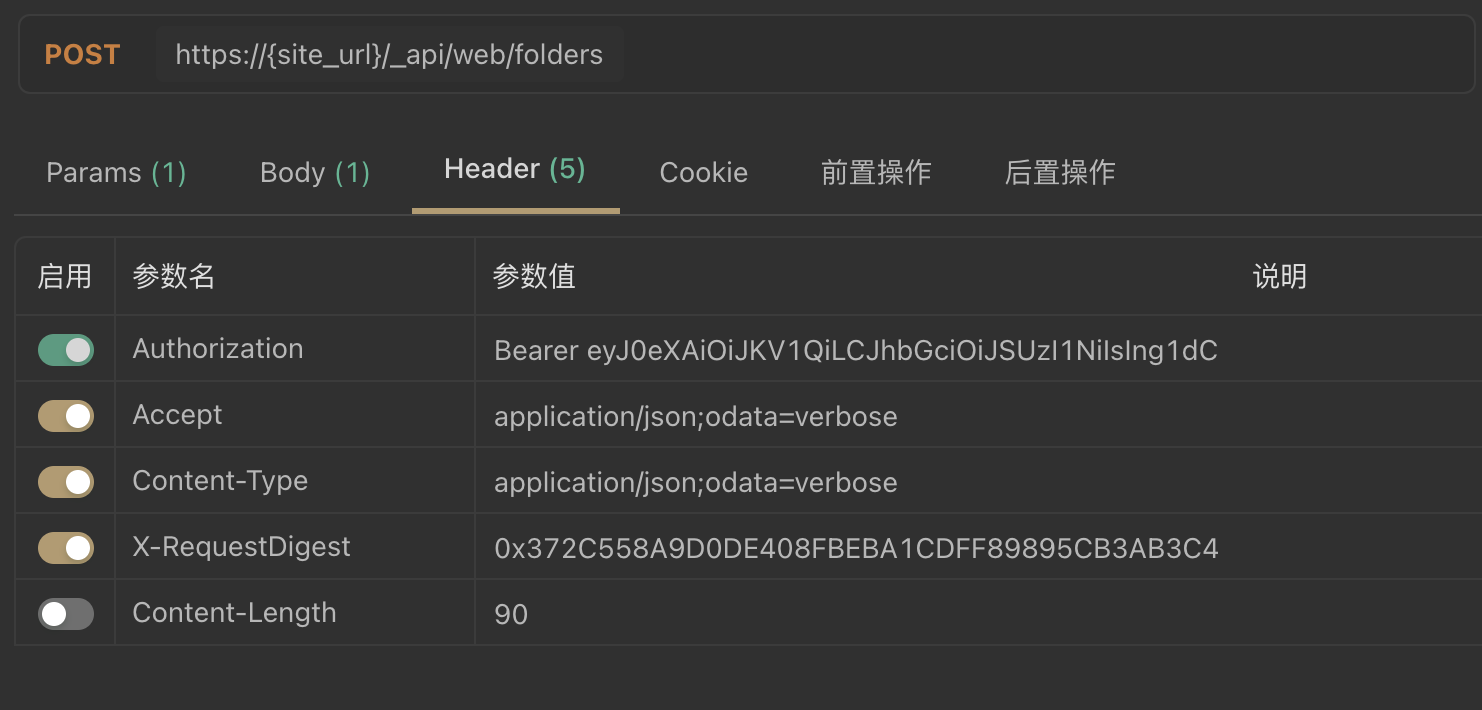
The folder is created successfully
' cx='32' cy='32' r='32' /%3E%3Ctext x='50%25' y='55%25' dominant-baseline='middle' text-anchor='middle' fill='%23FFF' %3ER%3C/text%3E%3C/svg%3E)
Hi @Andy Cen (IVC) ,
Could you provide us the Request Header? One case when this error often happens is when you set ContentType request header as "application/json" instead of "application/json;odata=verbose". I have tested my code and it works. Please take a reference:
		function createFolder() {
			var folderName = "test99";
			var fullUrl = _spPageContextInfo.webAbsoluteUrl + "/_api/web/folders";
			$.ajax({
				url: fullUrl,
				type: "POST",
				data: JSON.stringify({
					"__metadata": {
						"type": "SP.Folder"
					},
					"ServerRelativeUrl": "Document Lib/" + folderName
				}),
				headers: {
					"accept": "application/json;odata=verbose",
					"content-type": "application/json;odata=verbose",
					"X-RequestDigest": $("#__REQUESTDIGEST").val()
				},
				success: onQuerySucceeded,
				error: onQueryFailed
			});
		}
Hi @Andy Cen (IVC) ,
Have you tried the solution I proposed?
If you have any questions or progress, you can contact me in time.
Looking forward to your reply
Have a lucky day!
Thanks,
Raytheon Xie
Hi @Andy Cen (IVC) ,
Would you tell me whether your issue has been resolved or have any update?
I am looking forward to your reply.
Have a nice day!
Thanks,
Raytheon Xie
Hi @Andy Cen (IVC) ,
Per my test the "ServerRelativeUrl" should be SAP%20Library/test. There might be something wrong in your request header. Please refer to the following sample to create the folder
POST https://{site_url}/_api/web/folders
Authorization: "Bearer " + accessToken
Accept: "application/json;odata=verbose"
Content-Type: "application/json"
Content-Length: {length of request body as integer}
X-RequestDigest: "{form_digest_value}"

{
  "__metadata": {
    "type": "SP.Folder"
  },
  "ServerRelativeUrl": "document library/folder name"
}
If the answer is helpful, please click "Accept Answer" and kindly upvote it. If you have extra questions about this answer, please click "Comment".
Note: Please follow the steps in our documentation to enable e-mail notifications if you want to receive the related email notification for this thread.
It's the same error
File structure :
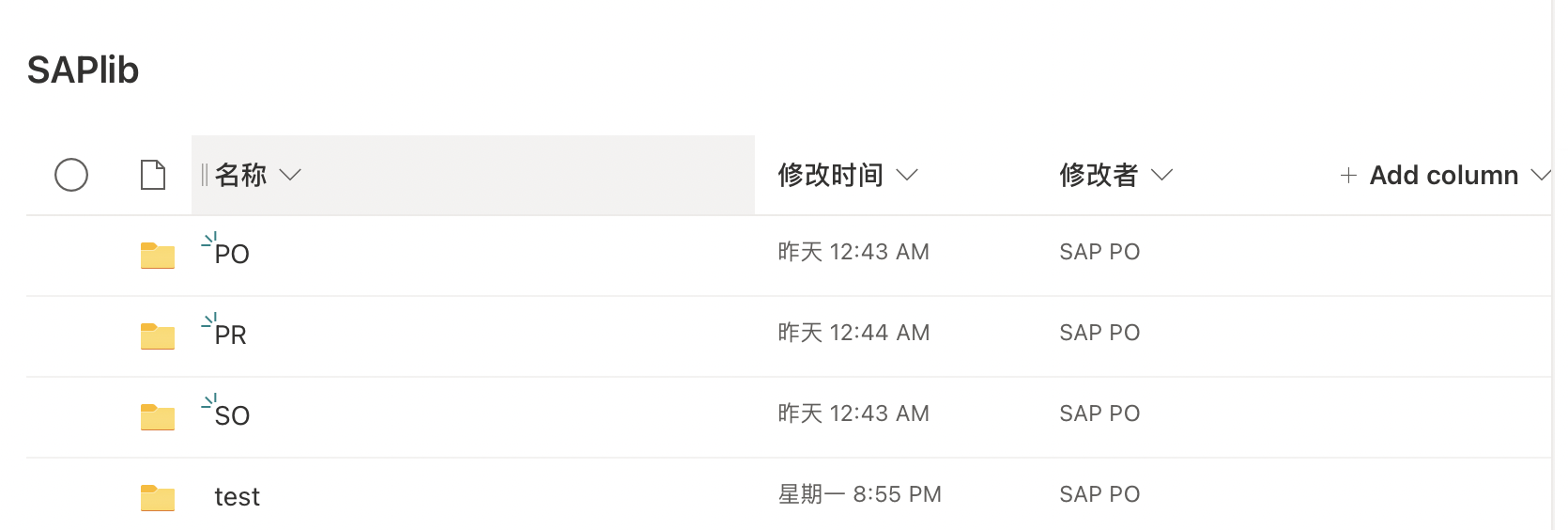
API address : _api/web/folders
Reques Body :
{
  "__metadata": {
    "type": "SP.Folder"
  },
  "ServerRelativeUrl": "SAPlib/test03"
}
Respone Body :
{
    "error": {
        "code": "-1, Microsoft.SharePoint.Client.InvalidClientQueryException",
        "message": {
            "lang": "en-US",
            "value": "The property '__metadata' does not exist on type 'SP.Folder'. Make sure to only use property names that are defined by the type."
        }
    }
}