Azure Cloud Services
An Azure platform as a service offer that is used to deploy web and cloud applications.
This browser is no longer supported.
Upgrade to Microsoft Edge to take advantage of the latest features, security updates, and technical support.
' cx='32' cy='32' r='32' /%3E%3Ctext x='50%25' y='55%25' dominant-baseline='middle' text-anchor='middle' fill='%23FFF' %3EAB%3C/text%3E%3C/svg%3E)
How would I deploy an app or VM to azure that will run a Flask app that requires Docker? (and can service requests to a URL)

If your application is in a container, then the content of the container are irrelevant to Azure, whether it is Flask, .net etc it doesn't matter.
To run it you want to use one of the services that support running containers in Azure:
They all have different benefits and costs. If you want the simplest way to get started then I would look at using Azure Web Apps for containers.
No. The application makes containers. The flask app needs to be able to access a running docker daemon to make containers. The application itself could be converted from a flask app into a docker app, but then the solution would need to be 'Docker in Docker' or 'Docker outside of Docker'.

Hi @Alexander Burton (azsb1g19) ,
Welcome to the Microsoft Q&A platform. Happy to answer your question.
You could achieve this in the following 5 steps. For details refer to creating-and-deploying-a-flask-app-with-docker-on-azure-in-5-easy-9f7aa7a12145
Creating and Deploying a Flask app with Docker on Azure :
Step Zero: Install Docker on your local machine and create a Docker Hub account
Step One: Create your environment with Docker
Step Three: Upload your Dockerfile to to Docker Hub so you can access is through Azure
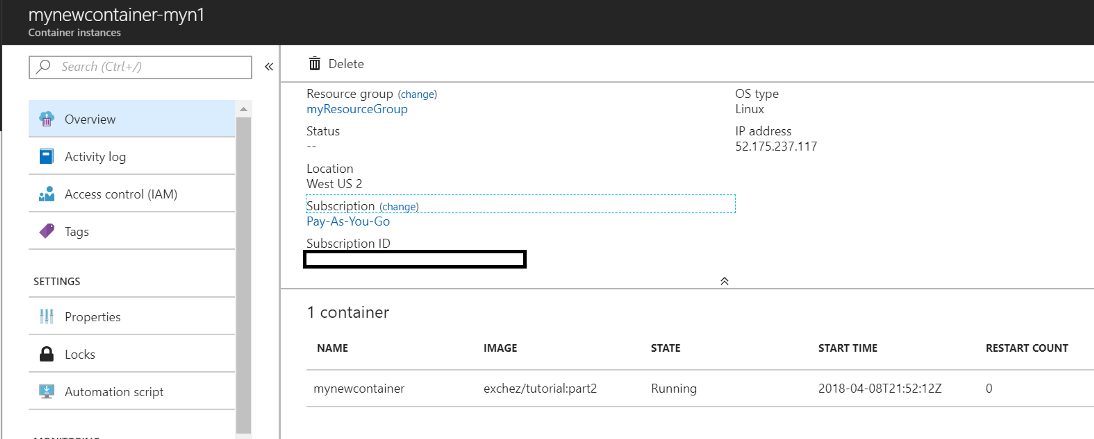
Step Four: Create your container resource on Azure with your published Docker Hub image
Step Five: Navigate to your container’s IP Address from your browser
(If the reply was helpful please don't forget to upvote and/or accept as answer, thank you)