Exchange Online
A cloud-based service included in Microsoft 365, delivering scalable messaging and collaboration features with simplified management and automatic updates.
This browser is no longer supported.
Upgrade to Microsoft Edge to take advantage of the latest features, security updates, and technical support.
' cx='32' cy='32' r='32' /%3E%3Ctext x='50%25' y='55%25' dominant-baseline='middle' text-anchor='middle' fill='%23FFF' %3ERR%3C/text%3E%3C/svg%3E)
Hi All
i am global admin. i have logged in to Teams Admin Center.
Teams apps-Permission policies->i have a policy lets say TEST-> clicked TEST
Add apps-selected the app-Allow, when i save i am getting the below error. experts guide me
We can't save the app permission policy right now.
A cloud-based service included in Microsoft 365, delivering scalable messaging and collaboration features with simplified management and automatic updates.
A Microsoft Viva module that provides insights and recommendations designed to improve productivity and wellbeing.

Building, integrating, or customizing apps and workflows within Microsoft Teams using developer tools and APIs

A group of Microsoft Products and technologies used for sharing and managing content, knowledge, and applications.
Additional features, settings, or issues not covered by specific Microsoft Teams categories
Answer accepted by question author

Hi @Roger Roger
I would recommend opening a ticket with Microsoft in the Admin Center.
You can do this by going to:
1) https://admin.microsoft.com/Adminportal/Home?source=applauncher#/homepage
2) Go to the bottom right corner > Help & Support
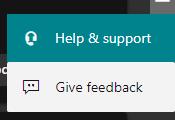
3) Type in your issue with Microsoft Teams
4) Press Contact Support underneath suggested solutions.
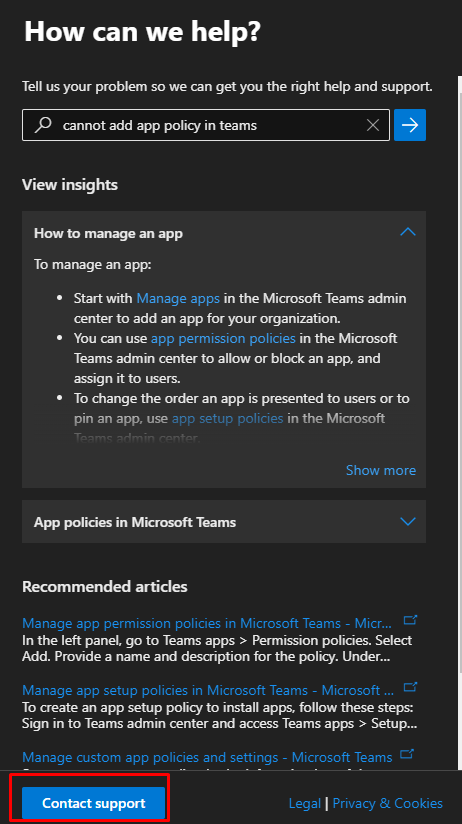
5) Await support from Microsoft.
If this is helpful please accept answer.
' cx='32' cy='32' r='32' /%3E%3Ctext x='50%25' y='55%25' dominant-baseline='middle' text-anchor='middle' fill='%23FFF' %3EAS%3C/text%3E%3C/svg%3E)
Seems like a backend issue. Open a support case to solve this issue.