Note
Access to this page requires authorization. You can try signing in or changing directories.
Access to this page requires authorization. You can try changing directories.
This article describes how to execute a zone down drill in Infrastructure Resiliency Manager. This capability simulates an Availability Zone failure and validates application resilience. It also covers tracking drill execution progress, analyzing resource health, and ending the drill execution process.
Prerequisites
Before you execute the down drill operation, ensure that you meet the following prerequisites:
- Enroll the service group in a usage plan. The usage plan identifies the Azure subscription to use for billing when pricing for advanced capabilities takes effect once they're generally available. Usage plans don't have tiers.
- Define a zone down drill.
- Review the supported scenarios and limitations for Availability Zone Down Drill in Infrastructure Resiliency Manager.
Execute the drill
When the drill execution readiness shows the status as Ready, you can execute the drill.
To execute the drill, follow these steps:
On the selected drill instance pane, select Overview > Execute drill.
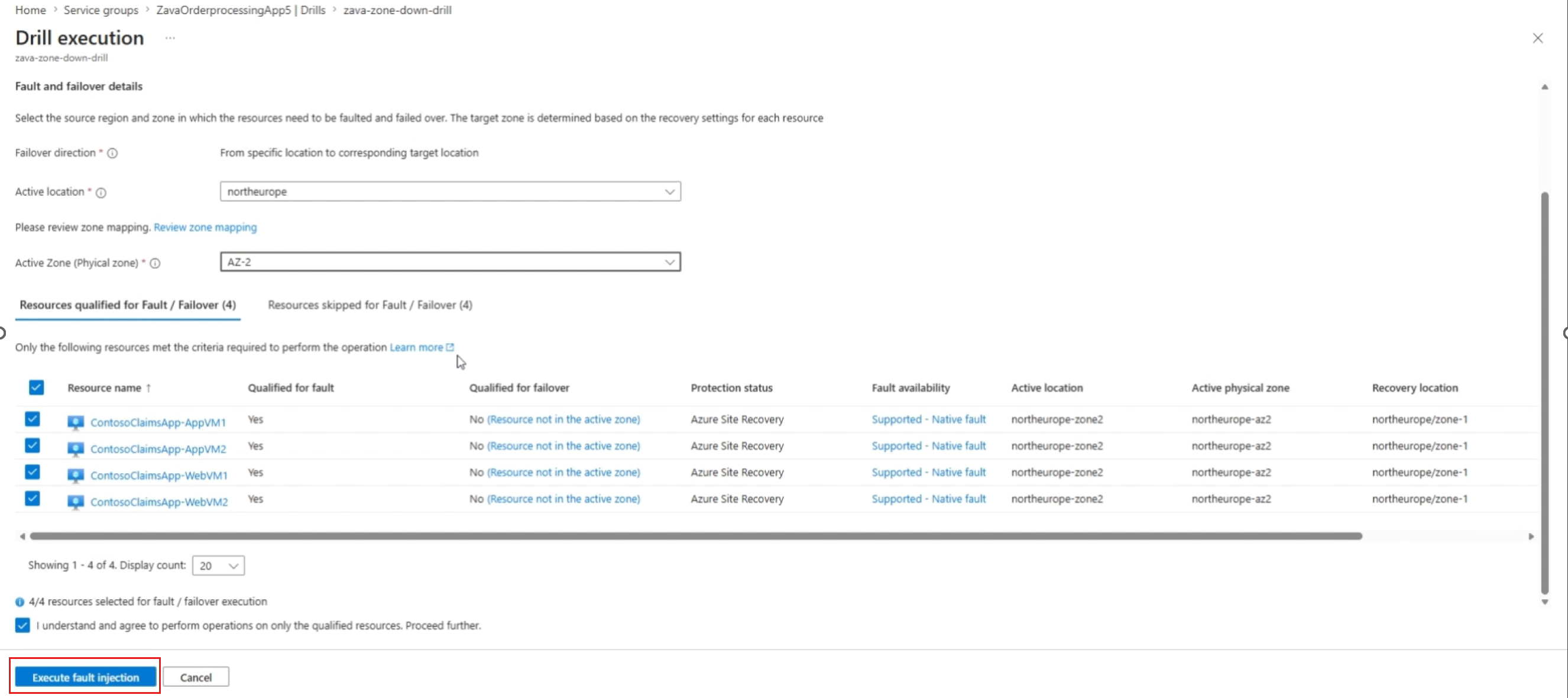
On the Drill execution pane, after completion of Recovery Plan readiness, select the source region and zone on which you want to execute the fault injection and failover operation.
Select Execute fault injection to confirm execution.
Track the drill execution progress
When you start the drill execution, the Drill run details pane opens and shows the progress of a single job. This job includes the execution of Fault Injection, Failover, and Reprotection.
To proceed through the drill and review the system status, follow these steps:
After each stage (Fault Injection, Failover, or Reprotection) completes, select Mark step as complete to move to the next stage.
During each stage, review the Service Group health status to understand the current system status.
To analyze resource-level health and application downtime, review the Azure monitor health model and Service level indicator (SLI) status on Drill run details page.
End the drill execution process
After executing all drill operations, you can end the drill execution process. Ending the drill execution allows you to attest the final status of the drill, and review notes added during execution.
To end the drill execution, follow these steps:
On the Drill run details pane, select OK.
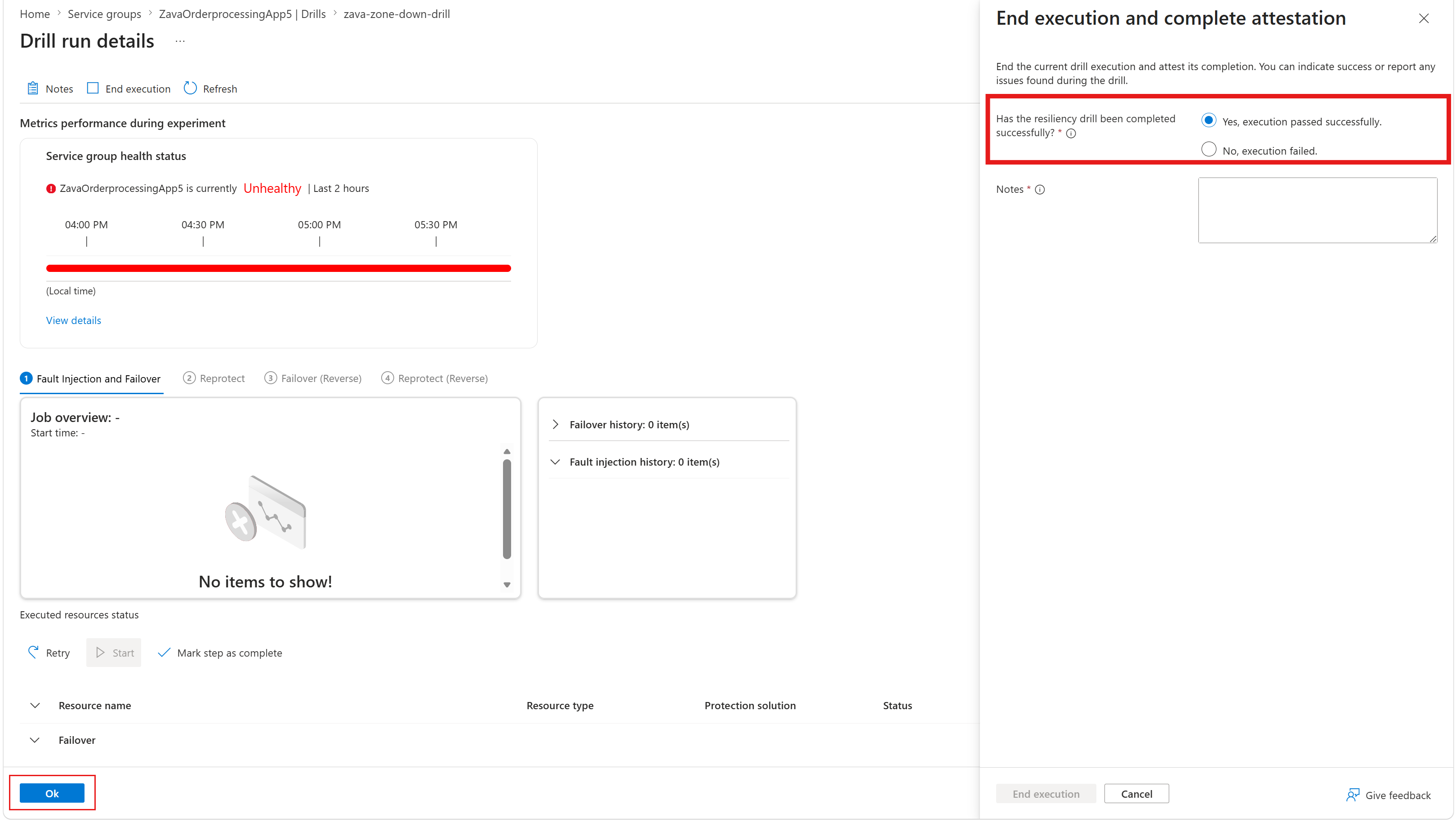
On the End execution and complete attestation pane, select End execution.
Download the drill report
When you finish the drill execution, you can download an HTML report that includes details of the drill and the notes you captured.
On Drill run details, select Download report.
Related content
About Availability Zone Down Drills in Infrastructure Resiliency Manager.