Note
Access to this page requires authorization. You can try signing in or changing directories.
Access to this page requires authorization. You can try changing directories.
The event API is a programmatic method to access data from events, sessions, session tracks, passes, speakers, and sponsorships. Additionally, the event API allows you to register for events and sessions.
The API accessed is over HTTPS protocol and is accessed from the API endpoint that you receive while creating a web application token. All data is sent and received as JSON.
Register for the event API
In the Settings section under Event management > Web Applications, create a new web application. It's important to select the correct origin. For example, if you select https://contoso.com, JavaScript hosted on different domain won't be able to access the event management API.
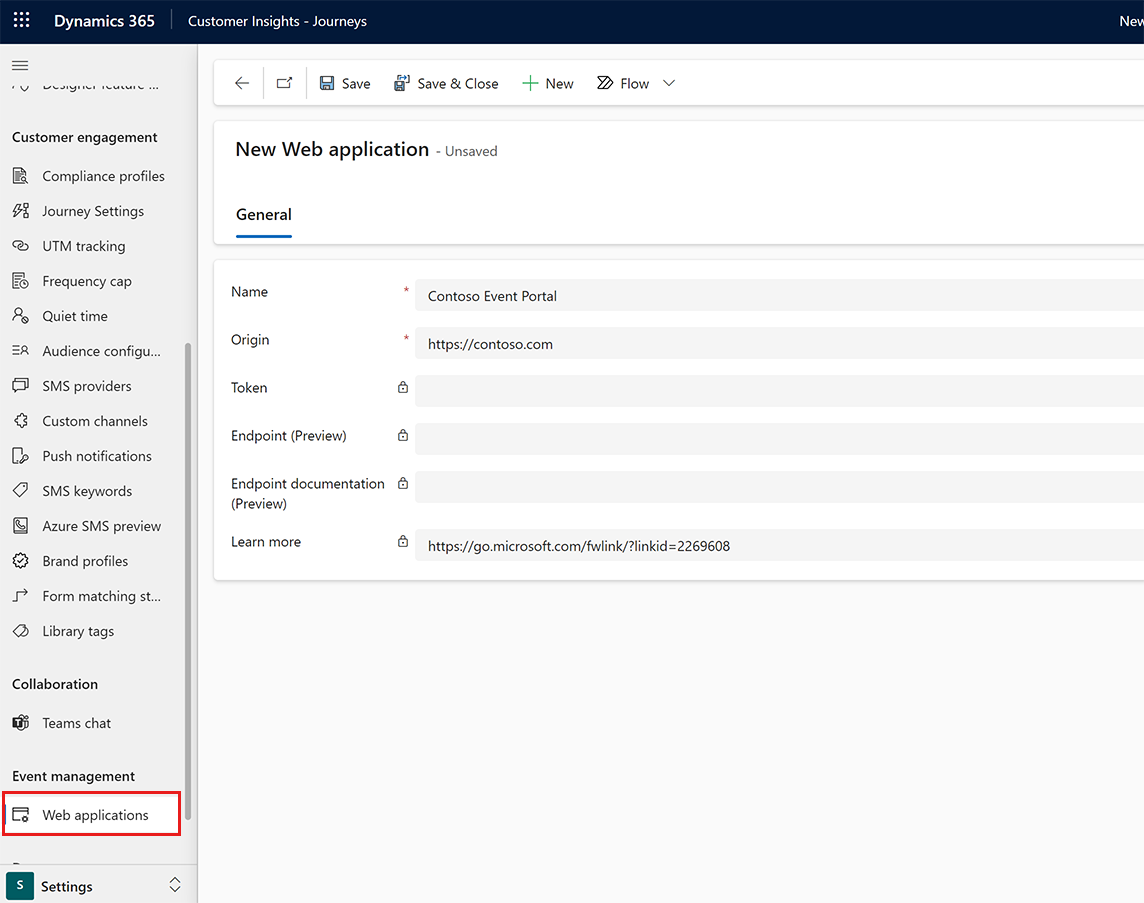
After you create a web application, you see a link to the OpenAPI specification in Endpoint documentation (Preview).
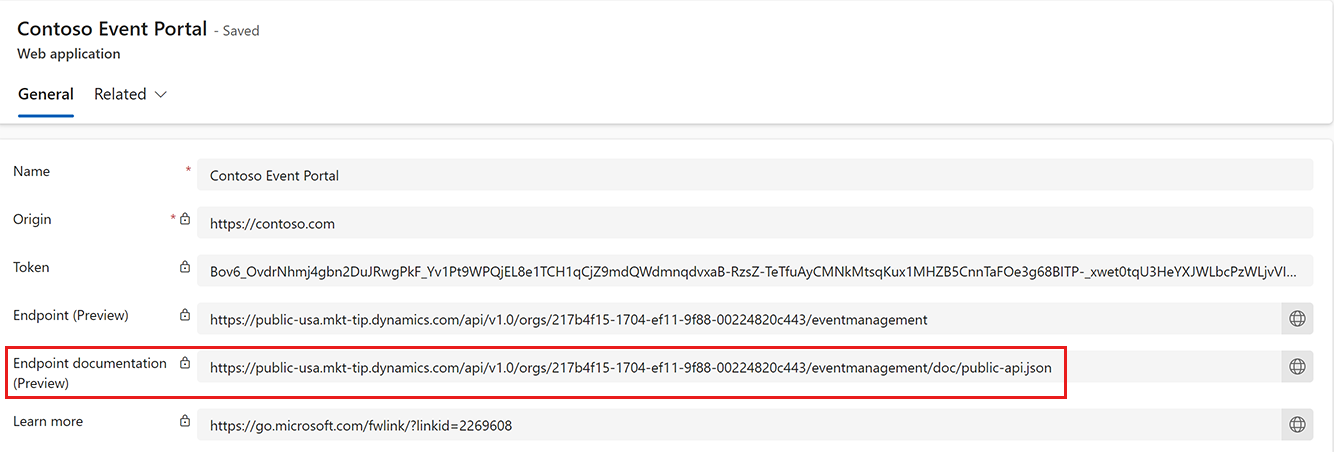
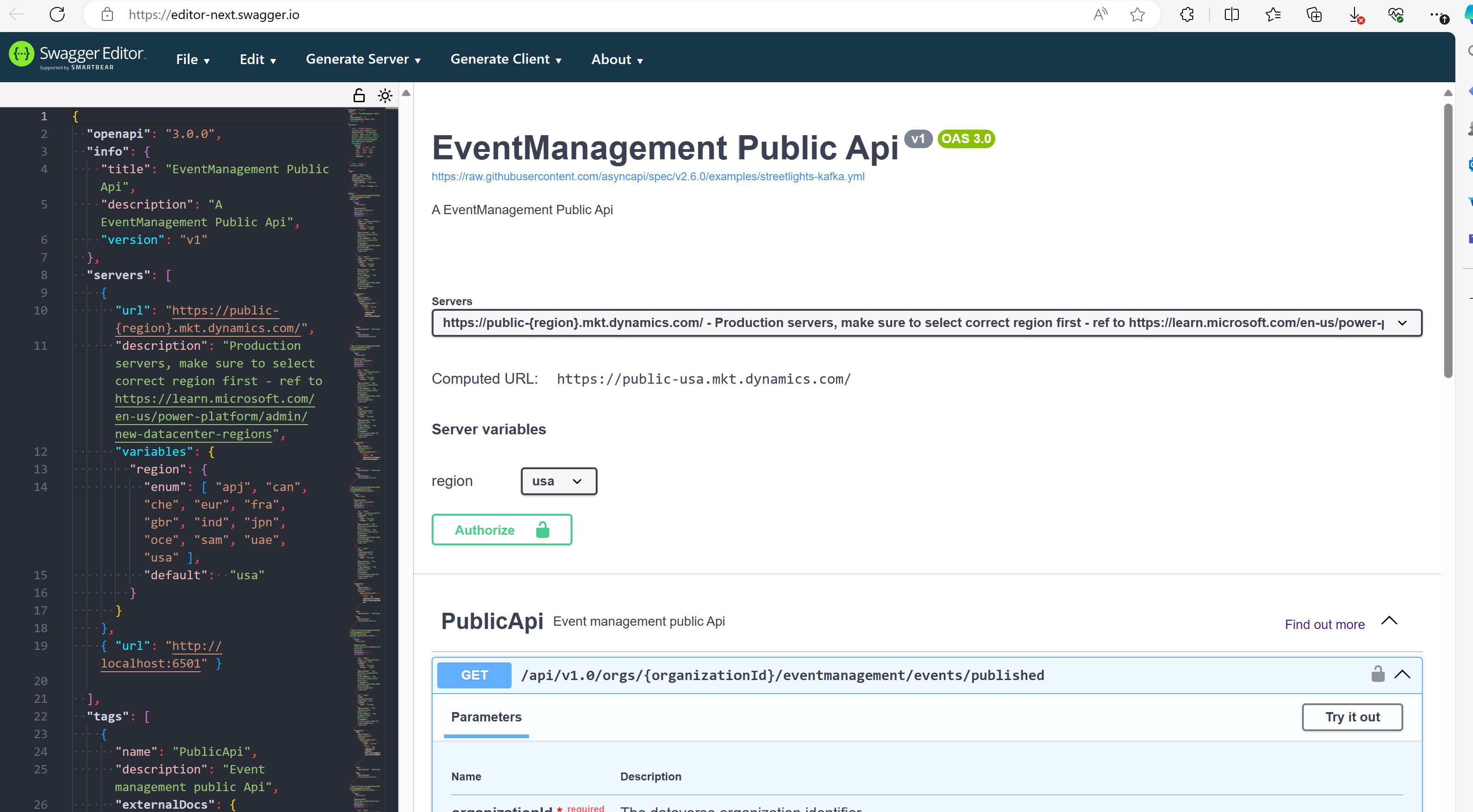
You can select the link and copy and paste the API contract to an OpenAPI editor such as Swagger Editor, which automatically pre-generates a wrapper you can use to discover your API. To access your API, you must be authorized (provide the Token column).
Create an event page or event portal
The event API allows you to create a customized event page and an event portal that lists all available events that are live and published using the “Custom solution using event API” publishing option. The event API allows you to:
- Retrieve a list of live events that includes their name, description, location, and time.
- For the event page, it allows you to retrieve key information about the event such as:
- Name
- Time
- Location
- Event QR code
- Capacity
- List of sessions
- List of speakers
- List of sponsors and their logos
Create a custom event registration experience
The event API also allows you to create a registration submission without the need to use real-time marketing forms, while still benefiting from important features such as matching strategy, consent, audience settings, and more.
First, define the key settings for your audience by navigating to Settings > Event management > Event registration settings and define:
- Default audience
- Default matching rule
- Default compliance profile
The default event registration settings are used when processing submissions from the API. Once you set the registration settings, the event API submission endpoint allows you to:
- Create a registration submission for an event:
{
    "attendees": [
        {
            "lastName": "Sample Contact Last Name",
            "firstName": "Sample Contact First Name",
            "email": "email@contoso.com",
            "responses": [
                {
                    "id": "jobtitle",
                    "value": "Sample Contact Job Title"
                },
                {
                    "id": "customUnmappedField1",
                    "value": "Sample Custom Unmapped Field 1"
                },
                {
                    "id": "customUnmappedField2",
                    "value": "Sample Custom Unmapped Field 2"
                }
            ]
        }
    ]
}
- Create a registration submission for a session:
{
    "attendees": [
        {
            "lastName": "Sample Contact Last Name",
            "firstName": "Sample Contact First Name",
            "email": "email@contoso.com",
            "responses": [
                {
                    "id": "jobtitle",
                    "value": "Sample Contact Job Title"
                }
            ],
            "attendeeSessions": [
                {
                    "sessionId": "d5f513c6-989f-f011-bbd3-000d3a5b6385"
                },
                {
                    "sessionId": "f5d4e4b9-989f-f011-bbd3-000d3a5b6385"
                }
            ]
        }
    ]
}
- Create a waitlist registration:
{
    "attendees": [
        {
            "lastName": "Sample Contact Last Name",
            "firstName": "Sample Contact First Name",
            "email": "email@contoso.com",
            "waitlisted": true,
            "responses": [
                {
                    "id": "jobtitle",
                    "value": "Sample Contact Job Title"
                },
                {
                    "id": "customUnmappedField1",
                    "value": "Sample Custom Unmapped Field 1"
                },
                {
                    "id": "customUnmappedField2",
                    "value": "Sample Custom Unmapped Field 2"
                }
            ]
        }
    ]
}
Performance and limits
The event API supports high-volume registration scenarios through asynchronous processing, smart caching, and built-in retry logic.
When a registration request arrives through the event API, the system:
- Validates that the event is active and all related entities are in a valid state
- Returns an immediate success response to the caller.
- Starts a background work item processor to create the event registration and associated entities asynchronously.
Caching Behavior
Read cache: The system applies a 10-minute cache for event and entity validation. This reduces redundant reads to Dataverse and improves throughput under load.
Note
The read cache affects validation only, not the registration records themselves.
Retry logic and failure handling
If the background processor fails to create an event registration, the system automatically retries for up to six hours. This applies to synchronous and asynchronous failure scenarios, ensuring data reliability without requiring manual intervention.
Throughput and Dataverse limits
The primary limiting factor for formless registration scenarios is the rate at which ticket registration entities can be created in Dataverse. Under normal conditions, Dataverse enforces a limit of 6,000 API requests, within a five-minute sliding window, per user and web server. The platform can return a 429 Too Many Requests error if these limits are exceeded. Learn more: Service protection API limits.
Important
If the event uses a payment gateway, additional validation steps may apply, and effective throughput may be lower. Customers using payment gateways should validate caching behavior for their specific setup.