Note
Access to this page requires authorization. You can try signing in or changing directories.
Access to this page requires authorization. You can try changing directories.
When you disable the integration, the Sales Navigator controls no longer appear.
In your app, at the lower-left corner, select the Change area icon
 , and then select App Settings.
Under General Settings, select LinkedIn integration.
Turn off the Sales navigator integration toggle.
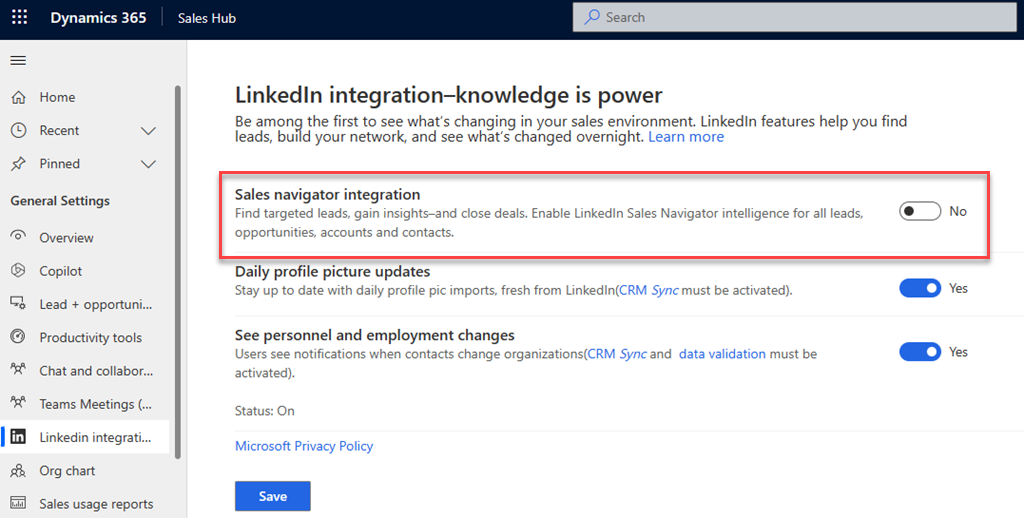
Select Save.
Related information
Install and enable LinkedIn Sales Navigator
Uninstall LinkedIn Sales Navigator