Examine the Idea Coach agent
Microsoft 365 Copilot's prebuilt Idea Coach agent helps you think through ideas, build on them, and make them stronger. Whether you're refining a proposal, exploring a new concept, or looking for feedback before you share your thinking, Idea Coach acts as a sounding board. It helps you clarify your thinking, test assumptions, and uncover opportunities or gaps.
Idea Coach doesn't just tell you whether something sounds good. It can challenge, expand, and improve your thinking. You can use it to evaluate a plan from multiple perspectives, explore alternatives, or find a stronger way to present an idea. It works in plain language, so you can start with a rough thought or outline and refine it from there.
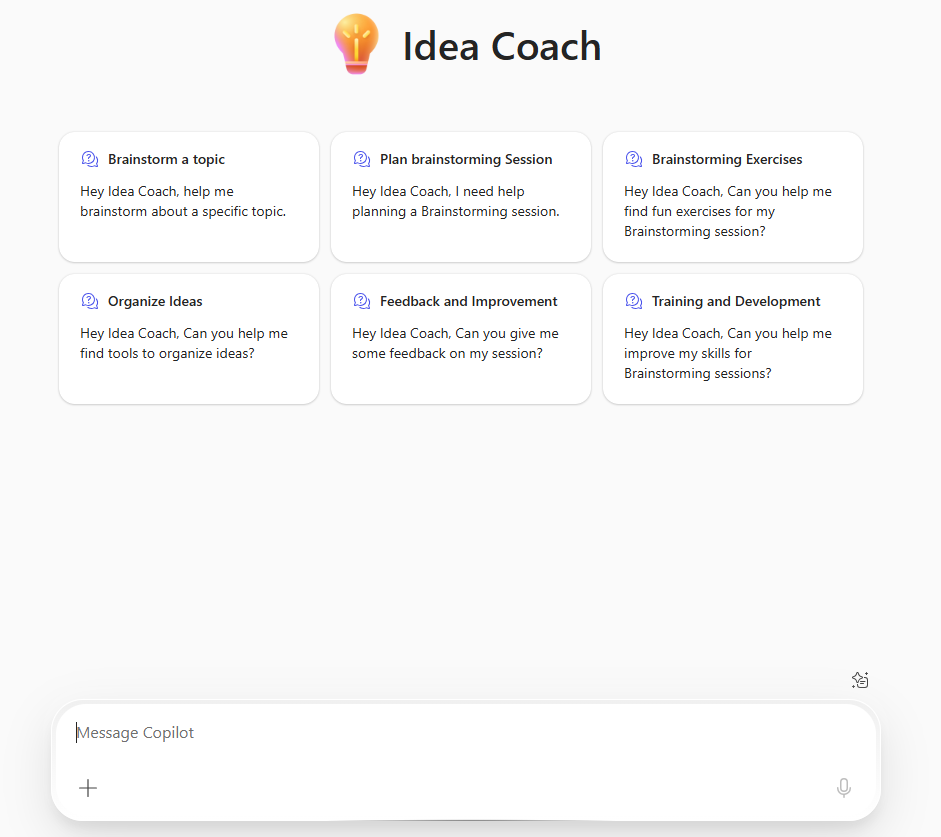
Idea Coach is especially helpful for:
- Refining early-stage ideas into more structured, actionable concepts.
- Stress-testing proposals or plans by identifying risks, gaps, or unseen factors.
- Expanding on creative ideas for projects, campaigns, or initiatives.
- Reworking messaging to make it clearer or more compelling.
- Exploring the implications or potential impact of a decision.
Whether you're brainstorming on your own or preparing to pitch an idea to your team, Idea Coach helps you get feedback before you share it with others.
Sample prompts when working with Idea Coach
Here are some examples of how you can use Idea Coach effectively:
- Idea refinement
- "Here's my idea for a new onboarding process. What are its strengths and weaknesses?"
- "Can you help me improve this concept for an internal innovation challenge?"
- "What are some ways I could simplify this proposal to make it easier to understand?"
- Idea expansion
- "How could I turn this internal tool into something useful for external customers?"
- "What other directions could I take this campaign idea?"
- "What related opportunities should I consider based on this concept?"
- Critical thinking
- "Challenge this idea—what risks or objections might come up?"
- "Help me evaluate this plan using a SWOT analysis."
- "What questions should I ask myself before moving forward with this project?"
- Messaging and framing
- "How could I rephrase this idea to make it resonate with senior leadership?"
- "What's a compelling way to introduce this idea in a presentation?"
- "Suggest a clearer way to explain this situation to a non-technical audience."
Limitations of the Idea Coach agent
While Idea Coach is a helpful thinking partner, here are a few important things to keep in mind:
- It's not a decision-maker. Idea Coach can help you shape your thinking, but final choices and judgment are still up to you.
- It works best with input. When you provide more context, the agent's feedback becomes more useful and relevant. While you don't need a fully formed idea, the clearer your starting point, the better your results.
- It doesn't know your audience or company culture. While it can help with clarity and tone, make sure to adapt suggestions for your specific stakeholders, brand, or environment.
- It won't validate facts. Idea Coach is focused on concept development and framing, not fact-checking or detailed analysis. For research or data validation, use the Researcher or Analyst agents.
Note
We recognize that different people like to learn in different ways. You can choose to complete this module in video-based format or you can read the content as text and images. The text contains greater detail than the videos, so in some cases you might want to refer to it as supplemental material to the video presentation.