Examine the Writing Coach agent
Microsoft 365 Copilot's prebuilt Writing Coach agent helps you improve written content, whether you're working on an email, report, presentation, or another draft. Writing Coach can suggest changes to clarity, tone, structure, and style. It can also help you reshape an existing draft or generate a starting point when you provide a clear goal.
You don't need to be a professional writer to benefit from Writing Coach. Whether you're drafting a formal report, a persuasive email, or a creative pitch, Writing Coach can help you communicate more clearly. It can improve grammar, flow, and tone while still leaving the final wording and judgment to you.
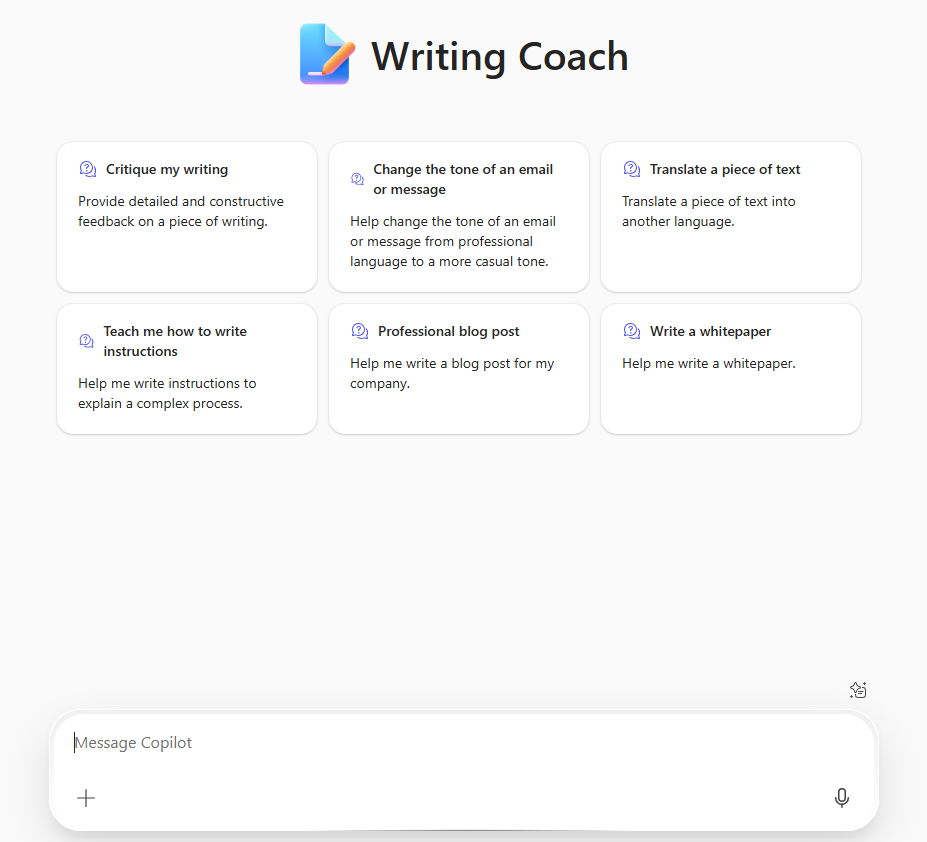
Writing Coach is especially helpful for:
- Improving the clarity, structure, and tone of your writing.
- Rewriting or refining drafts to enhance readability.
- Generating ideas for introductions, conclusions, or transitions.
- Getting suggestions for making your writing more persuasive or engaging.
- Checking for consistency in style, format, and punctuation.
- Adapting your writing for different audiences or communication goals.
Writing Coach helps you communicate more clearly and professionally, whether you're writing an email to a colleague, a business proposal, or content for a marketing campaign.
Sample prompts when working with Writing Coach
Here are some examples to help you get started with Writing Coach:
- Refining and editing
- "Can you help me rewrite this email to sound more professional?"
- "What's a better way to phrase this paragraph for better clarity?"
- "Check the tone of this report to ensure it's formal but approachable."
- Structure and organization
- "Suggest an introduction for this document on the company's new marketing strategy."
- "Help me improve the flow of this proposal so it's easier to follow."
- "Can you suggest transitions between these sections to make the writing more cohesive?"
- Style and tone
- "How can I make this email sound more persuasive?"
- "Rewrite this email to make it sound more positive and motivating."
- "Is the tone of this report too casual for a board meeting?"
- Grammar and consistency
- "Check this document for any grammar or spelling mistakes."
- "Ensure that this report follows consistent formatting and punctuation."
- "Can you fix the sentence structure and suggest improvements?"
- Audience adaptation
- "How can I adapt this message for a team of senior executives?"
- "Rewrite this blog post to appeal more to a younger audience."
Limitations of the Writing Coach agent
Writing Coach is a powerful tool, but there are a few things to consider:
- It still needs direction. Writing Coach can help draft or rewrite content, but you should give it a clear goal, audience, and context. You should also review the final result before you share it.
- It doesn't provide subject-matter expertise. Writing Coach can help improve structure, clarity, and style, but it doesn't validate facts, data, or technical accuracy. For content-specific feedback, you might still need an expert.
- It isn't a replacement for human review. While Writing Coach can catch many writing issues, it's still good practice to have a final review from a colleague or expert, especially for critical or high-stakes communications.
- It doesn't understand every context perfectly. If your content is specialized or needs specific industry knowledge, Writing Coach might not fully understand what you're aiming for. It could suggest changes that don't match your goals.