Microsoft Security | Intune | Other
Other Intune-related topics, including unsupported scenarios and platform-specific behaviors

This browser is no longer supported.
Upgrade to Microsoft Edge to take advantage of the latest features, security updates, and technical support.
' cx='32' cy='32' r='32' /%3E%3Ctext x='50%25' y='55%25' dominant-baseline='middle' text-anchor='middle' fill='%23FFF' %3EMF%3C/text%3E%3C/svg%3E)
I'm trying to find a way to pull the configured MDM Authority property that shows in the Endpoint Manager portal via Microsoft Graph using MS Graph powershell modules.
Here's the setting in the Endpoint Manager portal:
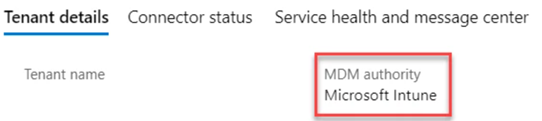
The Get-MgOrganization command shows the property but doesn't actually pull the value in the v1.0 or beta endpoints:
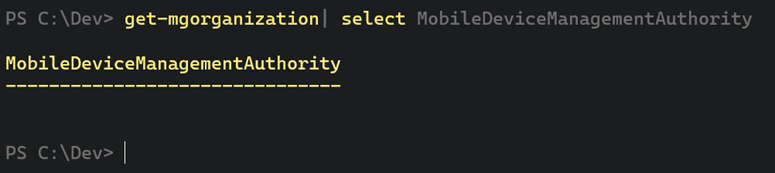
I found a Set-MgOrganizationMobileDeviceManagementAuthority command, but there doesn't seem to be a corresponding Get- command.
Using the Graph Explorer, I don't see the property even showing up in responses.
Is it possible to retrieve this setting at all from Microsoft Graph?
Other Intune-related topics, including unsupported scenarios and platform-specific behaviors
An API that connects multiple Microsoft services, enabling data access and automation across platforms
Answer accepted by question author
' cx='32' cy='32' r='32' /%3E%3Ctext x='50%25' y='55%25' dominant-baseline='middle' text-anchor='middle' fill='%23FFF' %3ECM%3C/text%3E%3C/svg%3E)
@Mark Fleury , Based on my test, I have the empty value under the mobiledevicemanagementauthority property as well.
Then I do more research and test, find we can query the information from the Graph explorer:
URL: https://graph.microsoft.com/beta/organization('your tenant id')?select=mobiledevicemanagementauthority
Request method Get
Modify permission: Need to grant "DeviceManagementServiceConfig.Read.All" and "DeviceManagementServiceConfig.ReadWrite.All" permission.
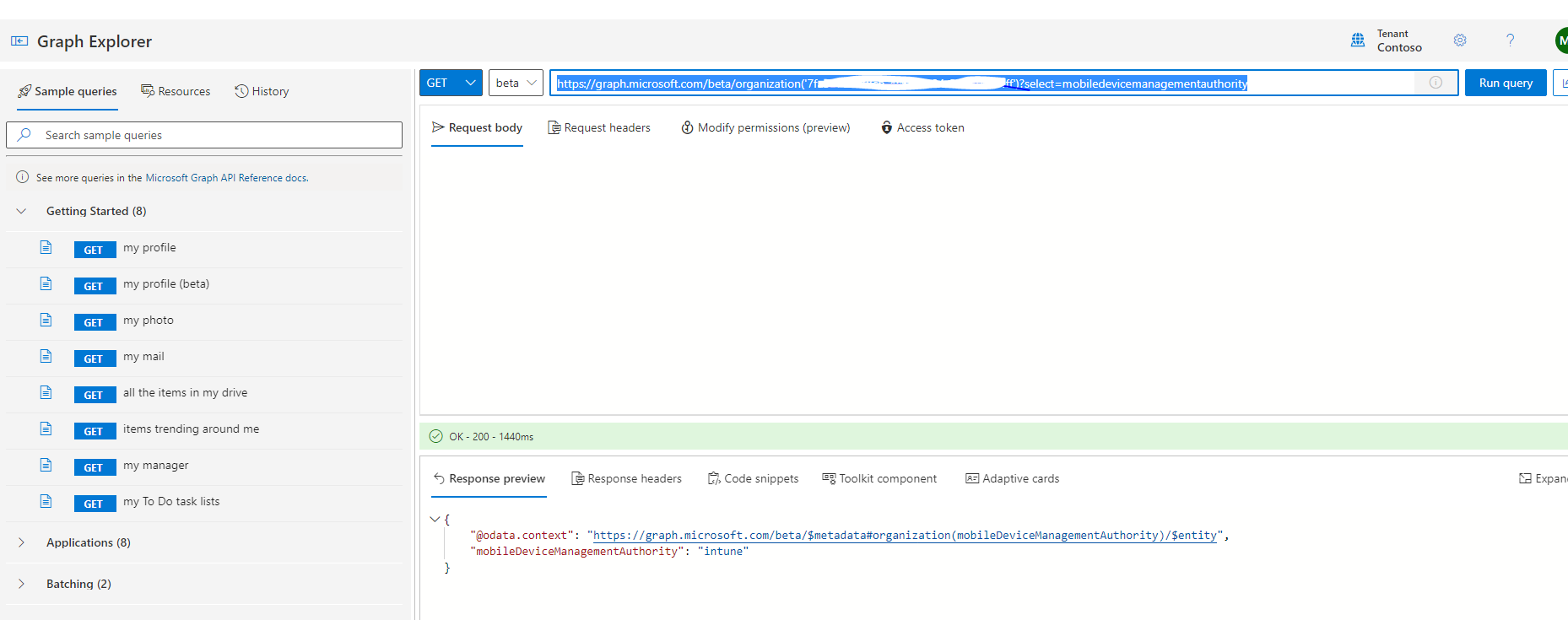
Hope it can help.
If the answer is helpful, please click "Accept Answer" and kindly upvote it. If you have extra questions about this answer, please click "Comment".
Note: Please follow the steps in our documentation to enable e-mail notifications if you want to receive the related email notification for this thread.
@Crystal-MSFT Thank you!
Just for anyone else that runs into this, I was able to get this using the MSGraph Powershell module with this command:
Get-MGOrganization -OrganizationId <orgid> -Property mobiledevicemanagementauthority | select mobiledevicemanagementauthority
@Mark Fleury ,, Thanks for your sharing. If there's anything else we can discuss together, feel free to post in our Q&A.
Thanks for your time and have a nice day!