SQL Server Reporting Services
A SQL Server technology that supports the creation, management, and delivery of both traditional, paper-oriented reports and interactive, web-based reports.
This browser is no longer supported.
Upgrade to Microsoft Edge to take advantage of the latest features, security updates, and technical support.
' cx='32' cy='32' r='32' /%3E%3Ctext x='50%25' y='55%25' dominant-baseline='middle' text-anchor='middle' fill='%23FFF' %3EEL%3C/text%3E%3C/svg%3E)
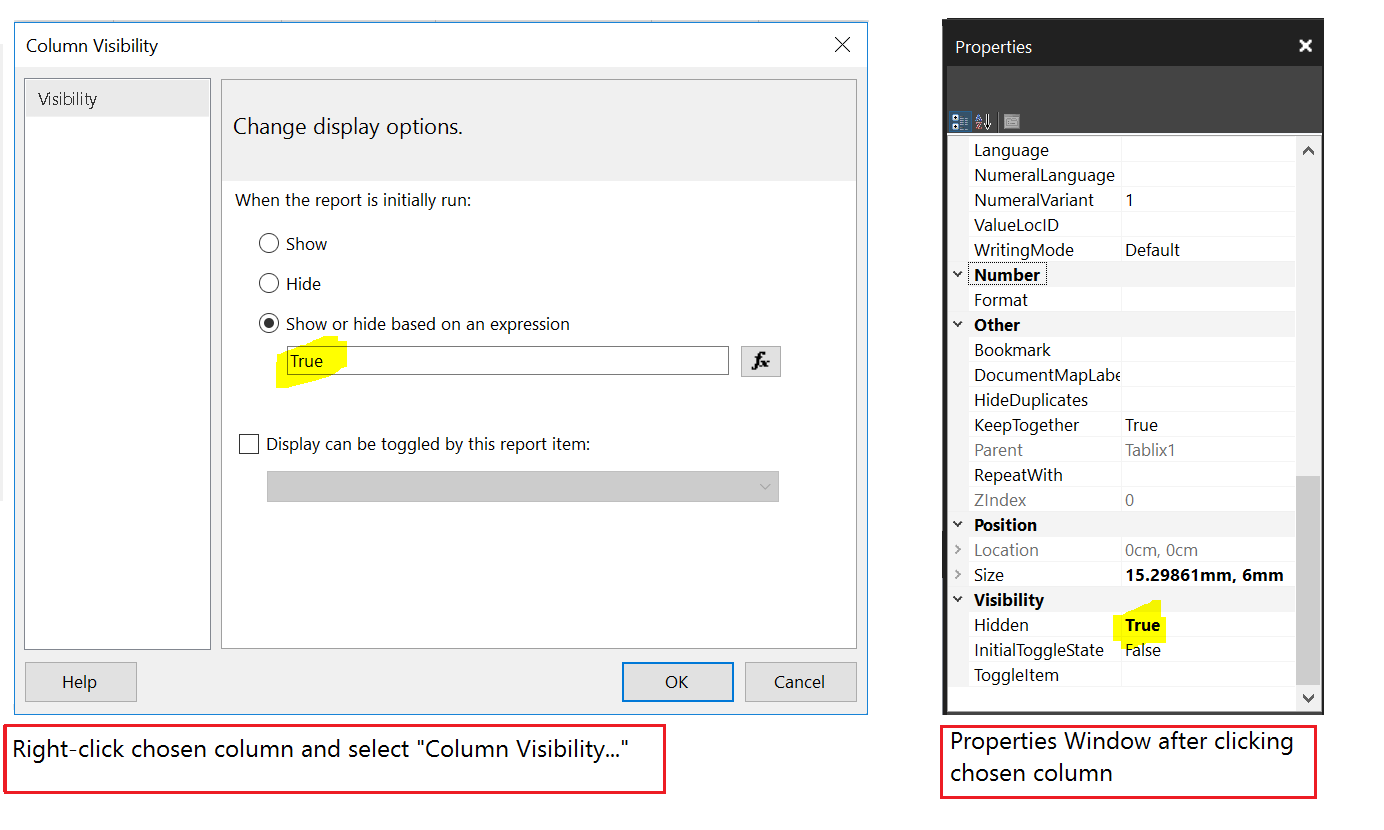
Hi, This question is in regards to the behavior of SQL Server 2016 Report Builder. To hide a column in the report, I have tried setting the "Hidden" properties in the properties window to true. The result is I got white space painted over where the column would have appeared. Sure the column is hidden in a way but now there is this "gap" in the table. Please let me know if this is a known bug that will be fixed in a future version. For your information, when I right click the column and select "Column Visibility...", setting the expression there works seamlessly though)
Regards,
Edwin

Hi @Edwin Law ,
The row visibility hidden is different with the property hidden.
The Properties hidden is used to hide a report item.
The row visibility hidden is used to hide static rows in a table.
In other words, the Properties hidden can be use in single textbox in a table so that it will have "gap" in the table.
However the row visibility is only used in a row.
hide-an-item-report-builder-and-ssrs
Regards,
Zoe
If the answer is helpful, please click "Accept Answer" and upvote it.
Note: Please follow the steps in our documentation to enable e-mail notifications if you want to receive the related email notification for this thread.
Hot issues October