
Share via

SMB share

Dayrak 41 Reputation points
2021-05-17T05:46:13.97+00:00

97051-smb.jpg

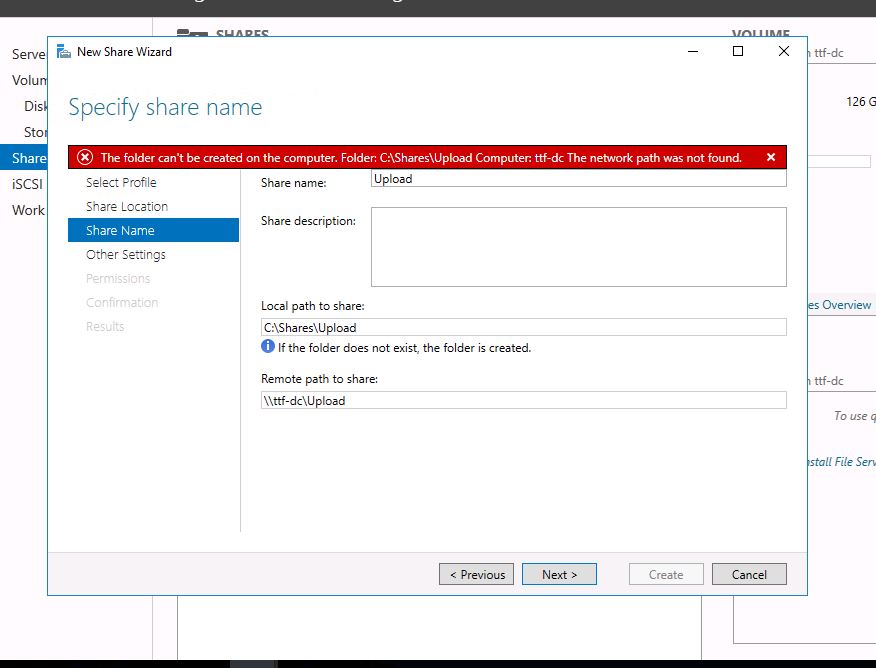
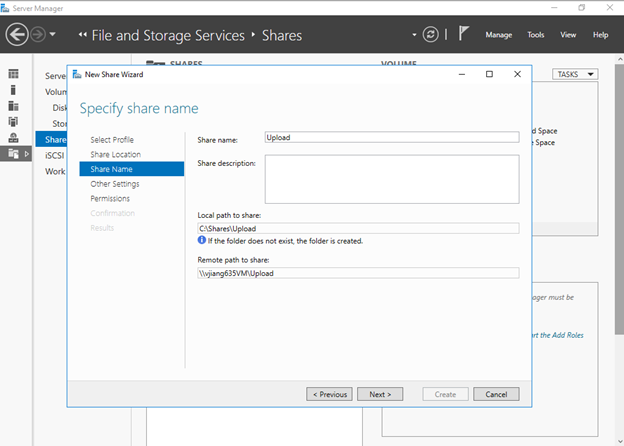
in my lab environment trying to create a share called upload.
although it says if the folder does not exist the folder is created, it did not.
created folder named shares in c:\ and a folder in shares named upload, still can not complete the procces.

Windows for business | Windows Client for IT Pros | Storage high availability | Virtualization and Hyper-V
Windows for business | Windows Client for IT Pros | User experience | Remote desktop services and terminal services
Windows for business | Windows Server | User experience | Other

3 answers

Sort by: Most helpful
  1. Jiang Zhang 821 Reputation points
    2021-05-17T09:46:37.52+00:00

    Hi,
    I try to create the SMB share folder named Upload in my local server, and it works fine with me. In my opinion, you may check if you are running the server as the administrator, or you may try alternative way except going through console to make it happen.
    97354-image.png
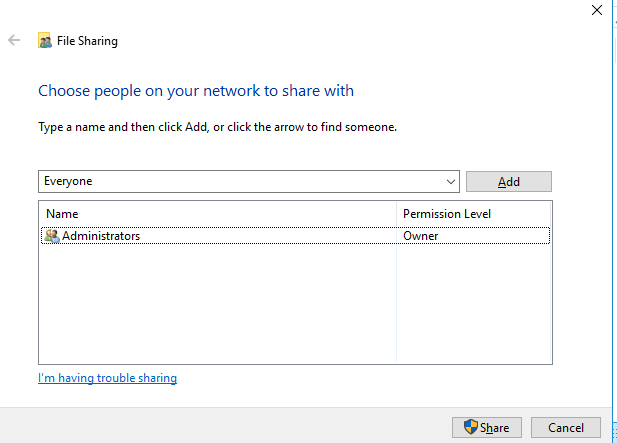
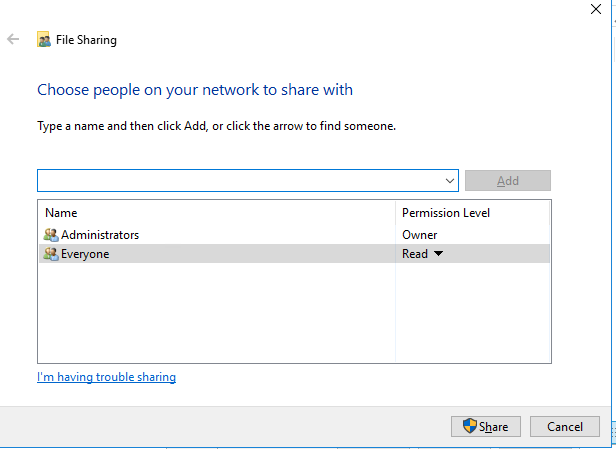
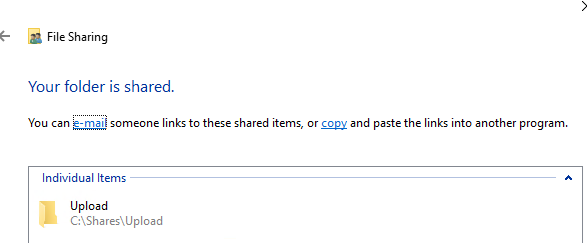
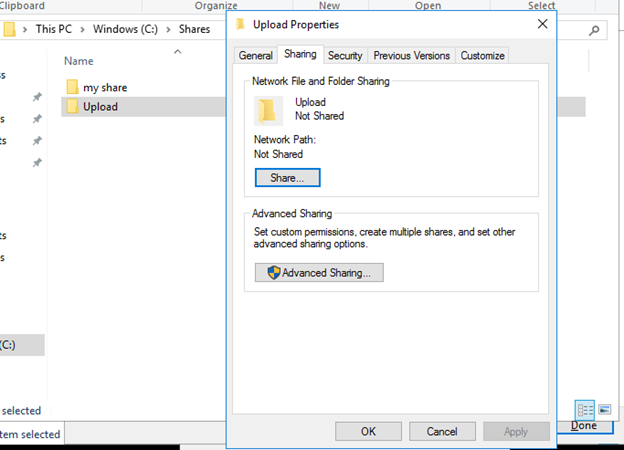
    Since you mentioned the folder named Upload does not exist, you could try to create a folder named Upload in C:\ Shares > click Properties > click Sharing > OK > choose Everyone > Add > click Share, it is done.
    97362-image.png
    97363-image.png
    97299-image.png
    97364-image.png

    Best Regards,
    Mulder Zhang

    --------------------------------------------------------------

    If the Answer is helpful, please click "Accept Answer" and upvote it.
    Note: Please follow the steps in our documentation to enable e-mail notifications if you want to receive the related email notification for this thread.

    Was this answer helpful?

    1 person found this answer helpful.
    0 comments No comments

  2. Leon Laude 86,116 Reputation points
    2021-05-17T07:15:08.807+00:00

    Hi @DayrakAhmadipour-9799,

    Are you trying to create a share on your local server? Or are you managing another server via Server Manager where you are trying to create the share?

    A few things to check/try:

    • Make sure you are a local administrator on the server
    • Make sure you have appropriate permissions on C:\Shares
    • Try closing and reopening the Server Manager and try again
    • Reboot and try again
    • Check the Event Viewer for any more detailed errors

    (If the reply was helpful please don't forget to upvote and/or accept as answer, thank you)

    Best regards,
    Leon

    Was this answer helpful?

    1 person found this answer helpful.

  3. Mauricio Piccolo 1 Reputation point
    2021-10-27T13:31:58.167+00:00

    This may not be the same issue, but a very similar error message happens when you have the drive/path that you want to share already mapped to a different drive under the "admin" profile. Example: you want to share "D:\myFolder" as "myFolder", but D:\ is in use as a network drive mapped to anywhere else (like \server\otherfolder).

    If you go to the share options, it will fail with this cryptic message "An error occurred while trying to share X. The system cannot find the path specified. The shared resource was not created at this time". The only way I found this was by opening CMD with "Run as admin" and navigating to D:. A simple DIR showed me it was not the correct physical drive.

    The fix for this was was to remove the mapping: in the same "Run as Admin" CMD window, type "net use /delete D:" (or the letter with issues), and now apply the sharing settings again.

    PS: I added this answer because this was the best topic that search engines found about this error. Maybe this could help people in similar situations, even if not exactly the same.

    Was this answer helpful?

    0 comments No comments

Your answer

Answers can be marked as 'Accepted' by the question author and 'Recommended' by moderators, which helps users know the answer solved the author's problem.