Share via

Task Scheduler

shahul hameed 6 Reputation points
2021-05-24T13:46:11.337+00:00

The user account does not have permission to Enable/Disable/Run task Scheduler in Windows server 2019. is there way to run /disable task from user account.(without admin rights)

Windows for business | Windows Server | User experience | Other

4 answers

Sort by: Most helpful
  1. Andy YOU 3,076 Reputation points
    2021-05-31T09:34:12.24+00:00

    HI shahulhameed-4024,

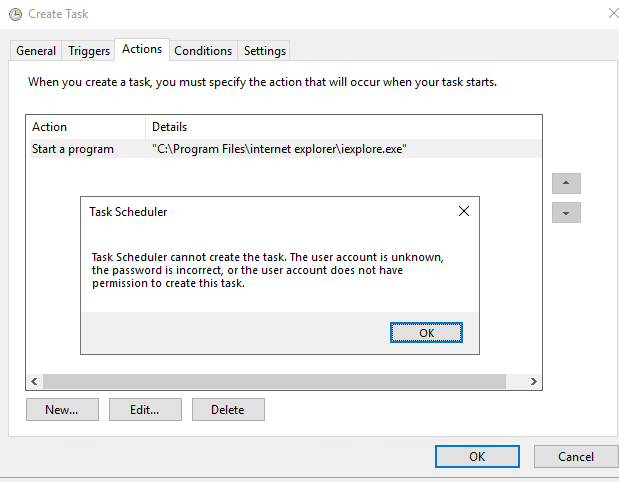
    The Task Scheduler belongs to administrative tools on windows server 2019 and these tools are supposed to be used by admins to configure the system. The admin accounts will have full access to these tools while the normal user will have limited access to some of these tools. The access will be restricted for non-admin users. This could be regard as a system design by default for the security consideration. I can also reproduce your issue in my lab.

    So do you check if Mr Moto X80 solution can unlock this limitation?
    101053-13.png

    ============================================

    If the Answer is helpful, please click "Accept Answer" and upvote it.
    Note: Please follow the steps in our documentation to enable e-mail notifications if you want to receive the related email notification for this thread.

    Was this answer helpful?

    0 comments No comments

  2. MotoX80 37,686 Reputation points
    2021-05-24T15:08:31.963+00:00

    Use my UnlockScheduledTask,ps1 script to allow non-admin users to run a task.

    https://social.technet.microsoft.com/Forums/windows/en-US/6b9b7ac3-41cd-419e-ac25-c15c45766c8e/scheduled-task-that-any-user-can-run

    If you want to allow any user to update the task change this:

     $newSD = $sddl['SDDL'] +  '(A;ID;0x1301bf;;;AU)'          # add authenticated users read and execute


    ..to this.

     $newSD = $sddl['SDDL'] +  '(A;;FA;;;AU)"'          # add authenticated users full control


    I don't know what your task does, but I don't think that I would normally allow users to modify a task that an admin created.

    Was this answer helpful?


  3. Anonymous
    2021-05-24T14:08:16.257+00:00

    Try adding the user read, execute permissions on the task in C:\Windows\Tasks folder

    --please don't forget to Accept as answer if the reply is helpful--

    Was this answer helpful?


  4. Leon Laude 86,116 Reputation points
    2021-05-24T14:07:52.897+00:00

    Hi @shahul hameed ,

    If it's a scheduled task that the non-admin user account has created, he/she can disable it, if it's a scheduled task created by an administrator he/she will need modify permissions to be able to enable/disable scheduled tasks in the Task Scheduler, and that requires administrator rights.

    ----------

    (If the reply was helpful please don't forget to upvote and/or accept as answer, thank you)

    Best regards,
    Leon

    Was this answer helpful?


Your answer

Answers can be marked as 'Accepted' by the question author and 'Recommended' by moderators, which helps users know the answer solved the author's problem.