Microsoft Security | Intune | Configuration Manager | Application
Managing applications through Configuration Manager in Intune

This browser is no longer supported.
Upgrade to Microsoft Edge to take advantage of the latest features, security updates, and technical support.
' cx='32' cy='32' r='32' /%3E%3Ctext x='50%25' y='55%25' dominant-baseline='middle' text-anchor='middle' fill='%23FFF' %3ERR%3C/text%3E%3C/svg%3E)
Hi All
i have 2 collections One for the server operating system and one for the client operating system, using the server collection i want to export all the software's installed on the servers to a csv file. expert please guide me on this.
Managing applications through Configuration Manager in Intune
Other Configuration Manager-related features and issues
Answer accepted by question author

Hi, @Roger Roger
Thank you for posting in Microsoft Q&A forum.
You may try the built-in default report: Software 06A - Search for installed software
Select your collection of server operation system and type the maximum rows to return, view report, and export the result to CSV file.
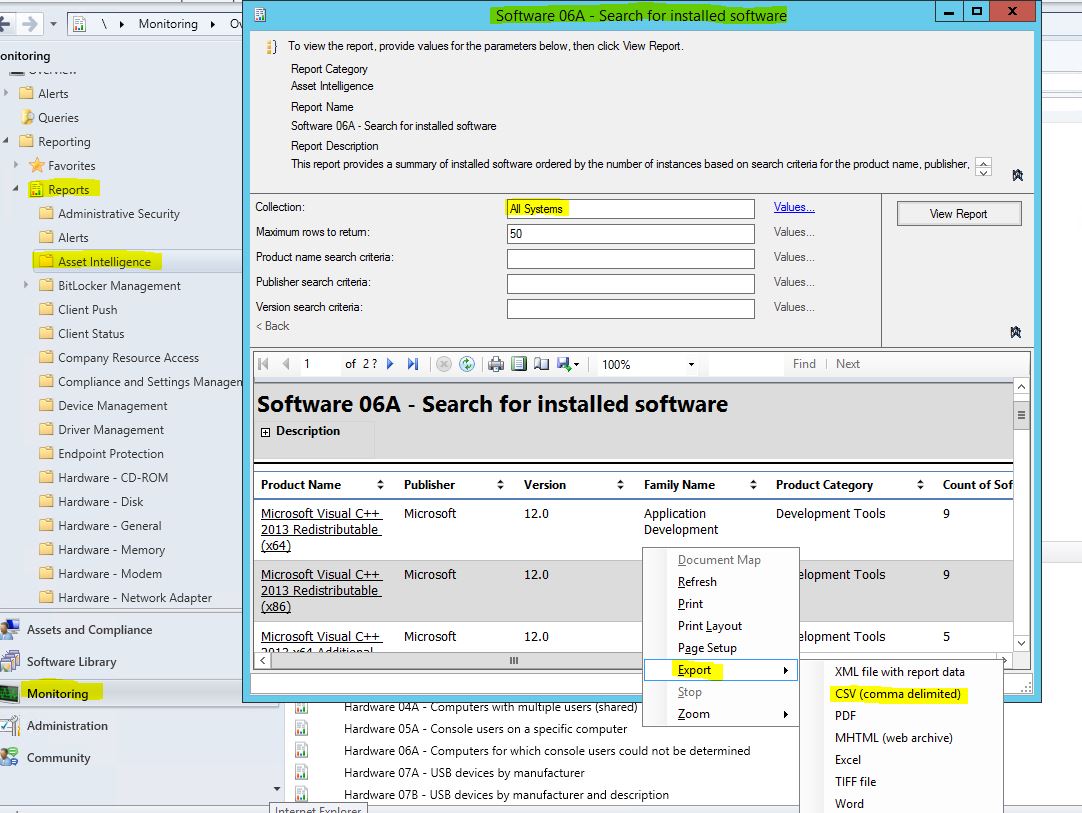
If you have no results in the report, make sure you have enabled SMS_InstalledSoftware in Asset Intelligence inventory classes.
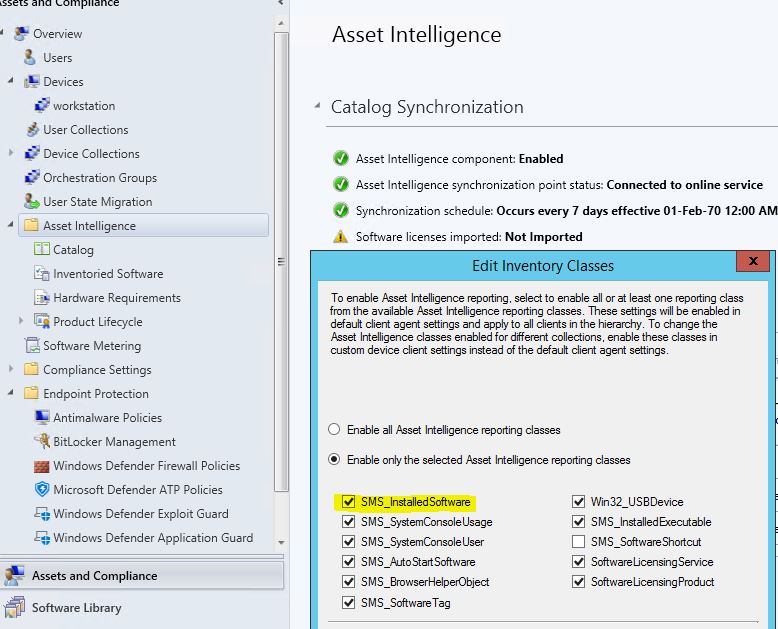
If the response is helpful, please click "Accept Answer" and upvote it.
Note: Please follow the steps in our documentation to enable e-mail notifications if you want to receive the related email notification for this thread.

You can use the built in add remove program reports to do this.