Microsoft 365 and Office | SharePoint | For business | Windows
A group of Microsoft Products and technologies used for sharing and managing content, knowledge, and applications.

This browser is no longer supported.
Upgrade to Microsoft Edge to take advantage of the latest features, security updates, and technical support.
' cx='32' cy='32' r='32' /%3E%3Ctext x='50%25' y='55%25' dominant-baseline='middle' text-anchor='middle' fill='%23FFF' %3EJL%3C/text%3E%3C/svg%3E)
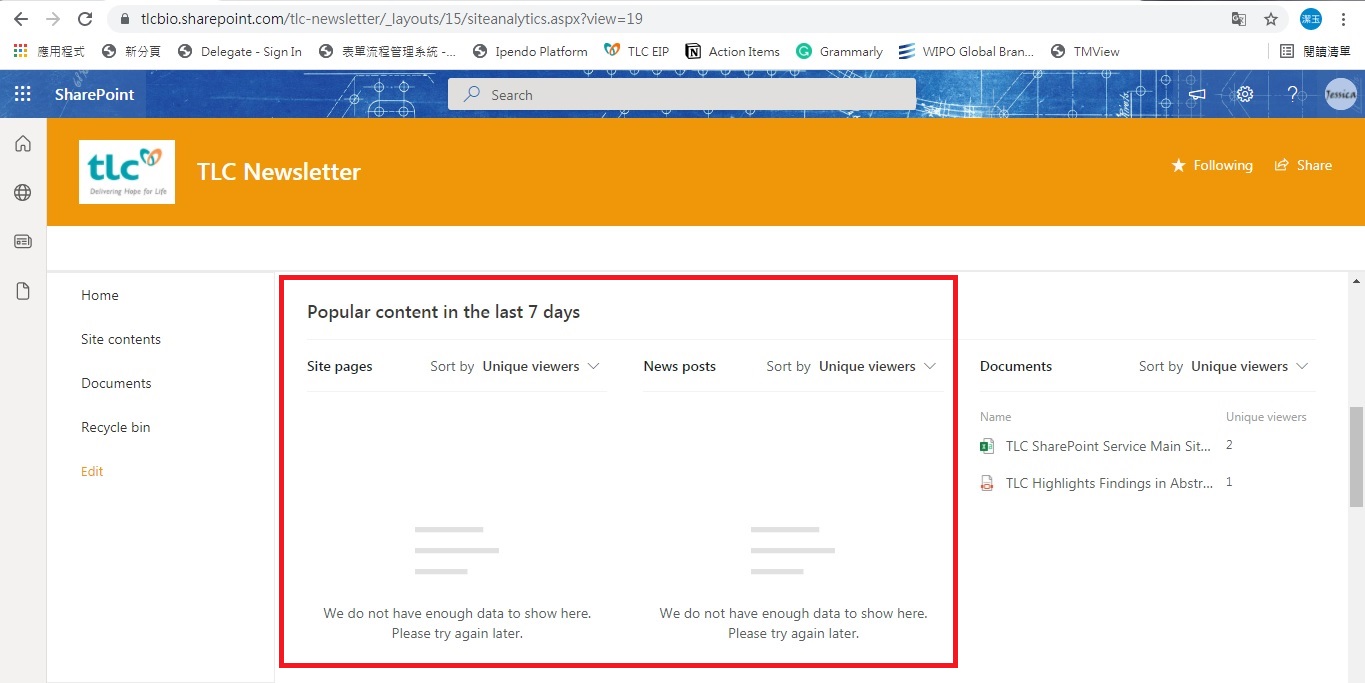
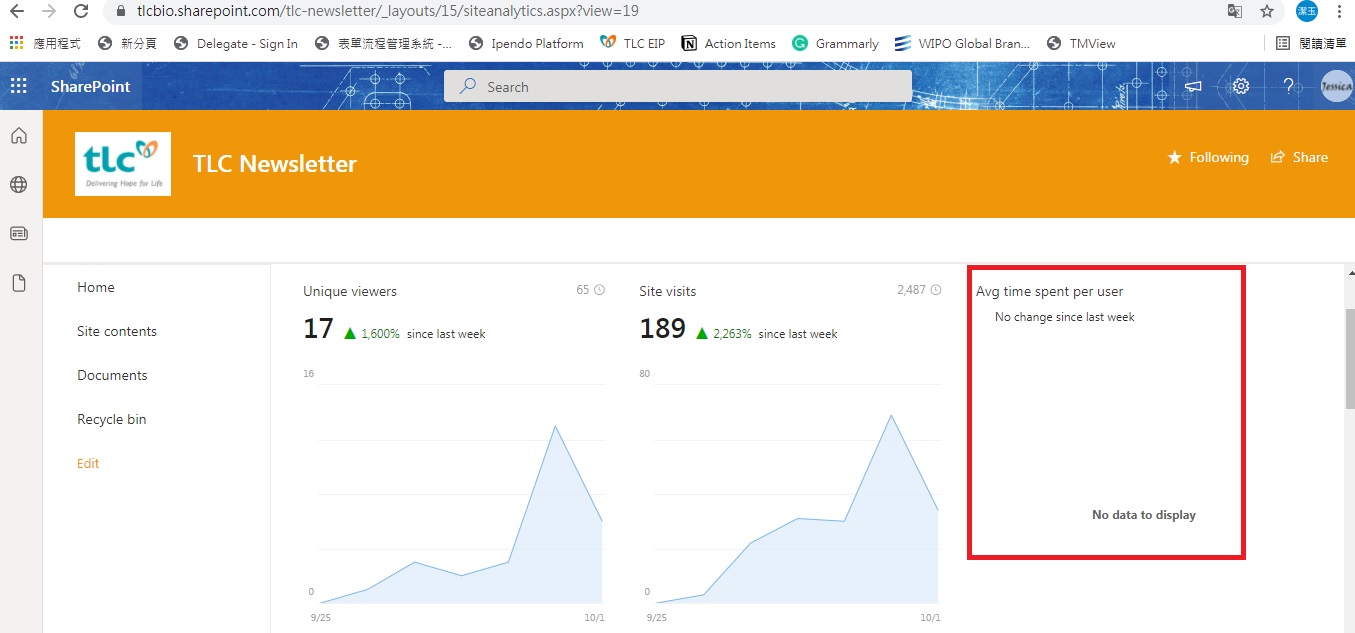
Wht the Average time spent per user and the Popular content always show that "we do not have enough data to show here. Please try again"
A group of Microsoft Products and technologies used for sharing and managing content, knowledge, and applications.
' cx='32' cy='32' r='32' /%3E%3Ctext x='50%25' y='55%25' dominant-baseline='middle' text-anchor='middle' fill='%23FFF' %3ERG%3C/text%3E%3C/svg%3E)
Casey, any more information on this? I have not seen any changes in my tenant and get the same results as @jessica Lin
' cx='32' cy='32' r='32' /%3E%3Ctext x='50%25' y='55%25' dominant-baseline='middle' text-anchor='middle' fill='%23FFF' %3ECM%3C/text%3E%3C/svg%3E)
Hi @jessica Lin ,
Please check your usage data setting, remember to select Site usage data.
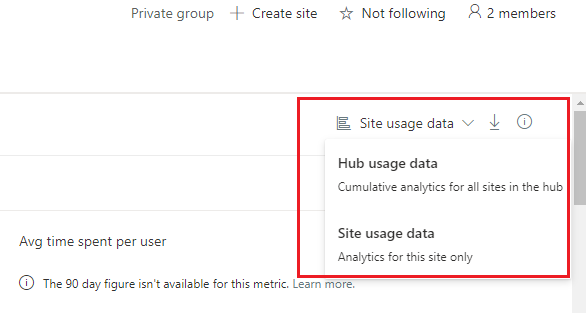
And please make sure whether users visited site pages and viewed news posts. As you can see, it shows some data in documents popular content.
About "Average Time spent per user" it may not available for your organization's SharePoint tenant. You could ask your M365 administrator which type of special cloud deployment your organization uses to understand what site analytics report data is available to you.
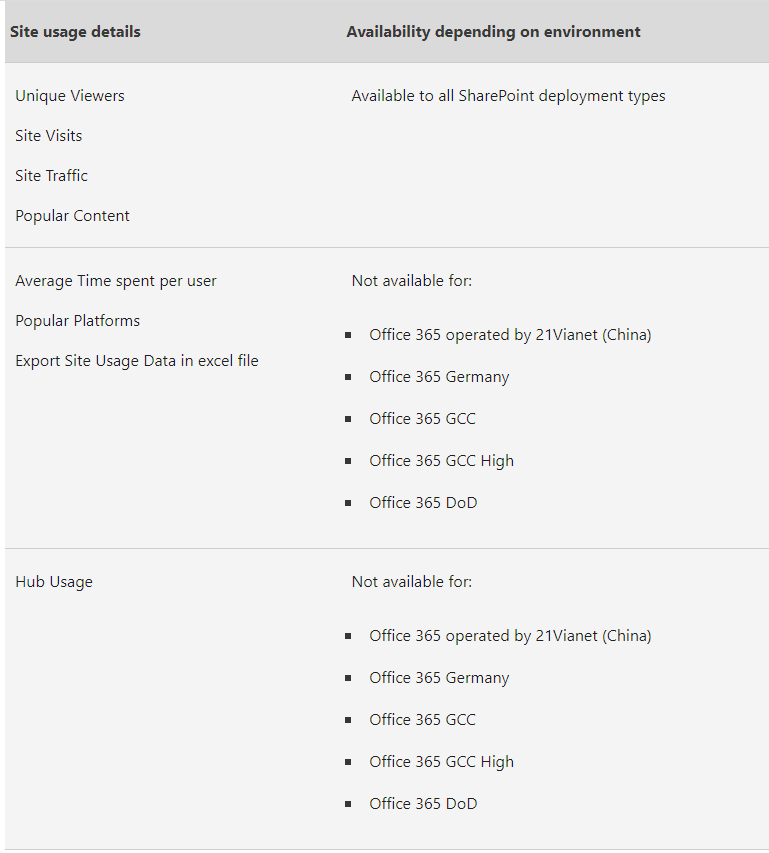
For Reference: View usage data for your SharePoint site
If an Answer is helpful, please click "Accept Answer" and upvote it.
Note: Please follow the steps in our documentation to enable e-mail notifications if you want to receive the related email notification for this thread.
Hi @jessica Lin ,
I'm checking how the things are going on about this issue. Is there any progress on this issue?