Microsoft Security | Microsoft Graph
An API that connects multiple Microsoft services, enabling data access and automation across platforms

This browser is no longer supported.
Upgrade to Microsoft Edge to take advantage of the latest features, security updates, and technical support.
' cx='32' cy='32' r='32' /%3E%3Ctext x='50%25' y='55%25' dominant-baseline='middle' text-anchor='middle' fill='%23FFF' %3ELS%3C/text%3E%3C/svg%3E)
Hi,
I'm aiming to make an application that gets and lists our Microsoft Planner Tasks.
Looking at the "Get Planner Task" source here: https://learn.microsoft.com/en-us/graph/api/plannertask-get?view=graph-rest-1.0&tabs=http it states that the permissions under "Application" are "Not Supported"
I can see on Stack Overflow users have granted just granted the "Group.ReadWrite.All" as a workaround. What would be the least privileged permission I could use for this?
Note: I only need to get and read the planner and it's associated tasks, I don't need to perform any modifications to the tasks.
An API that connects multiple Microsoft services, enabling data access and automation across platforms
Answer accepted by question author

Of course, it currently does not support application permissions. The least privileged permission to call this api is the Tasks.Read delegated permission. You can grant this permission for your application and grant the administrator's consent, and then you need to use the auth code flow based on user interaction login to obtain the token.
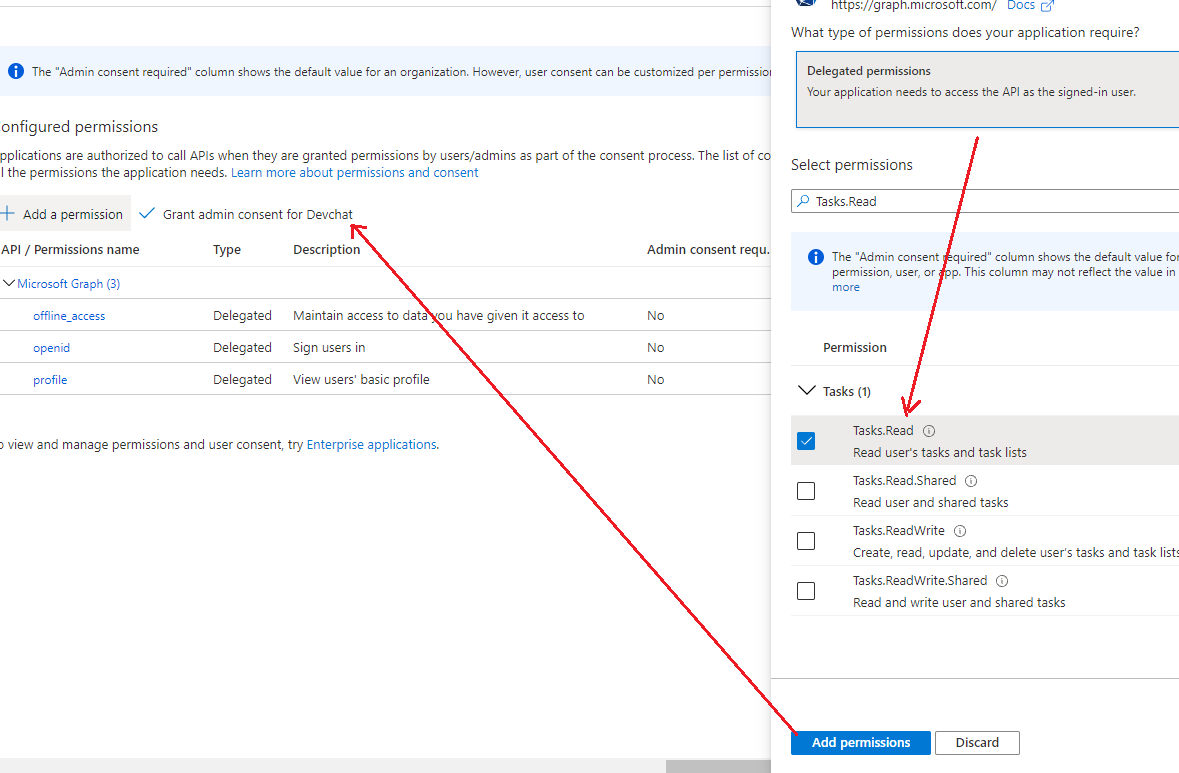
If an Answer is helpful, please click "Accept Answer" and upvote it.
Note: Please follow the steps in our documentation to enable e-mail notifications if you want to receive the related email notification for this thread.
' cx='32' cy='32' r='32' /%3E%3Ctext x='50%25' y='55%25' dominant-baseline='middle' text-anchor='middle' fill='%23FFF' %3EJG%3C/text%3E%3C/svg%3E)
Hi,
Thank you for the answer.
authorization code flow implies user interaction. How can I do to acquire the same permissions (read/write task in a plan) but without user interaction (service 2 service scenario)?
Thank you.
Hi @John Green
The Planner Tasks endpoint only supports the Delegated workflow as there's currently no Application permissions annoyingly, which makes automating this harder (https://learn.microsoft.com/en-us/graph/api/plannertask-get?view=graph-rest-1.0&tabs=http).
I've asked about this before in: https://learn.microsoft.com/en-us/answers/questions/636458/microsoft-graph-api-planner-tasks-access-token-que.html?childToView=637063#answer-637063
To get the Access Token you need to first login with your Authorisation URL and then have your application call the Planner Task endpoints with a Microsoft User. (Note: you'll need to set the relevant permissions in Azure).
In the end, I worked around this login constraint by using the Gauge/Taiko Node.JS (used for headerless browser automation) libraries to automate the need to login to Microsoft to get the Delegated Access Token.
For example, my script calls my Authorisation URL, logs in via a headless browser and then complete my PHP script to completion to get our Planner Tasks and perform our required scenarios.