Azure Logic Apps
An Azure service that automates the access and use of data across clouds without writing code.
This browser is no longer supported.
Upgrade to Microsoft Edge to take advantage of the latest features, security updates, and technical support.
' cx='32' cy='32' r='32' /%3E%3Ctext x='50%25' y='55%25' dominant-baseline='middle' text-anchor='middle' fill='%23FFF' %3ERD%3C/text%3E%3C/svg%3E)
Hello there
i have just started with azure portal, and am currently having issues creating a Logic App
see below of the settings im using
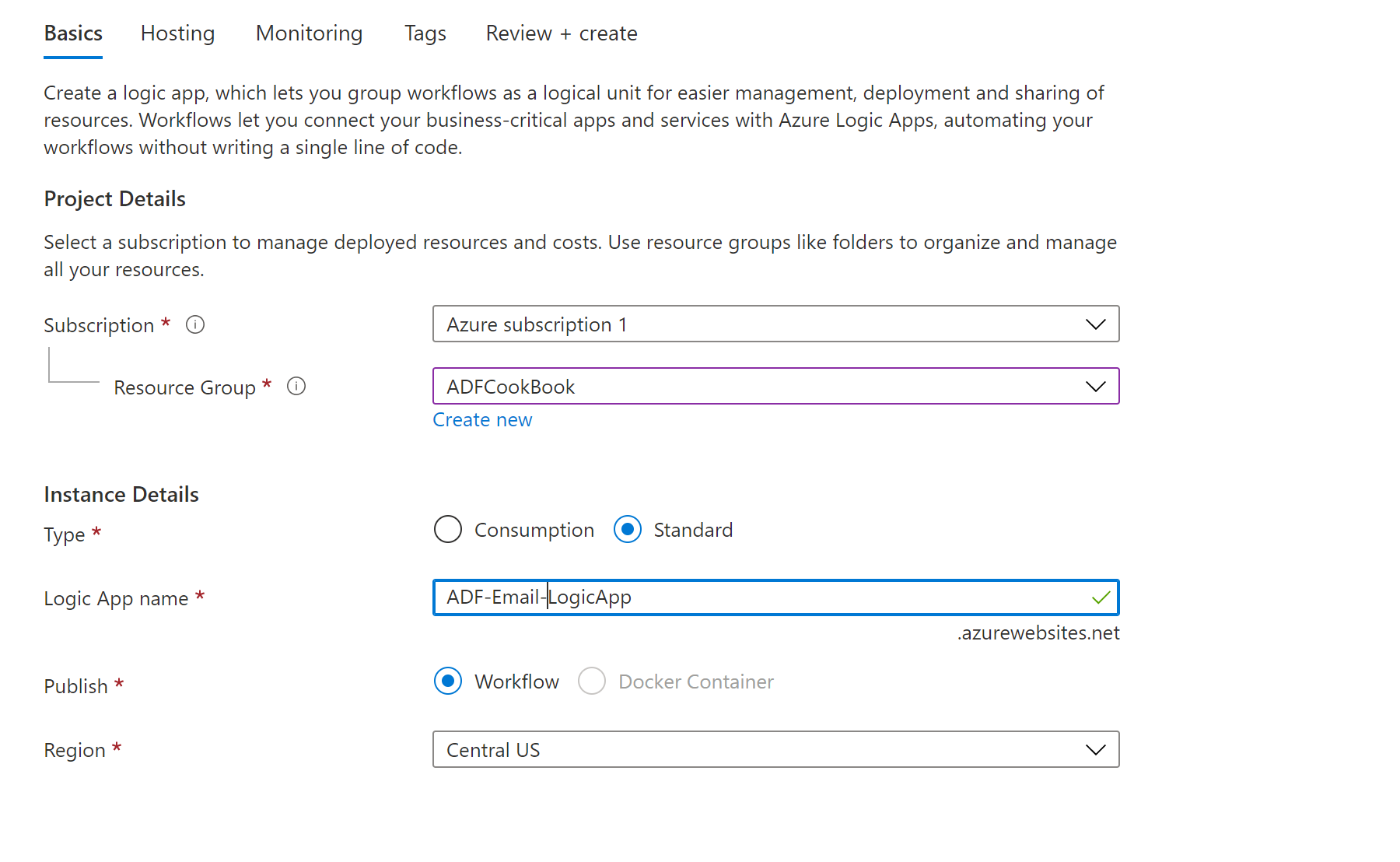
Review details below
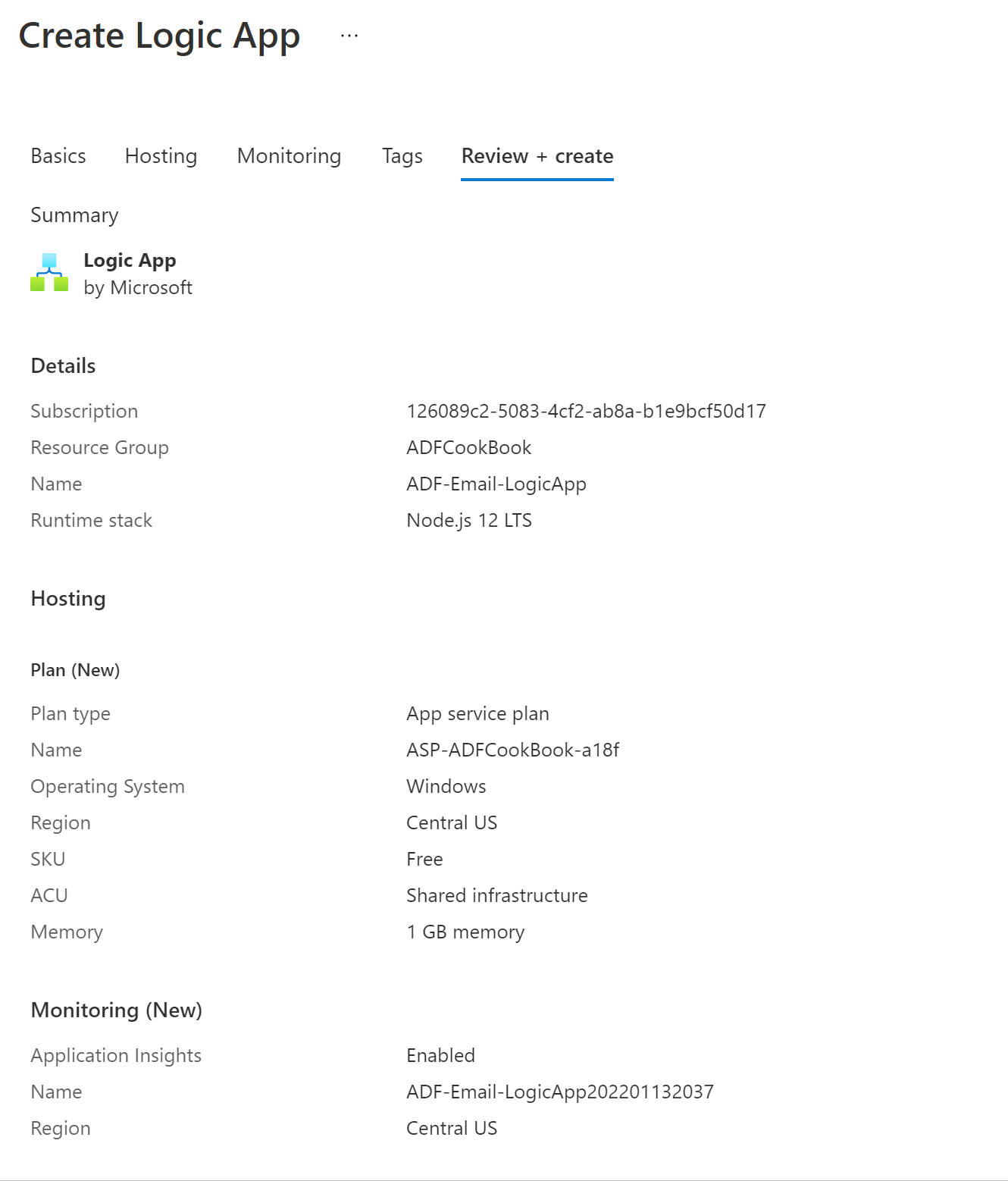
Then error message after deployment
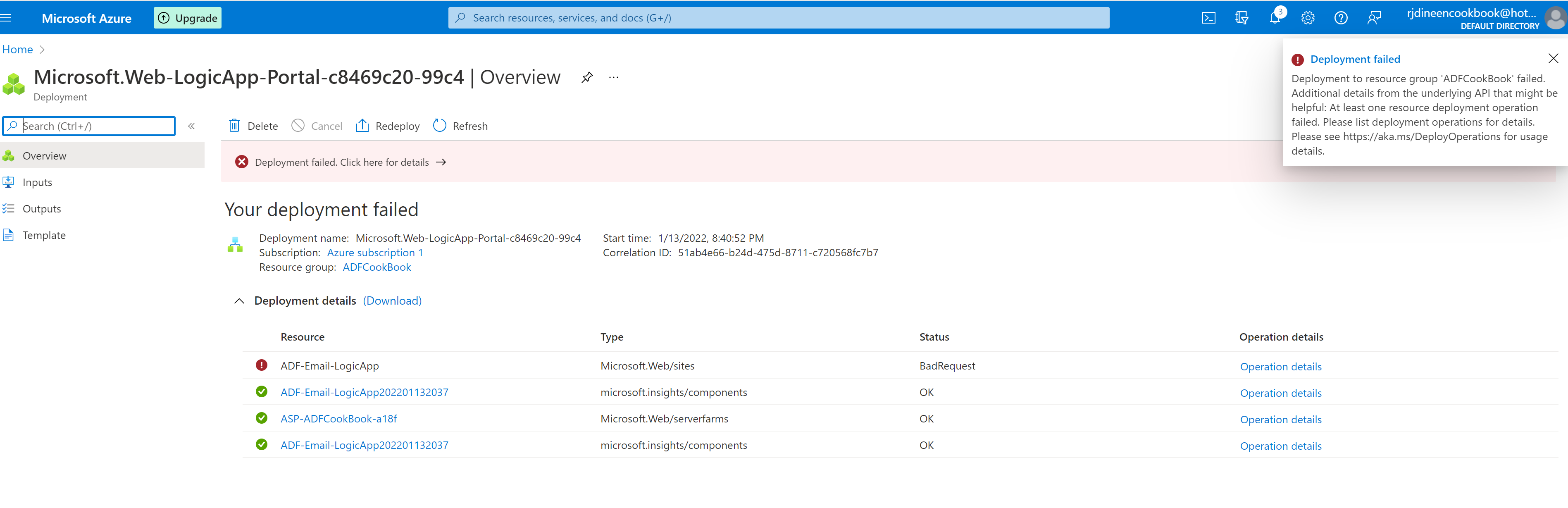
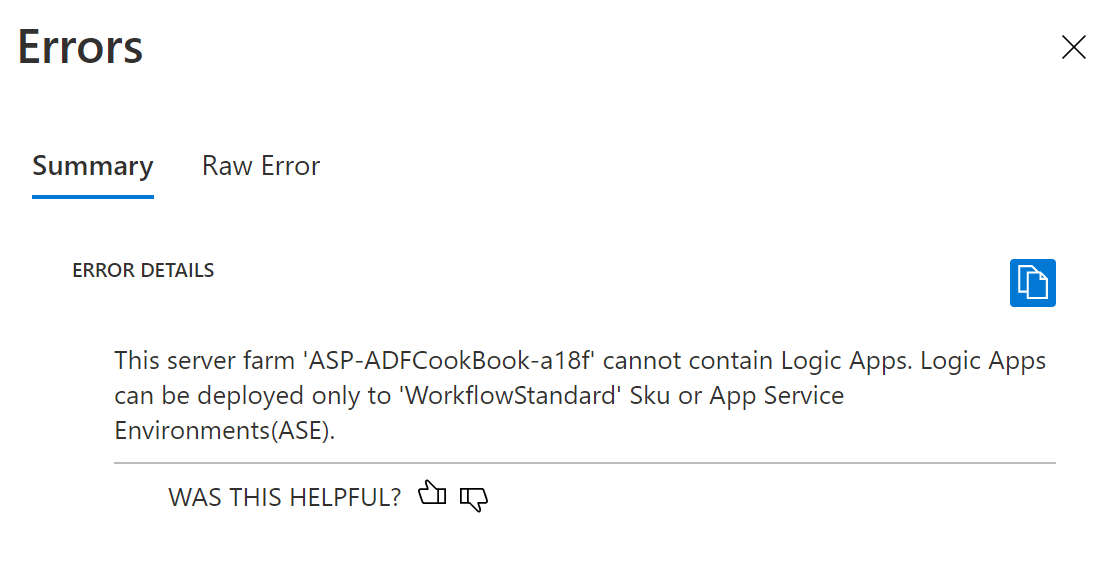
Is there a setting somewhere i have forgotten about or anything else?
any help would be very great, thank you all
An Azure service that automates the access and use of data across clouds without writing code.
Answer accepted by question author

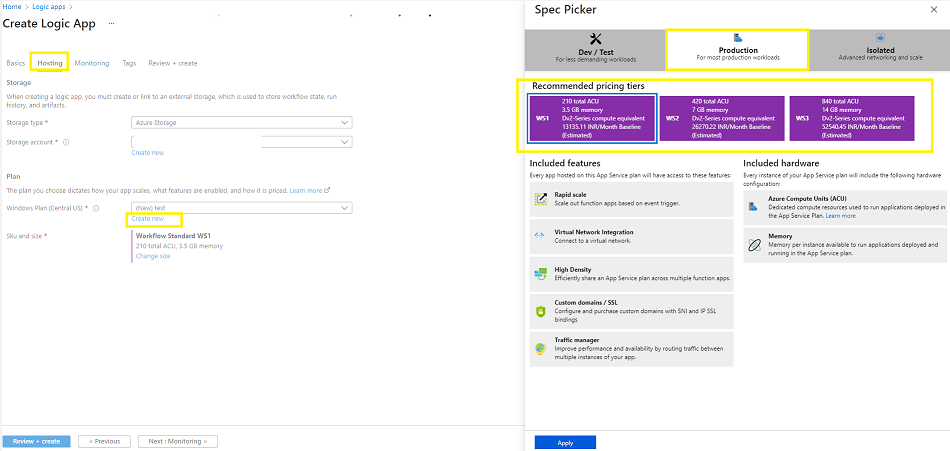
@Robert Dineen As per the error you are creating the logic app in the plan that is not supported. Only 'WorkflowStandard' Sku or App Service Environments(ASE) plans are supported. In the above screenshot, I can see that you have selected the SKU Free or selected the existing plan which has Free SKU in the hosting plan which is not supported. I will suggest you to recreate the logic app only with 'WorkflowStandard' or ‘ASEv3’ plans. You can refer to Standard (single tenant) pricing for more details.
Thank you for getting back to.
Would this have something to so with using the free trail that includes $150 credit???
@Robert Dineen The free trial account should not have an effect. You should create a new hosting plan as below while creating the logic app only with supported SKU. In case if you are selecting the existing plan then that plan should support the supported SKU for logic app standard.
i created a new app plan but still no luck,
but thank you for your help
@Robert Dineen Sorry to hear that. Can you please refer to my private comment so we can connect offline and assist you further.