Azure SQL Database
An Azure relational database service.
This browser is no longer supported.
Upgrade to Microsoft Edge to take advantage of the latest features, security updates, and technical support.
' cx='32' cy='32' r='32' /%3E%3Ctext x='50%25' y='55%25' dominant-baseline='middle' text-anchor='middle' fill='%23FFF' %3ESP%3C/text%3E%3C/svg%3E)
we have an azure database of members the id column value is going to be assigned to physical object i.e.cards. so the user has a card with a member id that corresponds to the id of their record in the database. so, my question is, in a standard instance of sql server installed on a server if the server restarts the id's jump by 1000. you can configure the server to stop this happening. does this same behaviour apply to a hosted instance of a database on azure. so if Microsoft restart the server for whatever reason would the id's in the hosted database jump just like standard installation behaviour. if this is the case can anyone recommend how this behaviour is switched off. i.e. is a script applied or is there a way to do it directly from within the azure portal. thanks in advance.
An Azure relational database service.
Additional SQL Server features and topics not covered by specific categories
Answer accepted by question author

Good day @stephen polin
Azure SQL database Indentity column auto increment jump 1000
This is perfectly normal
does this same behaviour apply to a hosted instance of a database on azure.
Yes. This is how SQL Server works with identity properties in all versions/editions of SQL Server
This is how SQL Server designed for a better performance. identity does not and should not guaranty that you will not have gaps.
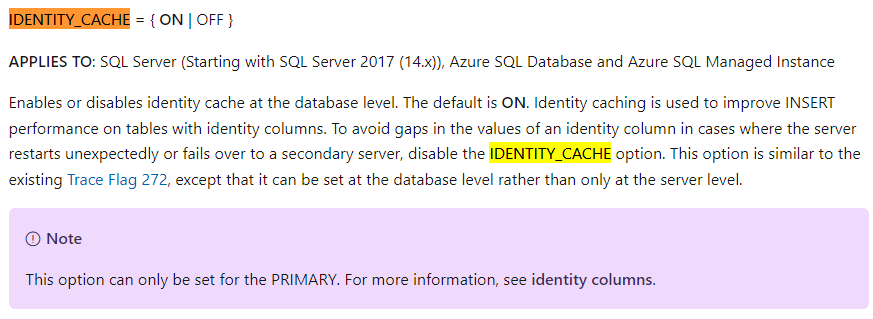
Note: You can configure IDENTITY_CACHE to be OFF, but this is HIGHLY NOT RECOMMENDED!
' cx='32' cy='32' r='32' /%3E%3Ctext x='50%25' y='55%25' dominant-baseline='middle' text-anchor='middle' fill='%23FFF' %3ETP%3C/text%3E%3C/svg%3E)
The identity field jumping 1000 problem ONLY occurs if the SQL Server is not shutdown properly. This normally does not happen.
thanks for your response. what are the reasons this is not recommended?
Hi,
As I mentioned "This is how SQL Server designed for a better performance".
(1) Changing the configuration can reduce performance dramatically and slowdown your queries
(2) The requirement to have consecutive numbers implies that the concept of identity properties is not understood and implies the possibility of poor design of the system. You should not design your system to count on such behavior