Developer technologies | .NET | Entity Framework Core
A lightweight, extensible, open-source, and cross-platform version of the Entity Framework data access technology.
This browser is no longer supported.
Upgrade to Microsoft Edge to take advantage of the latest features, security updates, and technical support.
' cx='32' cy='32' r='32' /%3E%3Ctext x='50%25' y='55%25' dominant-baseline='middle' text-anchor='middle' fill='%23FFF' %3EFH%3C/text%3E%3C/svg%3E)
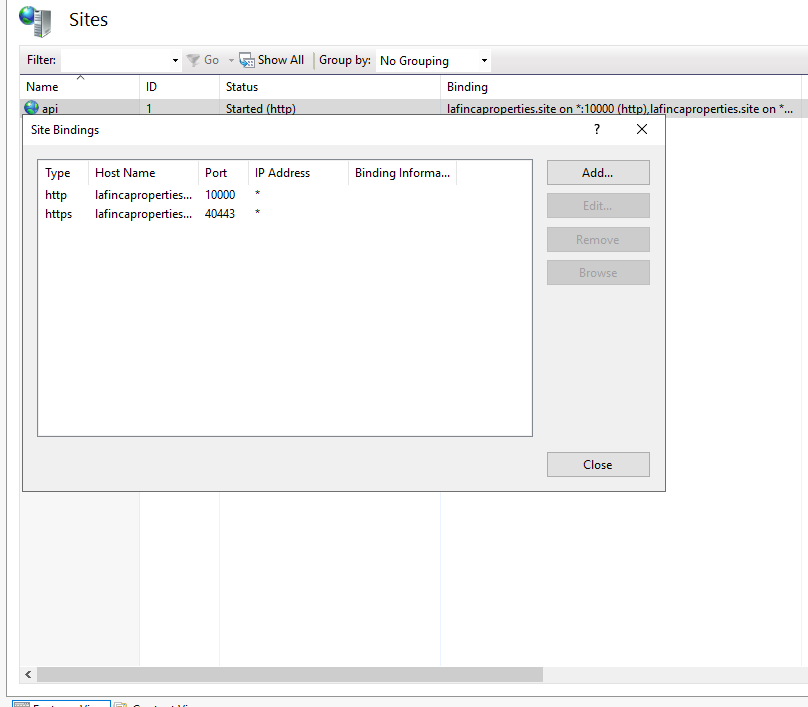
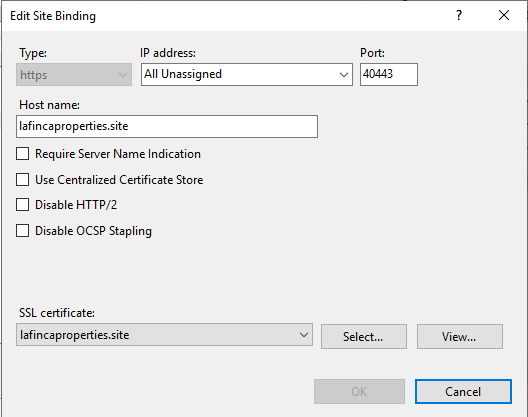
I am deploying an api in .net core 3.1 in a vpn in windows server 2019 with iis.
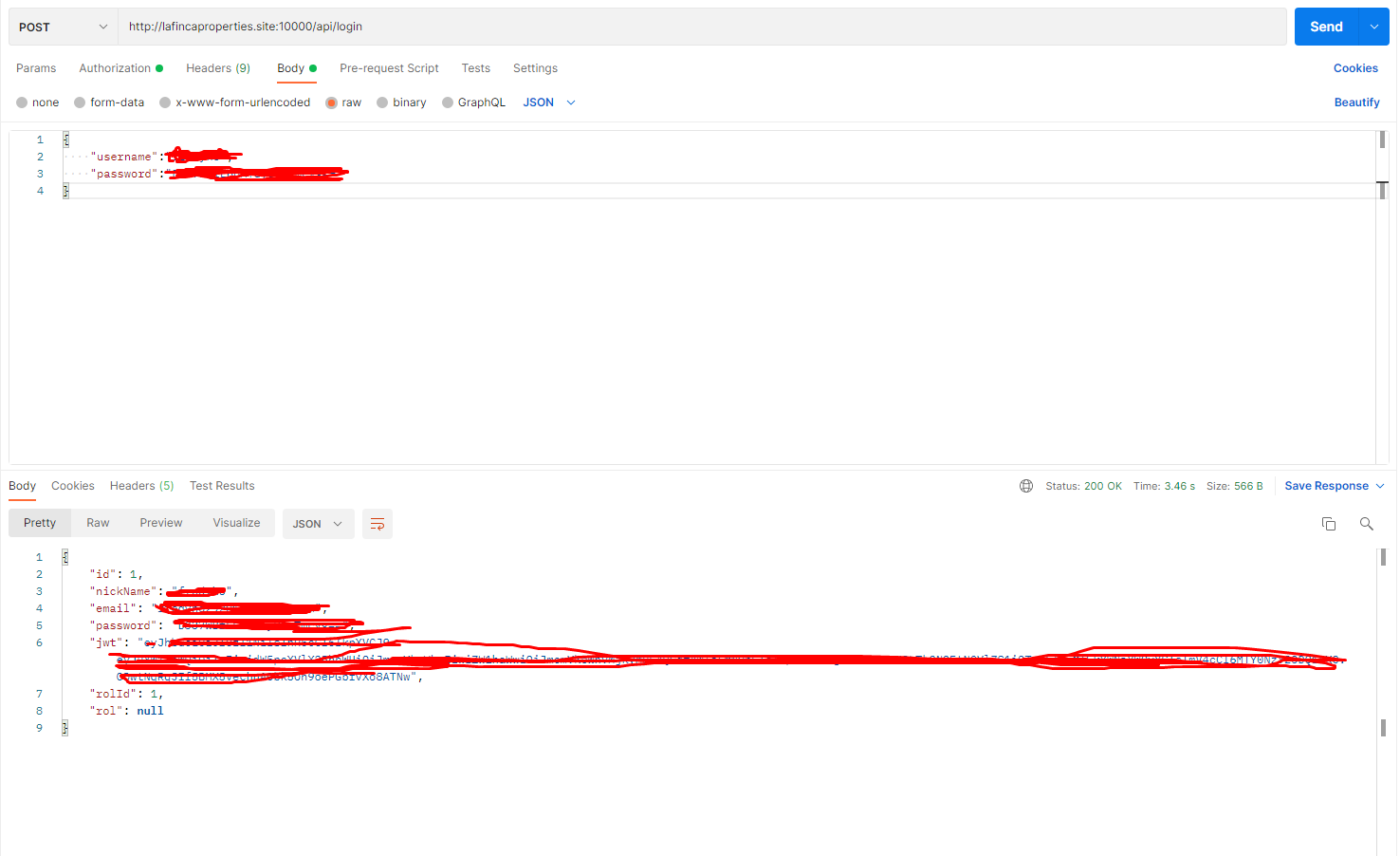
When making the http request, only the api works correctly.
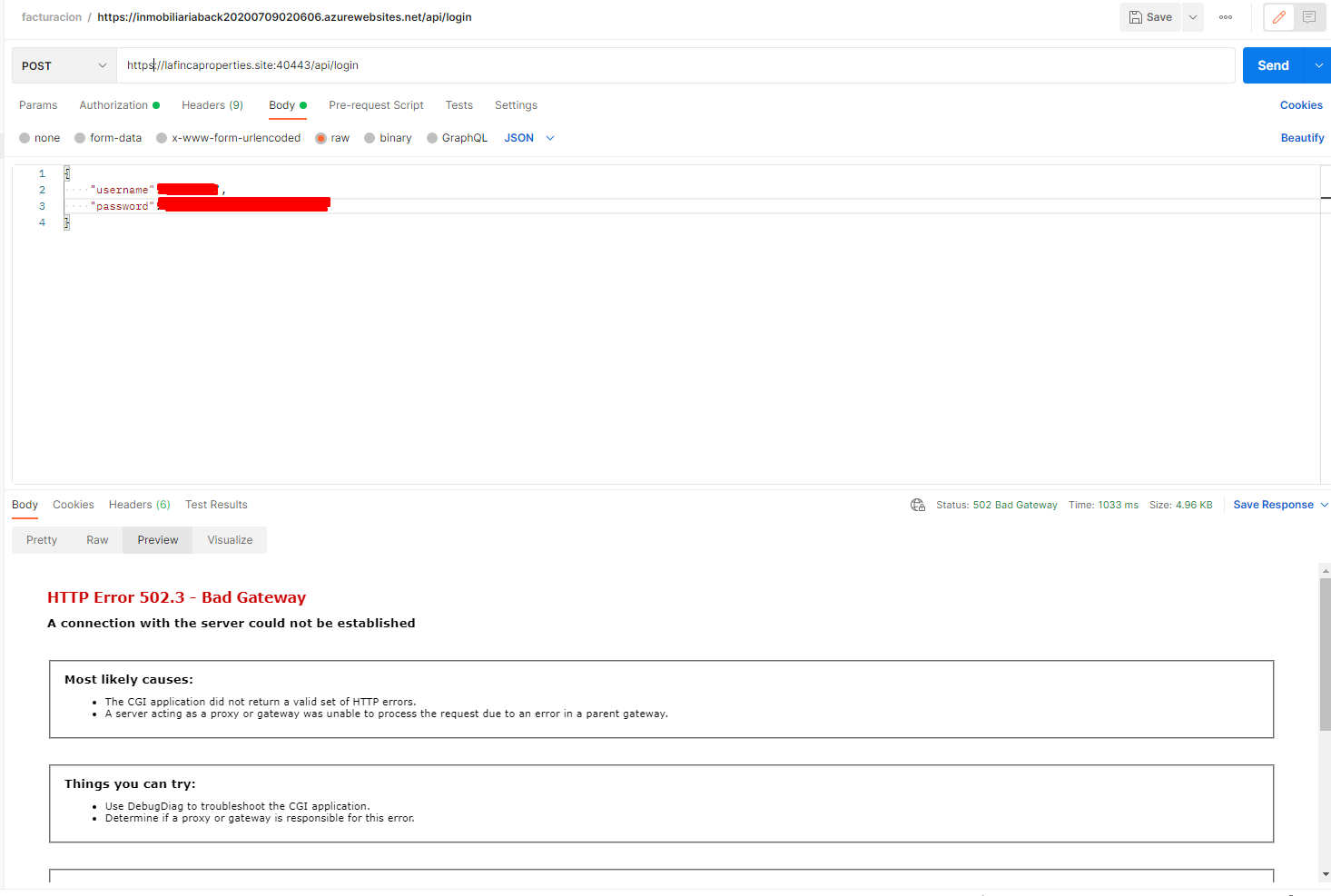
when I add the https address it fails for both http or https
error
502 - Web server received an invalid response while acting as a gateway or proxy server.
There is a problem with the page you are looking for, and it cannot be displayed. When the Web server (while acting as a gateway or proxy) contacted the upstream content server, it received an invalid response from the content server.
A lightweight, extensible, open-source, and cross-platform version of the Entity Framework data access technology.
An Azure service that enables the connection of on-premises networks to Azure through site-to-site virtual private networks.
A set of technologies in .NET for building web applications and web services. Miscellaneous topics that do not fit into specific categories.
' cx='32' cy='32' r='32' /%3E%3Ctext x='50%25' y='55%25' dominant-baseline='middle' text-anchor='middle' fill='%23FFF' %3ESW%3C/text%3E%3C/svg%3E)
502 - Web server received an invalid response while acting as a gateway or proxy server.
502.3 - Bad Gateway A connection with the server could not be establishe.
According to your description, I couldn’t understand your requirement clearly. why are there two different errors?
when I add the https address it fails for both http or https
It may be caused by the firewall, I suggest you turn off the firewall and try again.
yes firewall is off
This is the error log
2022-03-21 04:06:41 85.215.208.137 POST /api/login X-ARR-CACHE-HIT=0&X-ARR-LOG-ID=03ef1bb2-5635-40ed-a7bb-21e57411eb87 40443 - 85.215.208.137 PostmanRuntime/7.29.0 - 502 3 12029 1023
@Fredy Hernandez Orozco It can be seen from the error log that it is a 502.3 error. I suggest you use the failed request trace or check the Event Viewer for detailed error information.
