Azure Data Share
An Azure service that is used to share data from multiple sources with other organizations.
This browser is no longer supported.
Upgrade to Microsoft Edge to take advantage of the latest features, security updates, and technical support.
' cx='32' cy='32' r='32' /%3E%3Ctext x='50%25' y='55%25' dominant-baseline='middle' text-anchor='middle' fill='%23FFF' %3EOC%3C/text%3E%3C/svg%3E)
I work by according this document: recover-python-functions
there on View project files heading
I have function app that is the environment variables:
{
"AzureWebJobsStorage": "",
"FUNCTIONS_EXTENSION_VERSION": "~4",
"FUNCTIONS_WORKER_RUNTIME": "python",
"WEBSITE_CONTENTAZUREFILECONNECTIONSTRING": "",
"WEBSITE_CONTENTSHARE": "some name",
"APPINSIGHTS_INSTRUMENTATIONKEY": ""
}
by the documentation previous I share, the function app should be in the share files.
but the function app files stored in containers under scm-releases.
how can I know where the function app files stored, that in containers (function-releases, scm-releases), share files or site package storage as your described in documentation
An Azure service that is used to share data from multiple sources with other organizations.
An Azure service that provides an event-driven serverless compute platform.
Globally unique resources that provide access to data management services and serve as the parent namespace for the services.
An Azure service that stores unstructured data in the cloud as blobs.
' cx='32' cy='32' r='32' /%3E%3Ctext x='50%25' y='55%25' dominant-baseline='middle' text-anchor='middle' fill='%23FFF' %3EMM%3C/text%3E%3C/svg%3E)
Hi @Omer Cohen ,
Thanks for posting this question in Q&A forum.
The document that you are referring to show us where to look for project files. I would like to clarify the details about this document.
"If the function app has WEBSITE_RUN_FROM_PACKAGE app setting and its value is a URL, download the file by copy and paste the URL into your browser.If the function app has WEBSITE_RUN_FROM_PACKAGE and it is set to 1, navigate to https://<app-name>.scm.azurewebsites.net/api/vfs/data/SitePackages and download the file from the latest href URL."
If you are using this setting, then you would provide a SAS url of the zip file which is placed in a Storage account container. So you would know where to find the files. Another option is to have the value as 1 and you can find the project files in the SitePackages folder as mentioned in the document.
In your case, you dont have WEBSITE_RUN_FROM_PACKAGE app setting, so you wont find the project files in Sitepackages folder or url. Further looking at your function app settings, it seems that its not a package deployment, so you would find the project files under the SCM-releases container in the Storage account specified in the AzureWebJobsStorage app setting.
Regardless of the app settings and type of deployment, you can always find the project files in the scm/Kudu site. Please follow below steps to navigate to Kudu/scm site
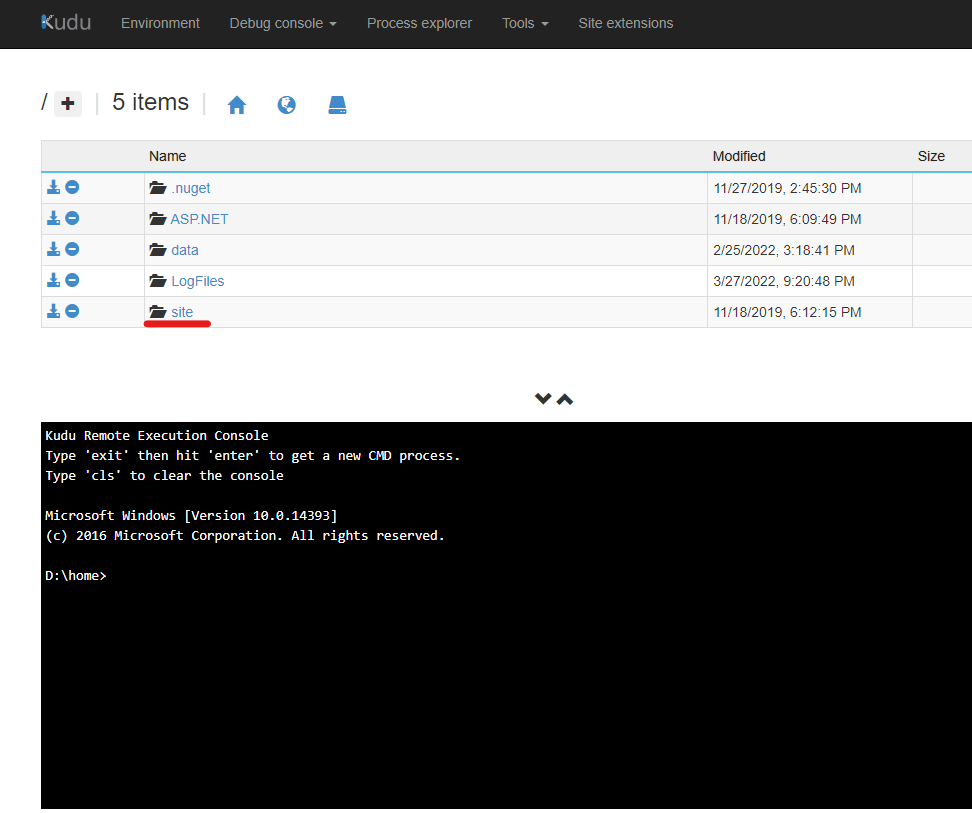
Navigate to https://<app-name>.scm.azurewebsites.net/DebugConsole and reveal the content under /home/site/wwwroot.
I hope this helps! Feel free to reach out to me if you have any queries or concerns.
Please 'Accept as answer' and ‘Upvote’ if it helped so that it can help others in the community looking for help on similar topics.
@MughundhanRaveendran-MSFT
I know all of that, after all this approach.
I have function app project that is files in scm-releases in container inside of storage account
but in app setting I do not have the url.
that make it in the last option of directory in share files.
but you mention here Kudu/scm site
how I find that?
@Omer Cohen , Please help me in answering the below queries
"but in app setting I do not have the url."
which setting you are referring to?
"but you mention here Kudu/scm site. how I find that?"
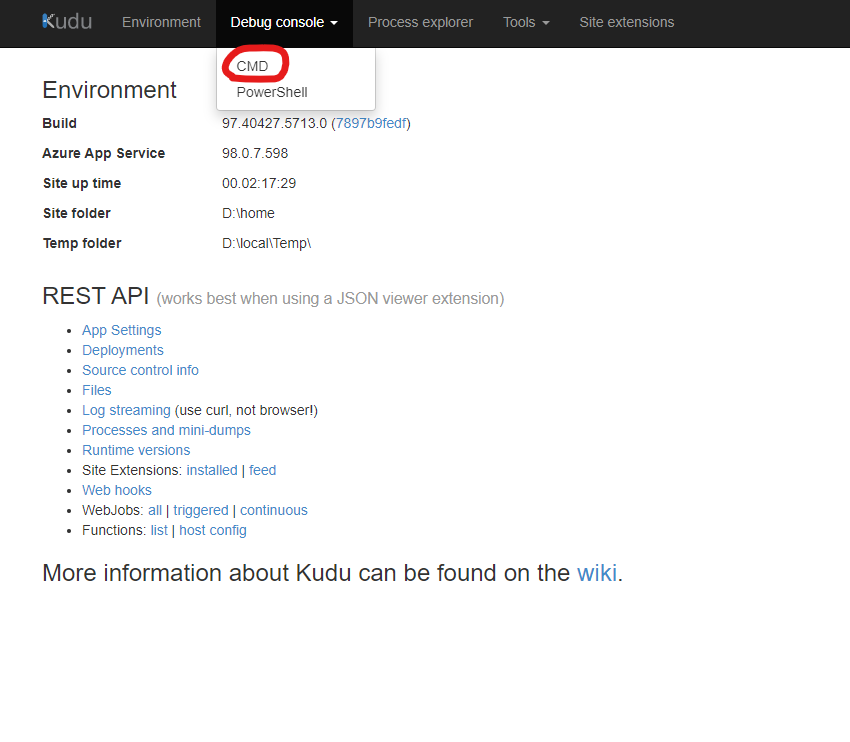
This is how you can find the kudu site
Navigate to https://<app-name>.scm.azurewebsites.net
Open Site->WWWroot. You will find the files here