Note
Access to this page requires authorization. You can try signing in or changing directories.
Access to this page requires authorization. You can try changing directories.
UNC 共有 (たとえば \\server\folder) でホストされているプロジェクトを開こうとすると、次の警告メッセージ ボックスが表示されます。
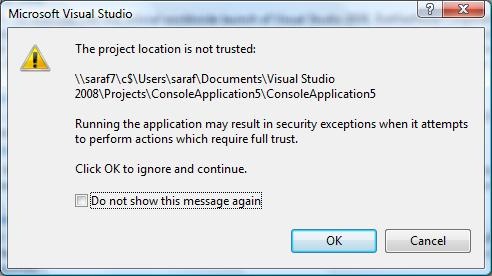
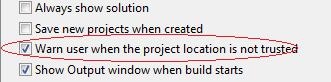
このメッセージを再び表示する必要があるのに、[Do not show this message again] (今後このメッセージを表示しない) チェック ボックスをオンにしてしまった場合は、[ツール] - [オプション] - [プロジェクトおよびソリューション] - [全般] を選択して、[Warn user when the project location is not trusted] (プロジェクトの場所が信頼されていないときにユーザーに警告) チェック ボックスをオンにします。
UNC 共有が信頼されない理由やその対処方法の詳細については、このヘルプ ドキュメントを参照してください。
投稿 : 2008 年 3 月 6 日 (木) 3:00 AM saraford
Sara Ford さんの Web ログ - https://blogs.msdn.com/saraford/archive/2008/03/06/did-you-know-how-to-hide-or-show-the-project-location-is-not-trusted-message-box-166.aspx より。