Note
Access to this page requires authorization. You can try signing in or changing directories.
Access to this page requires authorization. You can try changing directories.
Note
To use this feature, your organization must have an Azure support plan with a minimum level of Developer.
Most operations and support that Microsoft personnel and subprocessors perform don't require access to customer data. In those rare circumstances where Microsoft requires such access, Customer Lockbox for Microsoft Azure provides an interface for your organization to review and approve or reject customer data access requests. Microsoft uses Customer Lockbox when a Microsoft engineer needs to access customer data, whether in response to a customer-initiated support ticket or a problem identified by Microsoft.
This article covers how to enable Customer Lockbox for Microsoft Azure and how requests are initiated, tracked, and stored for later reviews and audits.
Supported services
The following services are currently supported for Customer Lockbox for Microsoft Azure:
- Azure API Management
- Azure App Service
- Azure AI Search
- Foundry Tools
- Azure Chaos Studio
- Azure Communications Gateway
- Azure Container Registry
- Azure Data Box
- Azure Data Explorer
- Azure Data Factory
- Azure Data Manager for Energy
- Azure Database for MySQL
- Azure Database for MySQL Flexible Server
- Azure Database for PostgreSQL
- Azure Edge Zone Platform Storage
- Azure Energy
- Azure Functions
- Azure HDInsight
- Azure Health Bot
- Azure Intelligent Recommendations
- Azure Information Protection
- Azure Kubernetes Service
- Azure Load Testing (CloudNative Testing)
- Azure Logic Apps
- Azure Monitor (Log Analytics)
- Azure Red Hat OpenShift
- Azure Spring Apps
- Azure SQL Database
- Azure SQL Managed Instance
- Azure Storage
- Azure Subscription Transfers
- Azure Synapse Analytics
- Commerce AI (Intelligent Recommendations)
- DevCenter or DevBox
- ElasticSan
- Kusto (Dashboards)
- Microsoft Azure Attestation
- Microsoft Entra Diagnostics Data
- OpenAI
- Spring Cloud
- Unified Vision Service
- Virtual Machines in Azure
Enable Customer Lockbox for Microsoft Azure
Enable Customer Lockbox for Microsoft Azure from the Administration module.
Note
To enable Customer Lockbox for Microsoft Azure, you need the Global Administrator role assigned.
Workflow
The following steps outline a typical workflow for a Customer Lockbox for Microsoft Azure request.
Someone at an organization has a problem with their Azure workload.
After this person troubleshoots the problem but can't fix it, they open a support ticket from the Azure portal. The ticket is assigned to an Azure Customer Support Engineer.
An Azure Support Engineer reviews the service request and determines the next steps to resolve the problem.
If the support engineer can't troubleshoot the problem by using standard tools and service-generated data, the next step is to request elevated permissions by using a just-in-time (JIT) access service. This request can be from the original support engineer or from a different engineer because the problem is escalated to the Azure DevOps team.
After the Azure engineer submits an access request, the just-in-time service evaluates the request, taking into account factors such as:
- The scope of the resource.
- Whether the requester is an isolated identity or uses multifactor authentication.
- Permission levels. Based on the JIT rule, this request might also include an approval from internal Microsoft approvers. For example, the approver might be the customer support lead or the DevOps manager.
When the request requires direct access to customer data, a Customer Lockbox request is initiated.
The request is now in a Customer Notified state, waiting for the customer's approval before granting access.
One or more approvers at the customer organization for a given Customer Lockbox request are determined as follows:
- For subscription-scoped requests (requests to access specific resources contained within a subscription), users with the Owner role or the Azure Customer Lockbox Approver for Subscription role on the associated subscription.
- For tenant-scoped requests (requests to access the Microsoft Entra tenant), users with the Global Administrator role on the tenant.
Note
Role assignments must be in place before Customer Lockbox for Microsoft Azure starts to process a request. Customer Lockbox for Microsoft Azure doesn't recognize role assignments made after it starts to process a given request. Because of this requirement, to use PIM-eligible assignments for the Owner role, users must activate the role before the Customer Lockbox request is initiated. For more information about activating PIM-eligible roles, see Activate Microsoft Entra roles in PIM or Activate Azure resource roles in PIM.
Role assignments scoped to management groups aren't supported in Customer Lockbox for Microsoft Azure at this time.
At the customer organization, designated lockbox approvers (Owner, Microsoft Entra Global Administrator, or Azure Customer Lockbox Approver for Subscription) receive an email from Microsoft to notify them about the pending access request. You can also use the Azure Lockbox alternate email notifications feature to configure an alternate email address to receive lockbox notifications in scenarios where the Azure account isn't email-enabled or if a service principal is defined as the lockbox approver.
Example email:

The email notification provides a link to the Customer Lockbox blade in the Administration module. The designated approver signs in to the Azure portal to view any pending requests that their organization has for Customer Lockbox for Microsoft Azure:
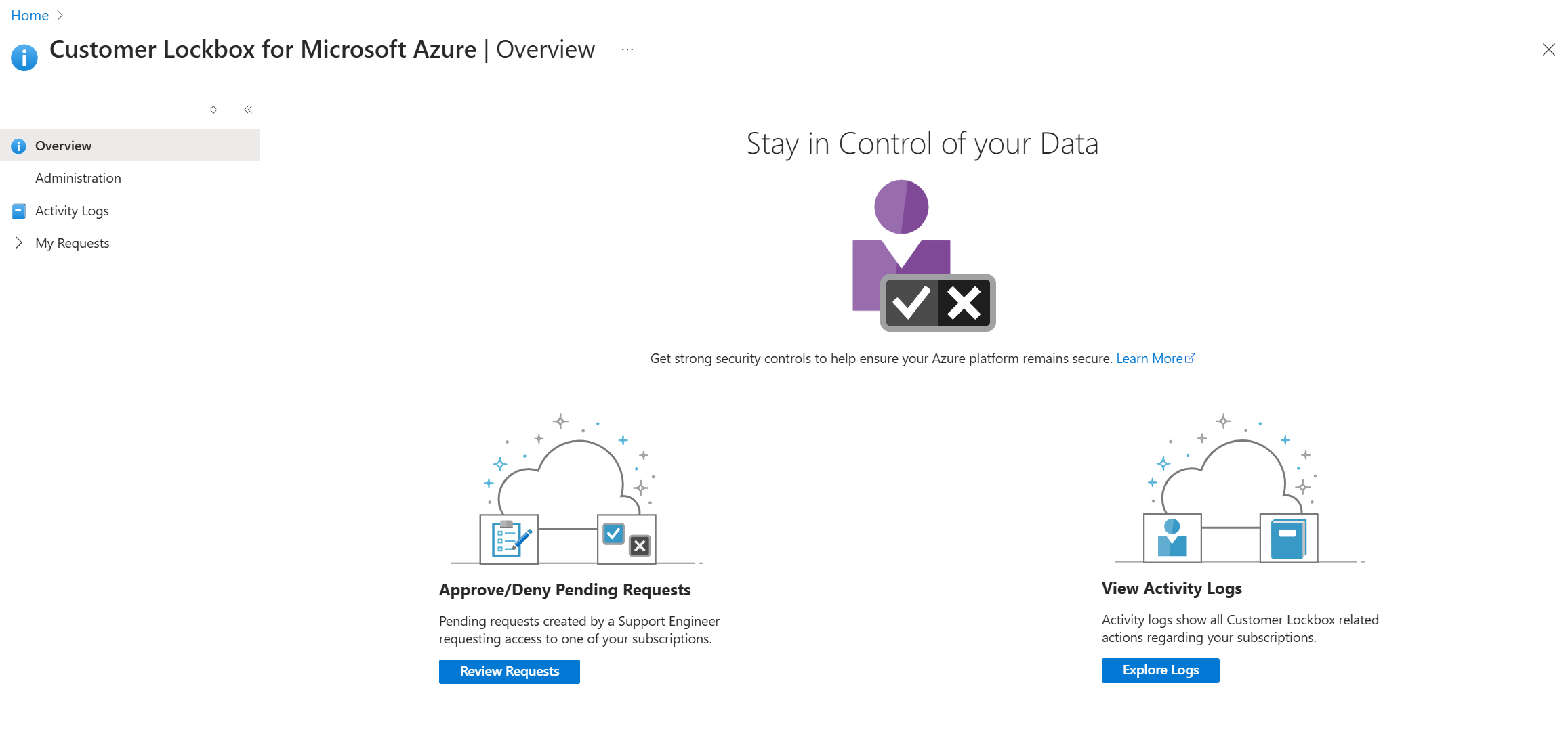 The request remains in the customer queue for four days. After this time, the access request automatically expires and no access is granted to Microsoft engineers.
To get the details of the pending request, the designated approver can select the Customer Lockbox request from Pending Requests:

The designated approver can select the Service request ID to view the support ticket request created by the original user. This information provides context for why Microsoft Support is engaged, and the history of the reported problem. For example:

The designated approver reviews the request and selects Approve or Deny:
 As a result of the selection:
- Approve: The Microsoft engineer receives access for the duration specified in the request details, which appears in the email notification and in the Azure portal.
- Deny: Customer Lockbox rejects the elevated access request by the Microsoft engineer and takes no further action.
For auditing purposes, the actions taken in this workflow are logged in Customer Lockbox request logs.


Auditing logs
The auditing logs for Customer Lockbox for Azure are written to the activity logs for subscription-scoped requests and to the Microsoft Entra audit log for tenant-scoped requests.
Subscription-scoped requests - activity logs
In the Azure portal, Customer Lockbox for Microsoft Azure blade, select Activity Logs to view auditing information related to Customer Lockbox requests. You can also view the Activity Logs in the subscription details blade for the subscription in question. In both cases, you can filter for specific operations, such as:
- Deny Lockbox Request
- Create Lockbox Request
- Approve Lockbox Request
- Lockbox Request Expiry
As an example:

Tenant-scoped requests - audit log
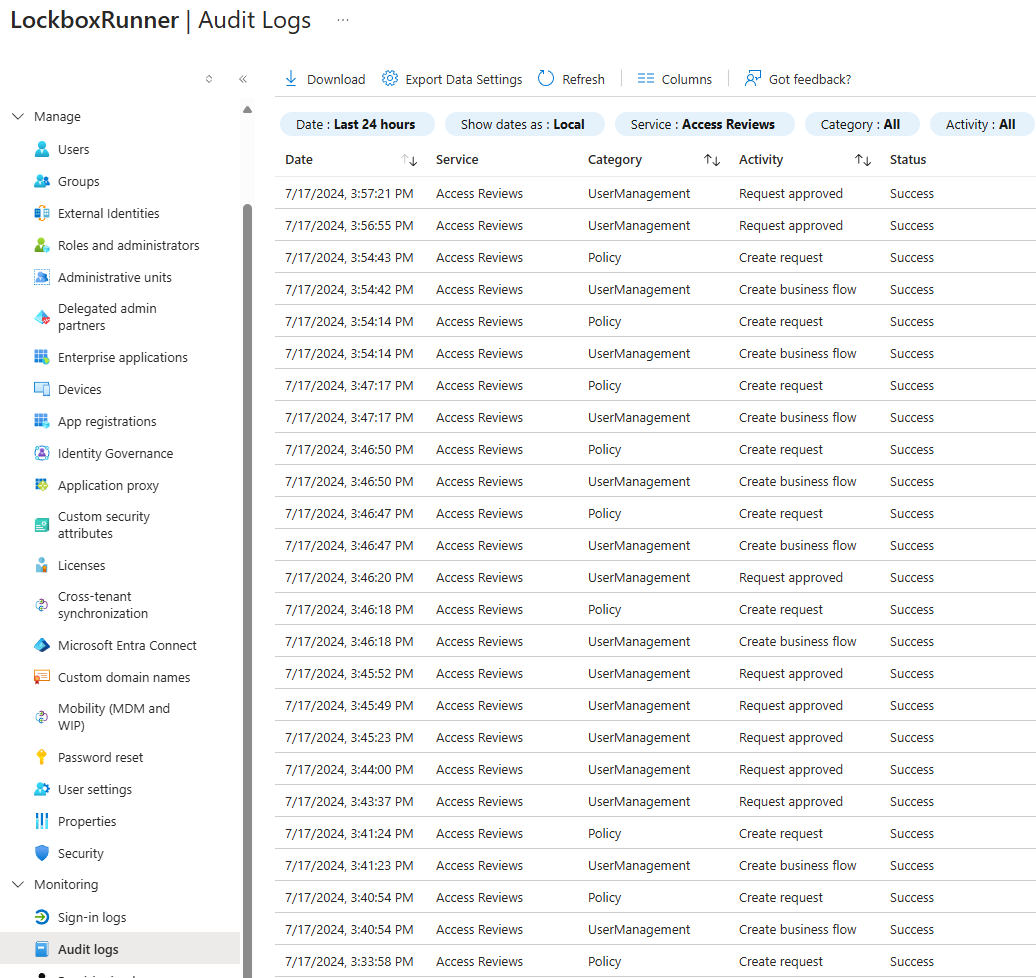
For tenant-scoped Customer Lockbox requests, the Access Reviews service writes log entries to the Microsoft Entra audit log. These log entries include activities such as:
- Create request
- Request approved
- Request denied
You can filter for Service = Access Reviews and Activity = one of the above activities.
As an example:
Note
Existing technical limitations removed the History tab in the Azure Lockbox portal. To see Customer Lockbox request history, use the activity log for subscription-scoped requests and the Microsoft Entra audit log for tenant-scoped requests.
Customer Lockbox for Microsoft Azure integration with the Microsoft cloud security benchmark
Microsoft introduced a new baseline control (PA-8: Determine access process for cloud provider support) in the Microsoft cloud security benchmark that covers Customer Lockbox applicability. Use the benchmark to review Customer Lockbox applicability for a service.
Exclusions
Customer Lockbox doesn't trigger requests in the following scenarios:
- Emergency scenarios that fall outside of standard operating procedures and require urgent action from Microsoft to restore access to online services or to prevent corruption or loss of customer data, or to investigate a security or abuse incident. For example, a major service outage or a security incident demands immediate attention to recover or restore services under unexpected or unpredictable circumstances. These "break glass" events are rare and, in most cases, don't require access to customer data for resolution. The controls and processes governing Microsoft's access to customer data in core online services align with NIST 800-53 and are validated through SOC 2 audits. For more information, see the Azure security baseline for Customer Lockbox for Microsoft Azure.
- A Microsoft engineer accesses the Azure platform as part of troubleshooting and is inadvertently exposed to customer data. For example, the Azure Network Team performs troubleshooting that results in a packet capture on a network device. Such scenarios rarely result in access to meaningful quantities of customer data. Further protect your data by using customer-managed keys, which are available for some Azure services. For more information, see Key management in Azure.
External legal demands for data also don't trigger Customer Lockbox requests. For details, see the discussion of government requests for data on the Microsoft Trust Center.
Next steps
Enable Customer Lockbox from the Administration module in the Customer Lockbox blade. All customers with an Azure support plan at the Developer level or higher can use Customer Lockbox for Microsoft Azure.