Note
Access to this page requires authorization. You can try signing in or changing directories.
Access to this page requires authorization. You can try changing directories.
Important
- This is a production-ready preview feature.
- Production-ready previews are subject to supplemental terms of use.
Open the Sales Close Agent settings to configure or manage the Sales Close Agent.
Follow these steps:
In the Sales Hub app, go to Change area in the lower-left corner of the page and select App Settings.
Go to General settings > Dynamics 365 AI hub.
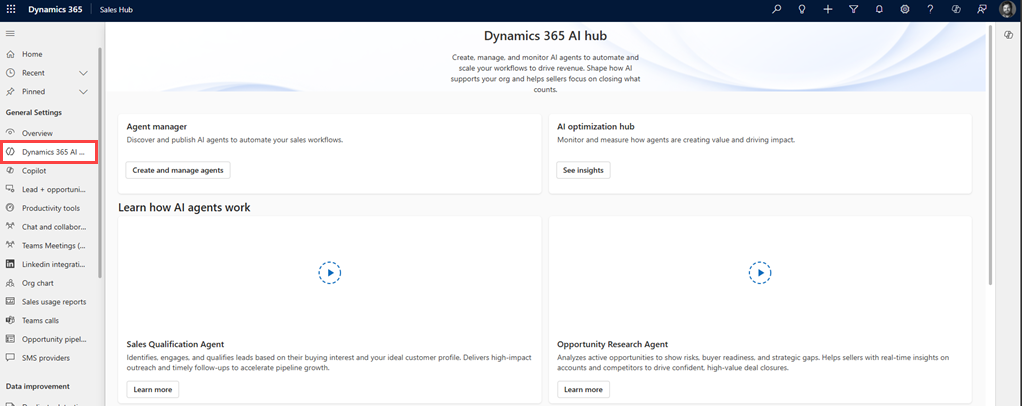
In the Agent manager section, select Create and manage agent.
The AI agent page opens.To create an agent:
- Select Create. The create an agent dialog opens.
- In the Sales Close Agent section, select Choose.
- In the configuration page, select Manual setup.
Note
The option to create a new agent will be inactive, if an agent is already configured in your organization. At any given time, only one agent can be active per organization.
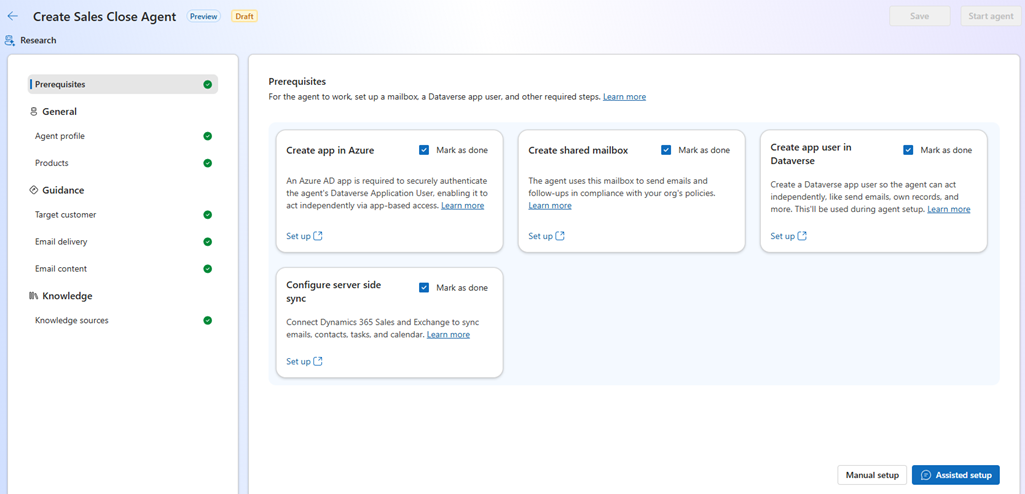
To edit or deactivate the agent, in the AI agents page, from the list of agents, select the name of the Sales Close Agent.