Note
Access to this page requires authorization. You can try signing in or changing directories.
Access to this page requires authorization. You can try changing directories.
Sideload your add-in in Office on Mac to see how your add-in runs. For debugging, see Debug Office Add-ins on a Mac.
Note
Currently, an add-in that uses the Unified manifest for Microsoft 365 can't be sideloaded on iPad. Outlook add-ins that use the unified manifest can't be sideloaded on Mac, but Excel, PowerPoint, and Word add-ins can be.
To sideload an add-in with a unified manifest on Windows, Mac, and the web, see Sideload Office Add-ins that uses the unified manifest for Microsoft 365.
Note
To sideload an Outlook add-in, see Sideload Outlook add-ins for testing.
This article refers to sideloading Excel, PowerPoint, and Word add-ins that use the add-in only manifest.
Prerequisites
- A Mac running OS X v10.10 "Yosemite" or later with Office on Mac installed.
- Word on Mac Version 15.18 (160109).
- Excel on Mac Version 15.19 (160206).
- PowerPoint on Mac Version 15.24 (160614).
Sideload an add-in in Office on Mac
Open Finder.
Press Cmd+Shift+G to open the Go to folder dialog.
Enter one of the following filepaths, based on the application you want to use for sideloading. If the
weffolder doesn't exist on your computer, create it.For Word:
/Users/<username>/Library/Containers/com.microsoft.Word/Data/Documents/wefFor Excel:
/Users/<username>/Library/Containers/com.microsoft.Excel/Data/Documents/wefFor PowerPoint:
/Users/<username>/Library/Containers/com.microsoft.Powerpoint/Data/Documents/wefNote
The remaining steps describe how to sideload a Word add-in, but they apply to Excel and PowerPoint too.
Copy your add-in's manifest file to this
weffolder.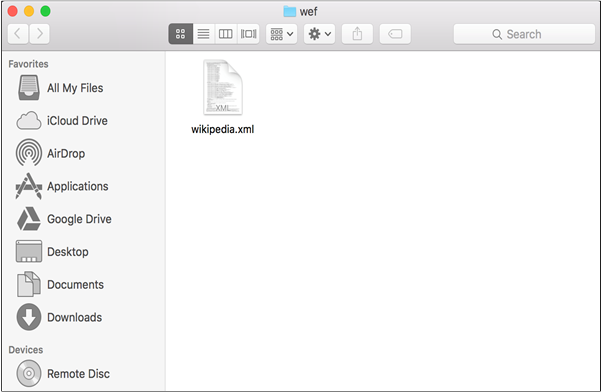
Open Word (or restart Word if it's already running), then open a document.
Select Home > Add-ins, and then select your add-in from the menu.
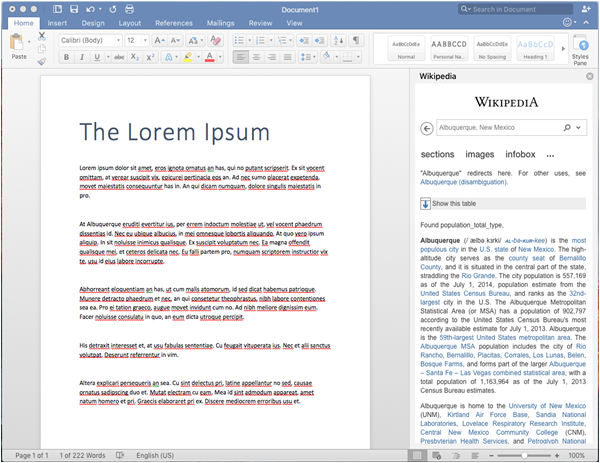
Verify that your add-in is displayed in Word.
Remove a sideloaded add-in
You can remove a previously sideloaded add-in by clearing the Office cache on your computer. See Clear the Office cache.
Next steps
See also
Collaborate with us on GitHub
The source for this content can be found on GitHub, where you can also create and review issues and pull requests. For more information, see our contributor guide.
Office Add-ins