Describe tables, columns, and relationships in Dataverse
Understanding how data is organized in Microsoft Dataverse is essential for building effective Power Platform solutions. In this unit, you explore the core structural components of Dataverse: tables, columns, rows, and relationships.
Tables
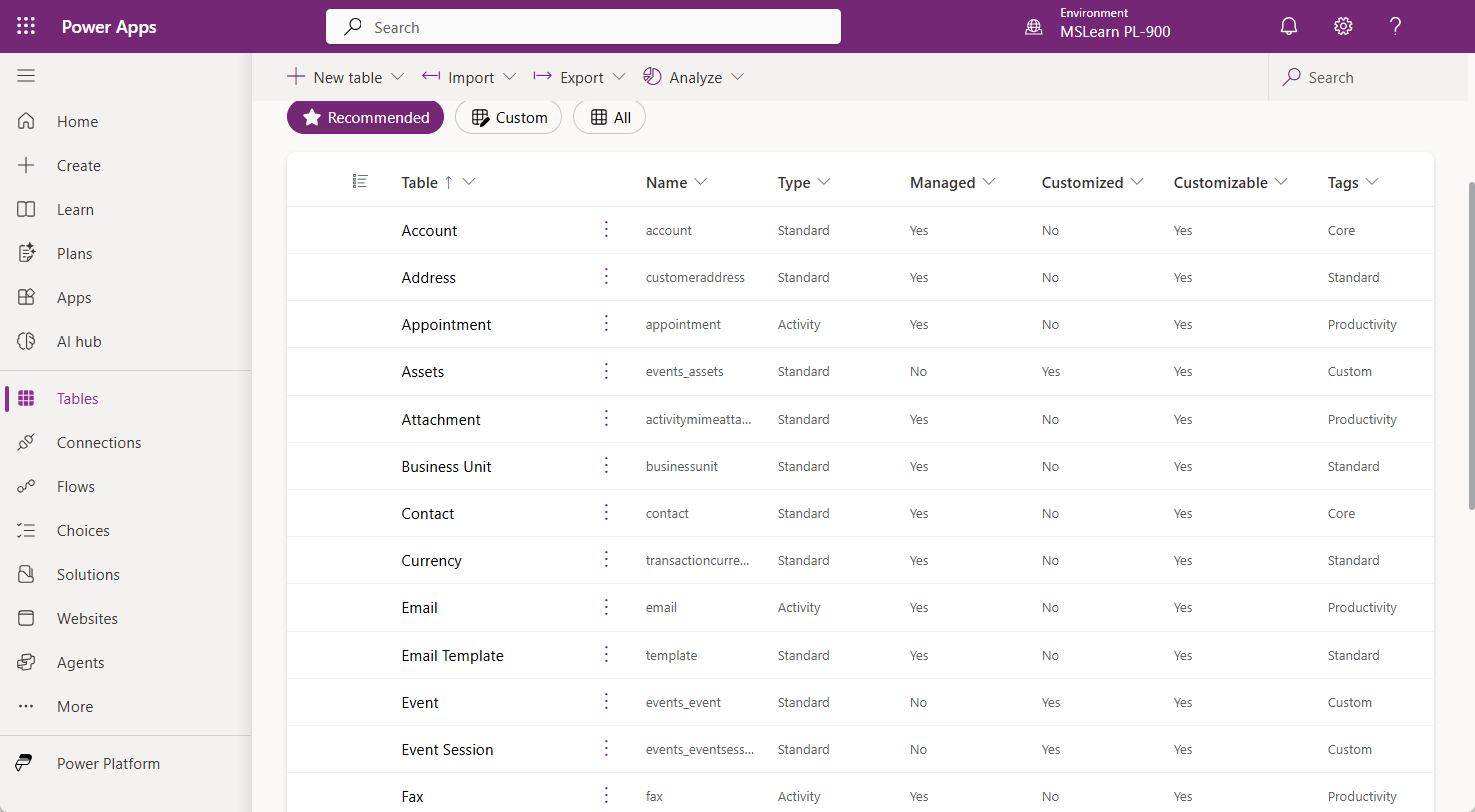
In Microsoft Dataverse, a table is the primary building block for storing data. Tables are similar to tables in a traditional relational database, with rows representing individual records and columns defining the attributes of each record. For example, a table named Service Request might contain columns such as Request Title, Status, Priority, and Assigned Technician, with each row representing a unique service request submitted by a customer.
Dataverse includes a library of standard tables aligned with the Common Data Model, covering concepts such as Account, Contact, Opportunity, and Case. These standard tables are ready to use immediately and are already integrated with Dynamics 365 applications and Power Platform tools. Makers can also create custom tables to store business-specific data that isn't covered by the standard table library.
Tables in Dataverse contain more than just rows and columns. Each table also supports:
- Relationships with other tables
- Forms that define how records are displayed for data entry
- Views that control which records and columns are displayed in lists
- Charts and dashboards for data visualization
- Business rules and Power Fx logic for enforcing data policies
Columns
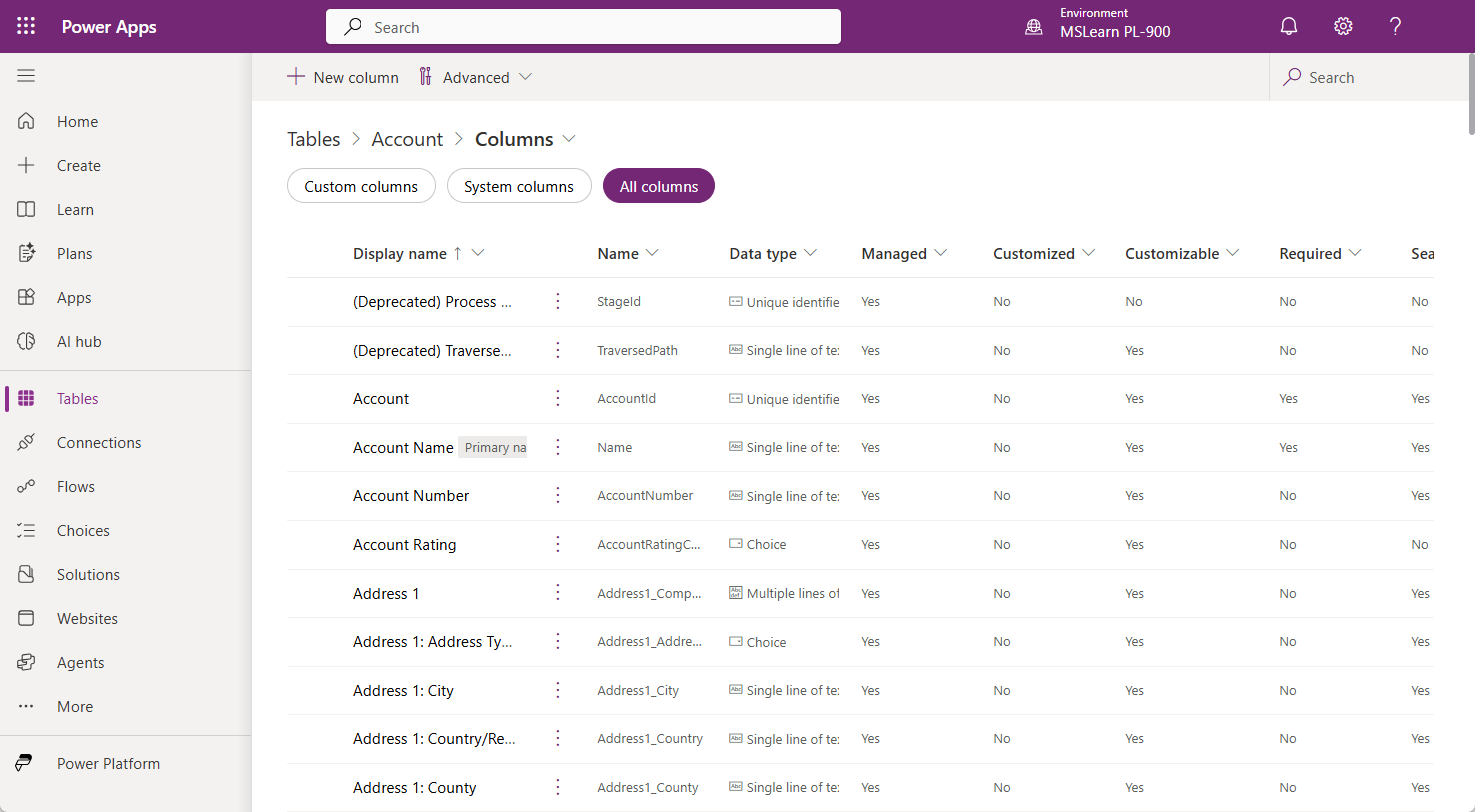
Columns define the attributes that each row in a table can store. When you create or customize a table in Dataverse, specify a column name, a data type, and optional validation rules. Dataverse supports a wide range of data types to accommodate different kinds of information, including:
- Text: Single-line or multiline text values, such as customer names or notes
- Number: Whole numbers or decimal values, such as quantities or prices
- Date and Time: Date-only or full date-and-time values, such as appointment dates
- Choice: A predefined list of options the user can select, such as Status (Active, Inactive, Pending)
- Lookup: A reference to a row in another table, used to build relationships
- File and Image: Binary data such as attachments, photos, or documents
- Formula (fx): Values computed automatically from other columns using Power Fx expressions
Dataverse also supports Copilot-assisted column suggestions. When you describe what your table should track, Copilot can recommend appropriate columns and data types, reducing the time it takes to design a data model from scratch.
Relationships
Relationships connect tables together and allow records in one table to reference records in another. This is how real-world business data is modeled—a customer can have many orders, a project can have many tasks, and an employee can be assigned to many projects. Dataverse supports two primary relationship types:
One-to-many (1:N) relationships: In a one-to-many relationship, a single row in the parent table can be related to multiple rows in a related table. For example, one Account record can be associated with many Contact records. Dataverse implements this relationship using a lookup column on the related table. In this case, each Contact row would contain a lookup column pointing to the related Account.
Many-to-many (N:N) relationships: In a many-to-many relationship, rows in one table can be related to multiple rows in another table, and vice versa. For example, a single Employee can be assigned to many Projects, and a single Project can have many Employees assigned to it. Dataverse manages this through an automatically created intersect table that stores the associations between the two tables.
Contoso Electronics in action
Contoso Electronics organizes its service operations across three core tables: Service Request, Product, and Technician. Each Service Request row contains a lookup column pointing to the assigned technician, establishing a one-to-many relationship between technicians and the requests they manage. Because technicians can be certified to service multiple product categories—and each product category can have multiple certified technicians—Contoso Electronics models this relationship as a many-to-many relationship, managed through an intersect table in Dataverse.