Note
Access to this page requires authorization. You can try signing in or changing directories.
Access to this page requires authorization. You can try changing directories.
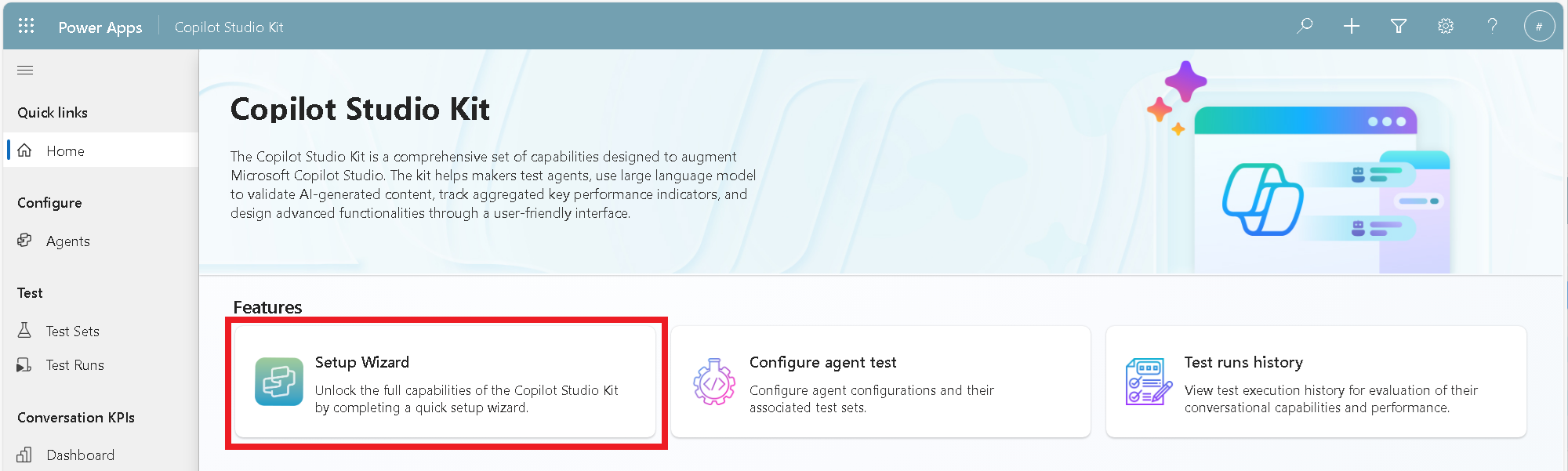
Access the Setup Wizard from the home page of the Copilot Agent Kit. The Setup Wizard guides you through most post-deployment steps, including:
- Checking prerequisites
- Setting connection references and environment variables
- Enabling cloud flows
Select Next or Back to move through the steps.
Important
For steps that aren't included in the wizard, check Post-deployment steps unavailable with Setup Wizard.
Prerequisites
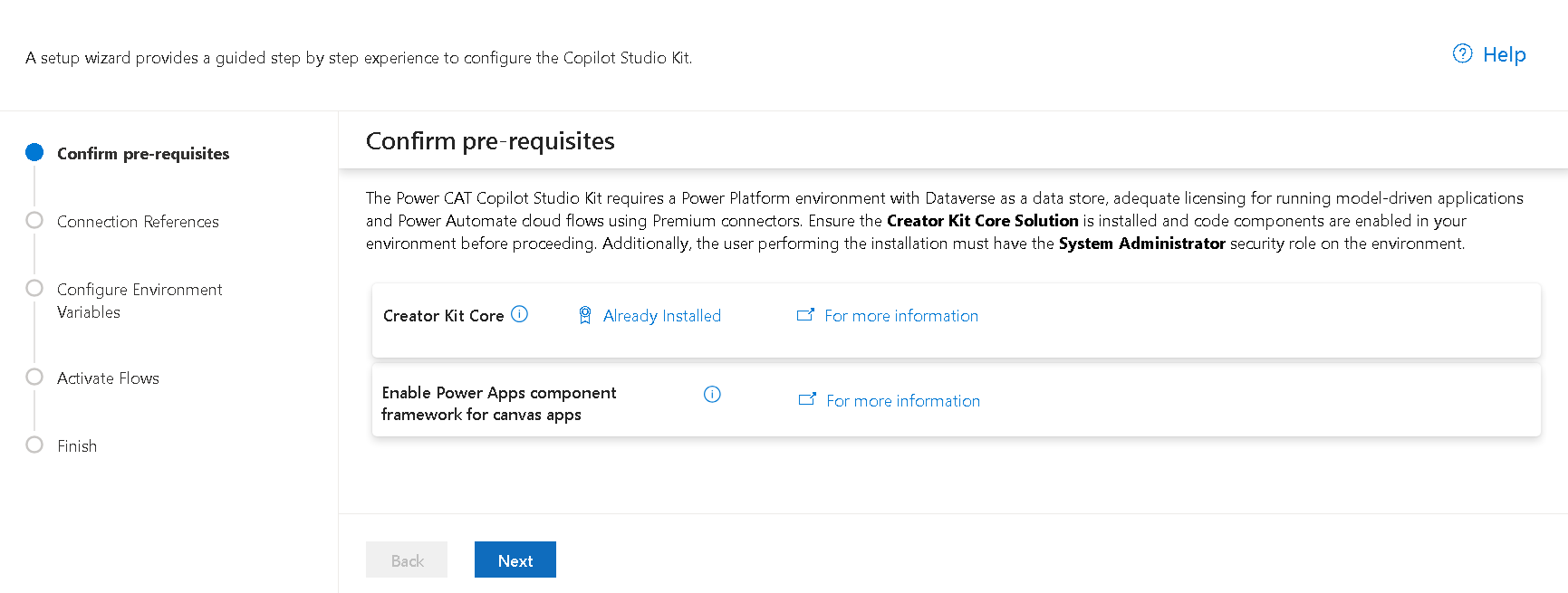
In the Confirm prerequisites step, the Setup Wizard checks that the environment has all required dependencies installed and the necessary settings are correctly configured.
Connection references
In the Connection References step, the Setup Wizard displays all connection references used by the kit. Select and update each connection reference as needed.
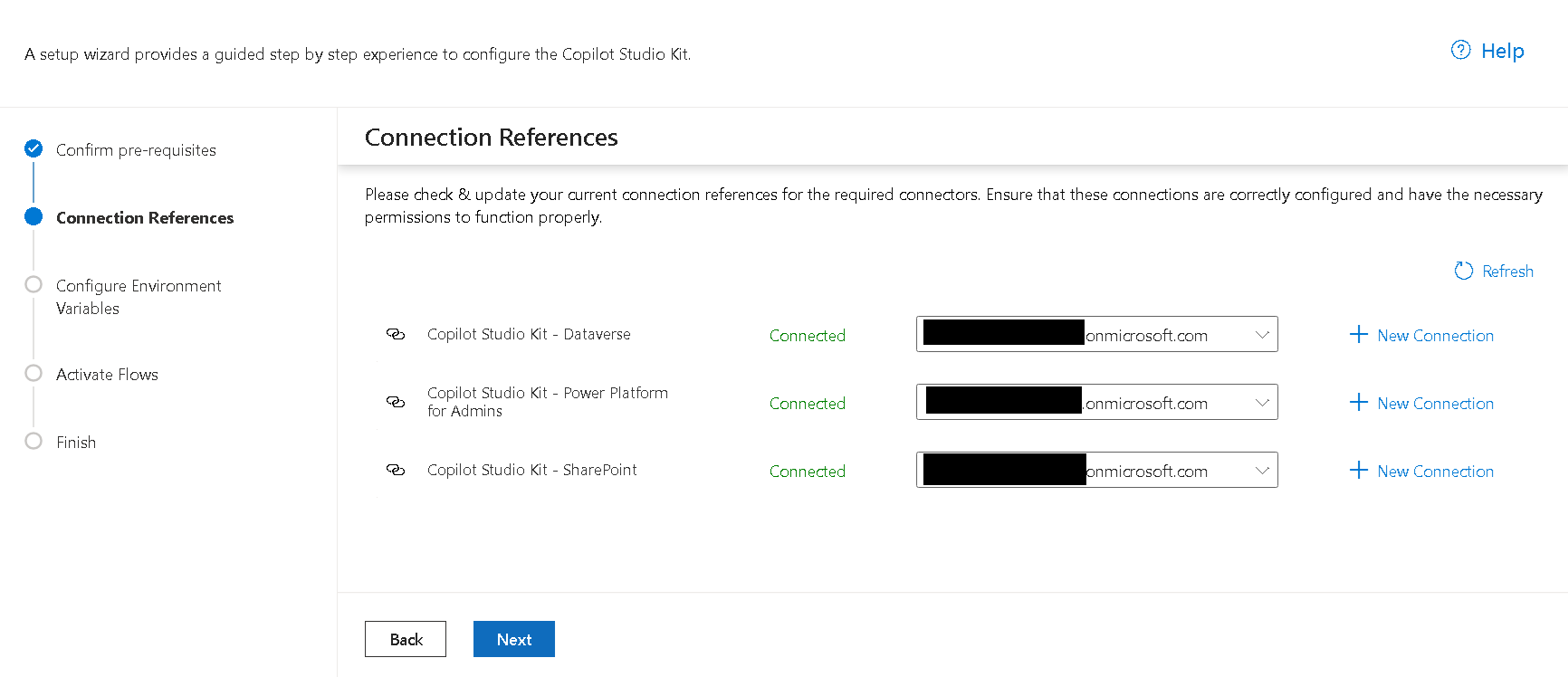
The kit includes the following connection references:
| Name | Description | Notes |
|---|---|---|
| Copilot Studio Kit - Dataverse | Microsoft Dataverse connection reference for Copilot Agent Kit | Required |
| Copilot Studio Kit - Power Platform for Admins | Lists the environments displayed in the Agent Inventory feature | Required for Agent Inventory |
| Copilot Studio Kit - SharePoint | Used by SharePoint synchronization | Required for SharePoint synchronization |
Environment variables
In the Configure Environment Variables step, the Setup Wizard lists all environment variables used in the Copilot Agent Kit, along with descriptions that explain their purpose, recommended configuration, and timing for setup. You can also set or update environment variables directly from this view.
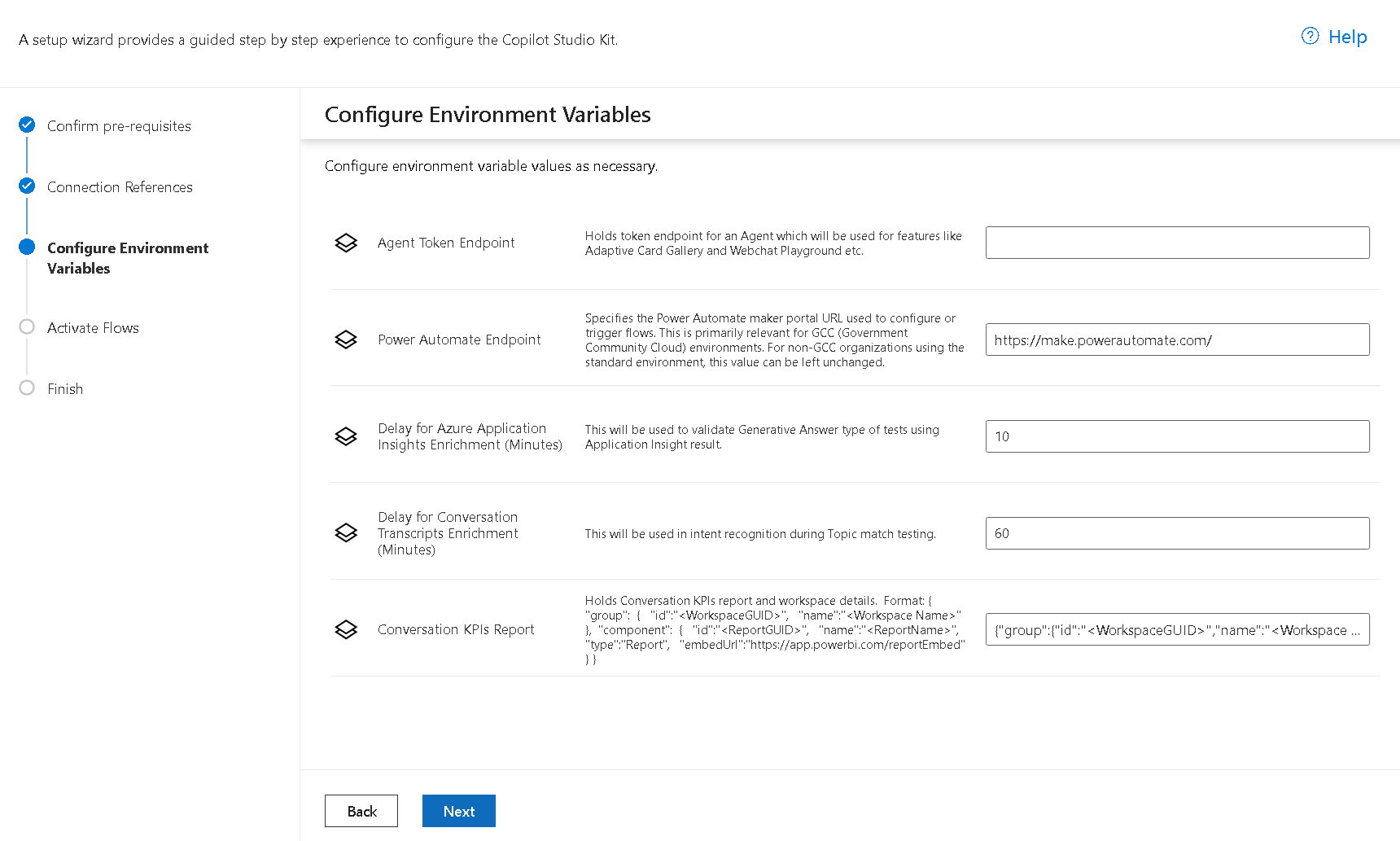
The kit includes the following environment variables:
| Name | Description | Notes |
|---|---|---|
| Agent Token Endpoint | Token endpoint for the Copilot Studio custom agent used by webchat preview in the Adaptive Cards Gallery and WebChat Playground features | Optional. The emulator is used if you don't set this value. |
| Conversation KPIs Report | Holds the Power BI report and workspace details for the embedded Conversation KPIs dashboard | Required for the embedded Conversation KPI dashboard |
| Dataverse URL | URL of the Dataverse instance that hosts your Copilot Studio custom agent | Required for SharePoint synchronization |
| Delay for Azure Application Insights Enrichment (Minutes) | Delay between running a test case and fetching additional information from Azure Application Insights | Default: 5 minutes |
| Delay for Conversation Transcripts Enrichment (Minutes) | Delay between running a test case and fetching additional information from the conversation transcript | Default: 60 minutes |
Flow activation
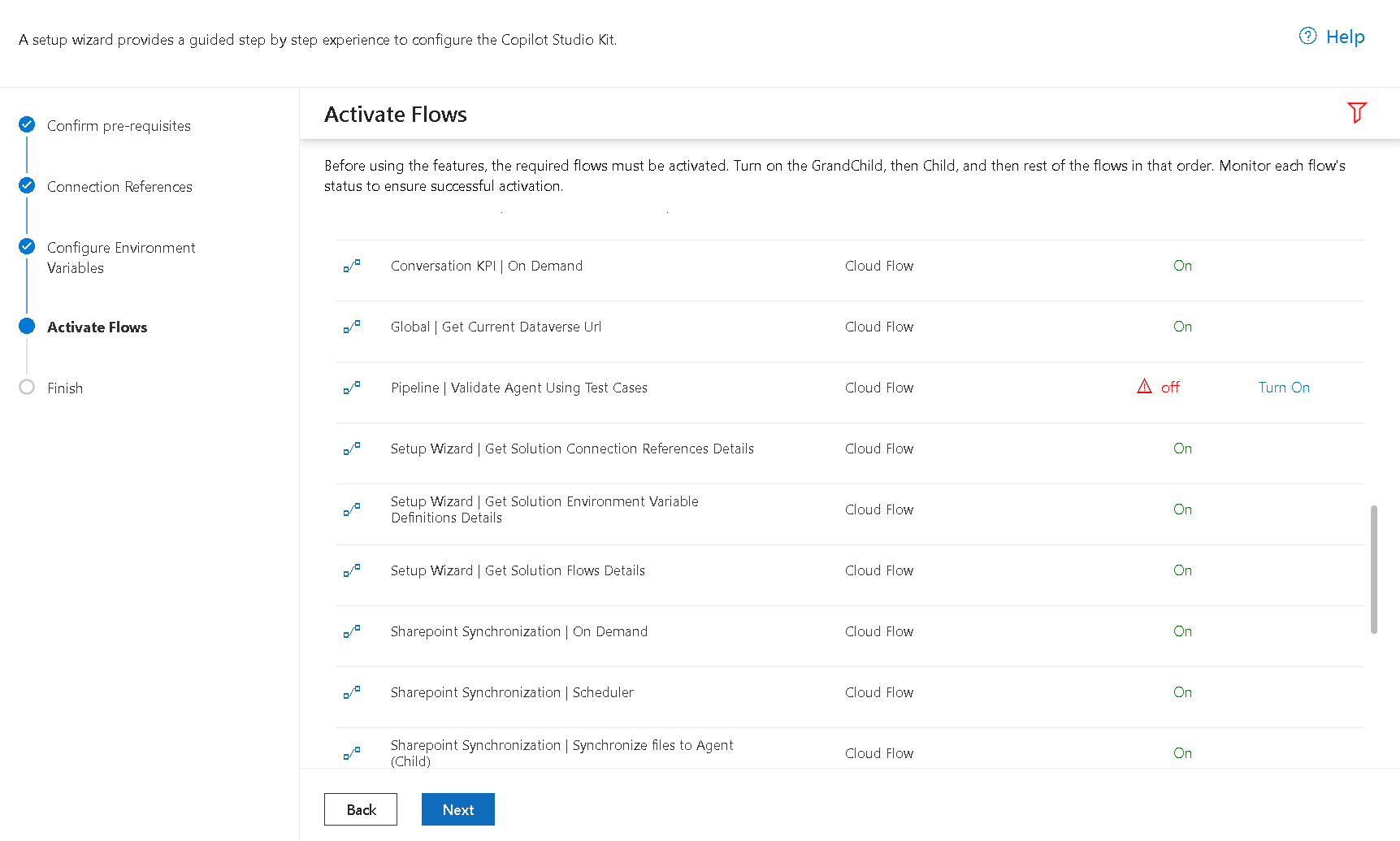
In the Activate Flows step, you can check the status of all Copilot Agent Kit flows and select which ones to turn on. Some flows require related connection references to be configured before you can activate them, like SharePoint synchronization.
Each flow is named with a prefix that reflects the feature it supports, so you can easily identify it. Enable only the flows that correspond to the features you plan to use.
Post-deployment steps unavailable with Setup Wizard
The following post-deployment steps aren't available in the Setup Wizard:
- Publishing the Conversation KPIs sample dashboard and scheduling its data refresh
- Enabling usage metrics in Agent Inventory
- Creating the required app registrations for test automation, such as user authentication and Application Insights