Share via

Black dot error when using remote desktop connection

진욱 송 1 Reputation point
2021-10-18T01:19:27.607+00:00

141086-image.png

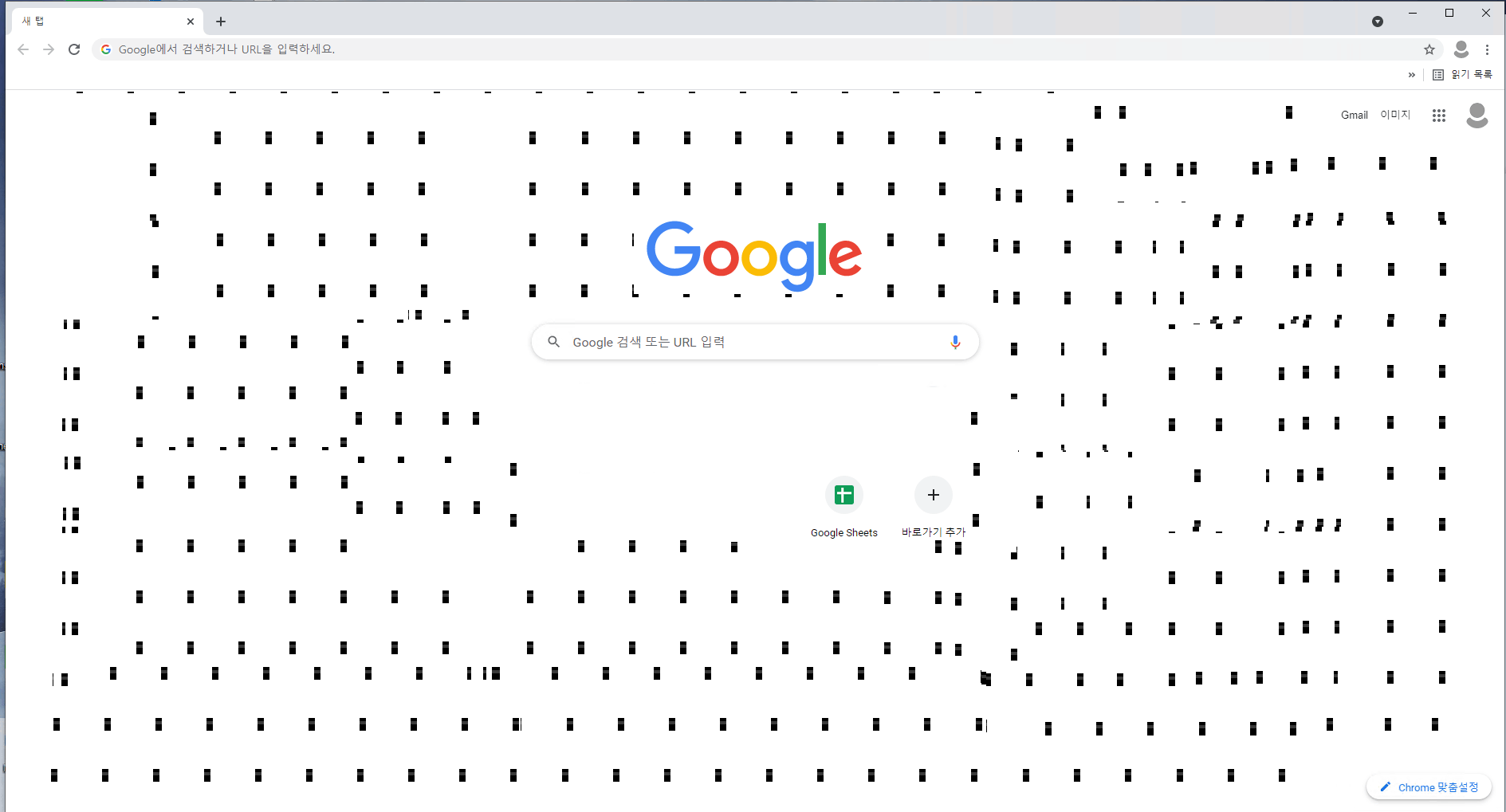
This picture is a screen that uses Remote Desktop Connection.
When I logged on for work this morning, this phenomenon occurred.
Only the screens seen in Remote Desktop Connection are experiencing this problem, and other programs do not have this problem.
Rebooting the computer receiving the remote connection did not solve the problem.
Please help me.

I work at my home.
My home PC(Use for remote access) - Windows 10 : 21H1 (19043.1288)
My office PC(Windows 10 : 2004 (19041.1288)

On June 23, 2021, I asked the same question because there was the same problem, and I proceeded with the method left by one person, but the problem was not solved.
For reference, at that time, it suddenly normalized a few hours later.

Windows for business | Windows Client for IT Pros | User experience | Remote desktop services and terminal services

1 answer

Sort by: Most helpful
  1. James Ferebee (MSFT) 1 Reputation point Microsoft Employee
    2025-04-02T15:49:32.6866667+00:00

    For folks out there that may encounter this issue. This is an issue with the RDP connection that is established from the host or client to the destination. Update your RDP connection and DISABLE Bitmapcachepersistenable.

    https://learn.microsoft.com/en-us/windows-server/administration/performance-tuning/role/remote-desktop/session-hosts#client-experience-settings

    When this setting is enabled, it creates a client-side cache of bitmaps that are rendered in the session. It provides a significant improvement on bandwidth usage, and it should always be enabled (unless there are other security considerations).

    Was this answer helpful?

    0 comments No comments

Your answer

Answers can be marked as 'Accepted' by the question author and 'Recommended' by moderators, which helps users know the answer solved the author's problem.