Note
Access to this page requires authorization. You can try signing in or changing directories.
Access to this page requires authorization. You can try changing directories.
与SharePoint 2007相同,SharePoint 2010并不自带PDF iFilter。如果用默认方式添加文档扩展名的话,SharePoint会调用Null iFilter对文档的属性进行索引,比如文档大小、路径、作者、文件名等等。
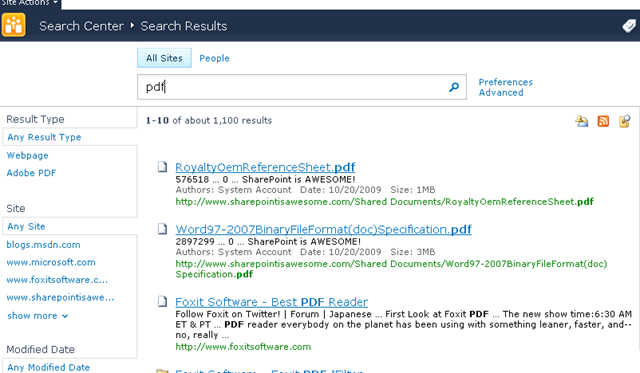
安装第三方64位PDF iFilter之后,SharePoint就可以索引PDF文档的文本内容。常见的PDF iFilter有三家,Adobe、Foxit(福昕软件)、TET。其中Adobe PDF iFilter是免费的,但速度极慢。Foxit最快,价格相对高,但有免费的试用版本,在桌面端的使用也是免费的,更新速度快,在世界范围内使用最广。TET价位居中,速度还可以,不过使用的人较少。由于Foxit PDF iFilter最近对SharePoint 2010进行了更新,这里用它来举例。支持精品国货嘛。
https://www.fuxinsoftware.com.cn/pdf/ifilter/
这里是新版的更新:
Version Number: 1.0.0.3213
* Fixes a crash issue that is caused by embedded fonts.
* Adds the following registry settings in the installation program:
[HKEY_LOCAL_MACHINE\SOFTWARE\Microsoft\Office Server\14.0\Search\Setup\Filters\.pdf]
"Extension"=".pdf"
"FileTypeBucket"=dword:00000001
"MimeTypes"="application/pdf"
[HKEY_LOCAL_MACHINE\SOFTWARE\Microsoft\Office Server\14.0\Search\Setup\ContentIndexCommon\Filters\Extension\.pdf]
@="{987f8d1a-26e6-4554-b007-6b20e2680632}"
可以看到注册表位置根据2010的变化做出了更改,这样我们就不需要手动修改注册表了。
运行安装程序,然后重新启动搜索服务,进行爬网。(不会重启服务的话,干脆重启机器。。。)
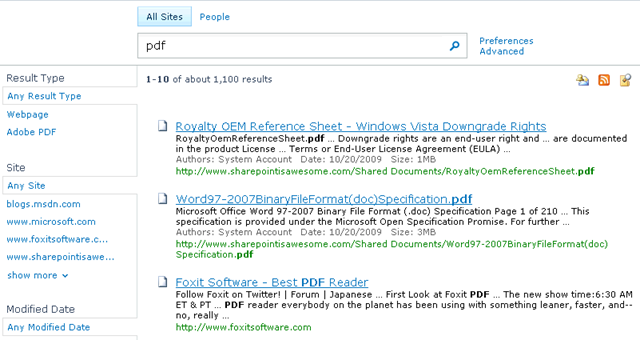
可以看到内容已经能成功搜索到了。如果你注意到左边的分类栏的话,这是2010的自带新功能,自动对搜索结果进行分类帮助用户钻取所需内容。
如果需要PDF图标显示的话,可以根据这里的步骤设置。
https://www.fuxinsoftware.com.cn/pdf/ifilter/installation.html
李劼
Technical Product Manager, SharePoint