Note
Access to this page requires authorization. You can try signing in or changing directories.
Access to this page requires authorization. You can try changing directories.
背景
最近一个 Partner 希望将以前的 Flash 嵌入到一个全新的 WPF 应用中,将 WPF 在 .NET 3.0 下丰富的用户体验和 Flash 动画相结合,更好地服务于其用户。
嵌入 Flash 相当于嵌入一个 ActiveX 控件,在嵌入过程中也有一些比较 Tricky 的地方需要注意,下面就在 WPF Application 中嵌入 Flash 控件的步骤进行简要说明,并将遇到的一些需要注意的问题进行提示。
开发环境
Visual Studio 2008 Beta1 (Code name: Orcas), Windows Vista, Flash Player 9,
方法
1. 建立 WPF Application。
首先,建立一个名为 FlashinWPF 的 WPF Application
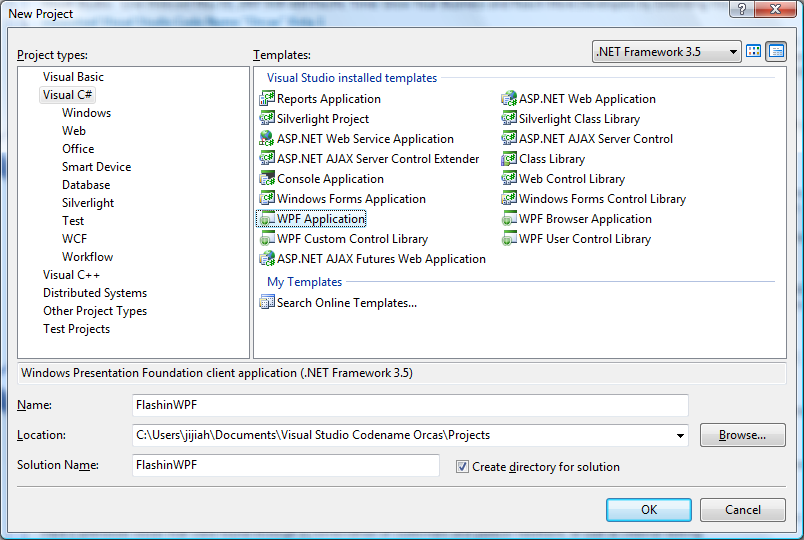
2. 设置 Window 属性。
在 XAML 中修改 Window 的属性,加入 Loaded 事件,设置默认 Grid 的 x:Name 标示为 "FlashGrid" 更改后代码如下:
<Window x:Class="FlashinWPF.Window1"
xmlns="https://schemas.microsoft.com/winfx/2006/xaml/presentation"
xmlns:x="https://schemas.microsoft.com/winfx/2006/xaml"
Title="Flash in WPF" Loaded="WindowLoaded" Height="500" Width="600">
<Grid x:Name="FlashGrid">
</Grid>
</Window>
3. 建立 Windows Forms Control Library
WPF Application 作为一个展现层的项目,不能自身插入 COM Component,所以需要借助 Windows Form 引入 ActiveX 控件。
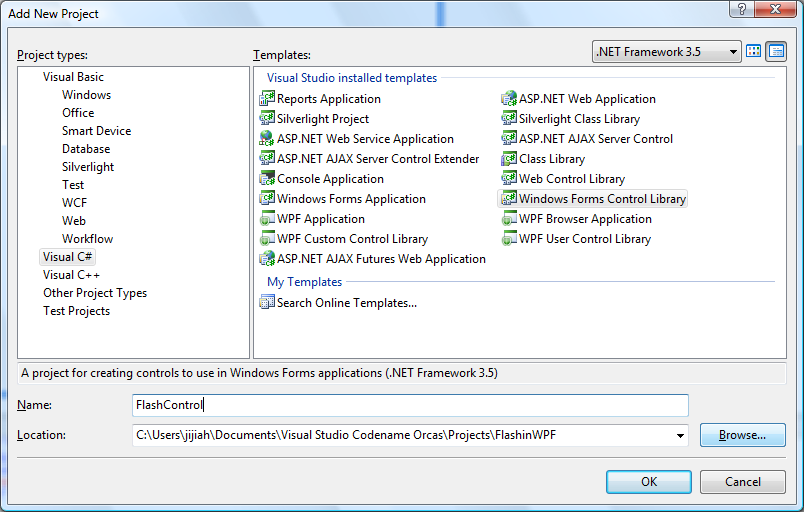
4. 插入 Shockwave Flash Object
在 Toolbox 中点击右键,选择"Choose Items..." 添加 COM Components
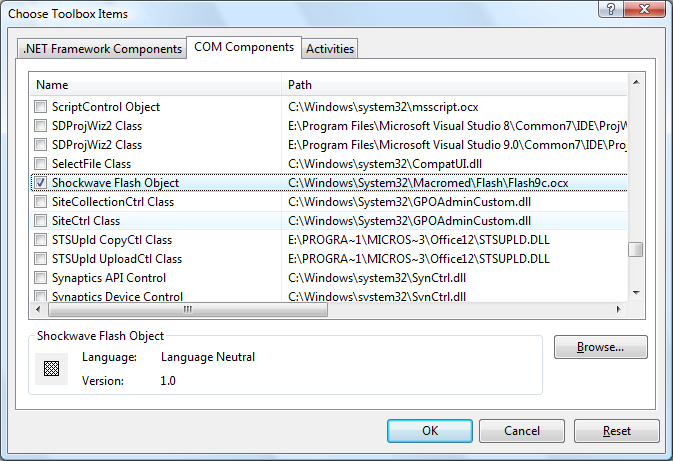
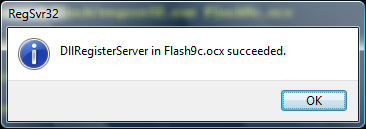
Tricky Point: 在 COM Component中还有一个 Macromedia Flash Factory Object 同样链接到C:\Windows\System32\Macromed\Flash\Flash9c.ocx 中,但在这里不要选择这个 Component, 否则会出现“Failed to import the ActiveX control” 可以利用 regsvr32.exe Flash9c.ocx 在命令行中注册 Flash9c.ocx 控件。会出现如下注册成功提示:
5. 创建 Flash Object
添加一个 Shockwave Flash Object 后会自动在 Flash Control 的项目中增加一个名为AxShockwaveFlashObjects 的对象。
在 UserControl1.Designer.cs 中会默认添加 axShockwaveFlash1 对象。
private AxShockwaveFlashObjects.AxShockwaveFlash axShockwaveFlash1;
6. 编译 Flash Control
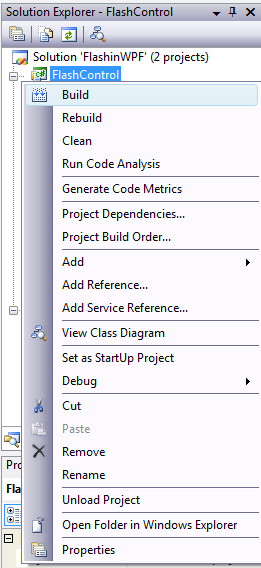
7. 在 FlashinWPF 中增加 Reference
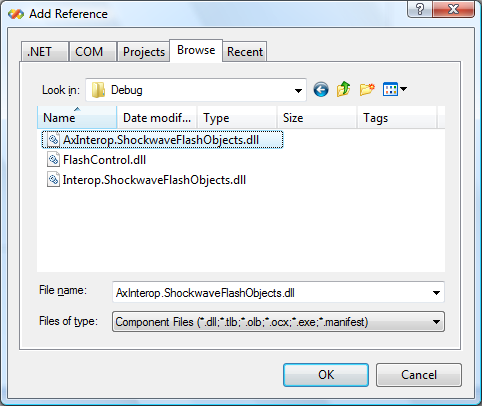
增加 Flash Control 中编译好的 AxInterop.ShockwaveFlashObjects.dll
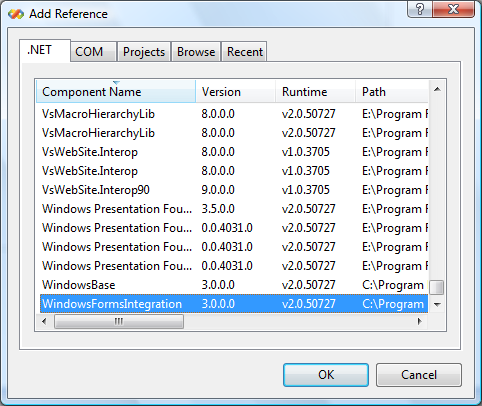
增加用于在 Windows Form 中整合 ActiveX 的 DLL
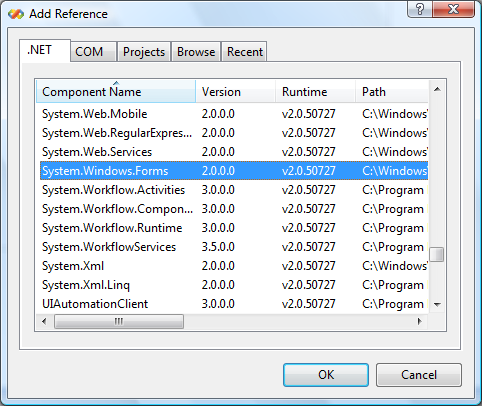
增加 Windows Form DLL
8. 修改 Window 的 Codebehind
Window1.xaml.cs 代码及注释如下
private void WindowLoaded(object sender, RoutedEventArgs e)
{
// 创建 host 对象
System.Windows.Forms.Integration.WindowsFormsHost host = new System.Windows.Forms.Integration.WindowsFormsHost();
// 实例化 axShockwaveFlash1
AxShockwaveFlashObjects.AxShockwaveFlash axShockwaveFlash1 = new AxShockwaveFlashObjects.AxShockwaveFlash();
// 装载.axShockwaveFlash1
host.Child = axShockwaveFlash1;
// 将 host 对象嵌入FlashGrid
this.FlashGrid.Children.Add(host);
// 设置 .swf 文件相对路径
string swfPath = System.Environment.CurrentDirectory;
swfPath += @"\sample.swf";
axShockwaveFlash1.Movie = swfPath;
}
9. 添加 .swf 文件
选择 Always Copy to Output Directory 从而应用相对路径通过 WPF Applicaiton 调用 Flash
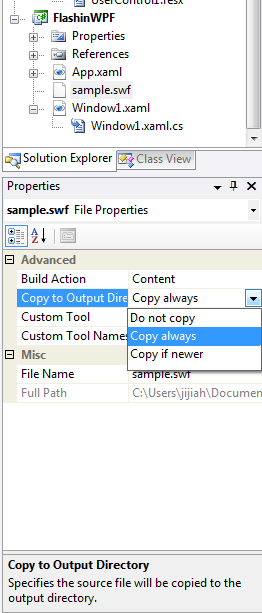
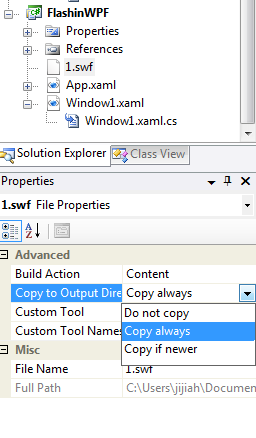
10. 大功告成
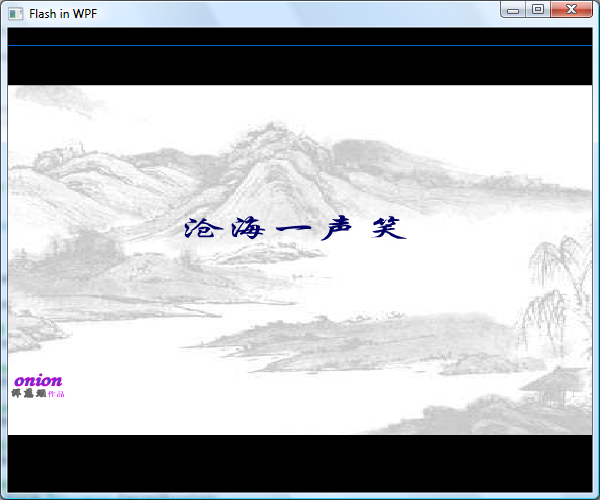
本例工程文件 点此下载。
小贴士
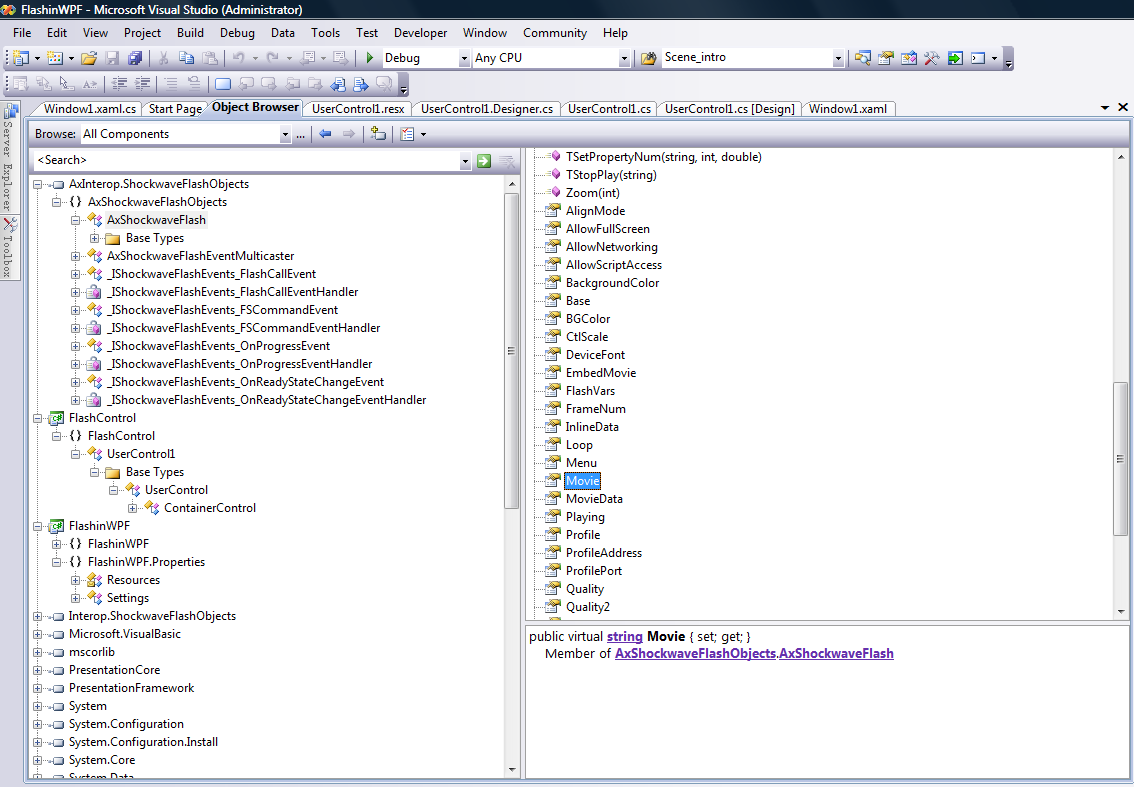
可以通过 Visual Studio 中强大的 Object Browser 来查看 FlashObjects 的各种方法,抽象类,如下图所示
Technorati tags: WPF, Flash, ActiveX, AxHost, AxShockwaveFlashObjects
Comments
Anonymous
August 08, 2007
在WPF中有没有什么办法可以使SWF透明呢?我尝试了设置swf的Wmode属性为Transparent没有作用Anonymous
August 25, 2008
swf 文件是否打包在exe里面了?swf能否不再程序运行目录里面存在?