Note
Access to this page requires authorization. You can try signing in or changing directories.
Access to this page requires authorization. You can try changing directories.
If your work order product has a serial number, batch number, or both, you can scan it by using your mobile device in the Field Service mobile app rather than entering it manually.
Open an existing work order.
Open the work order product.
Don't make any changes to the form.
If the work order product has a batch number, select More > Scan Batch. Scan the batch number barcode and then save.
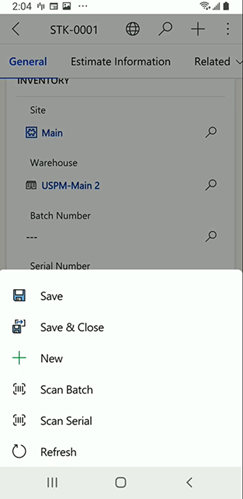
If the work order product has a serial number, select More > Scan Serial. Scan the serial number barcode.
Make any other changes and then save.