Note
Access to this page requires authorization. You can try signing in or changing directories.
Access to this page requires authorization. You can try changing directories.
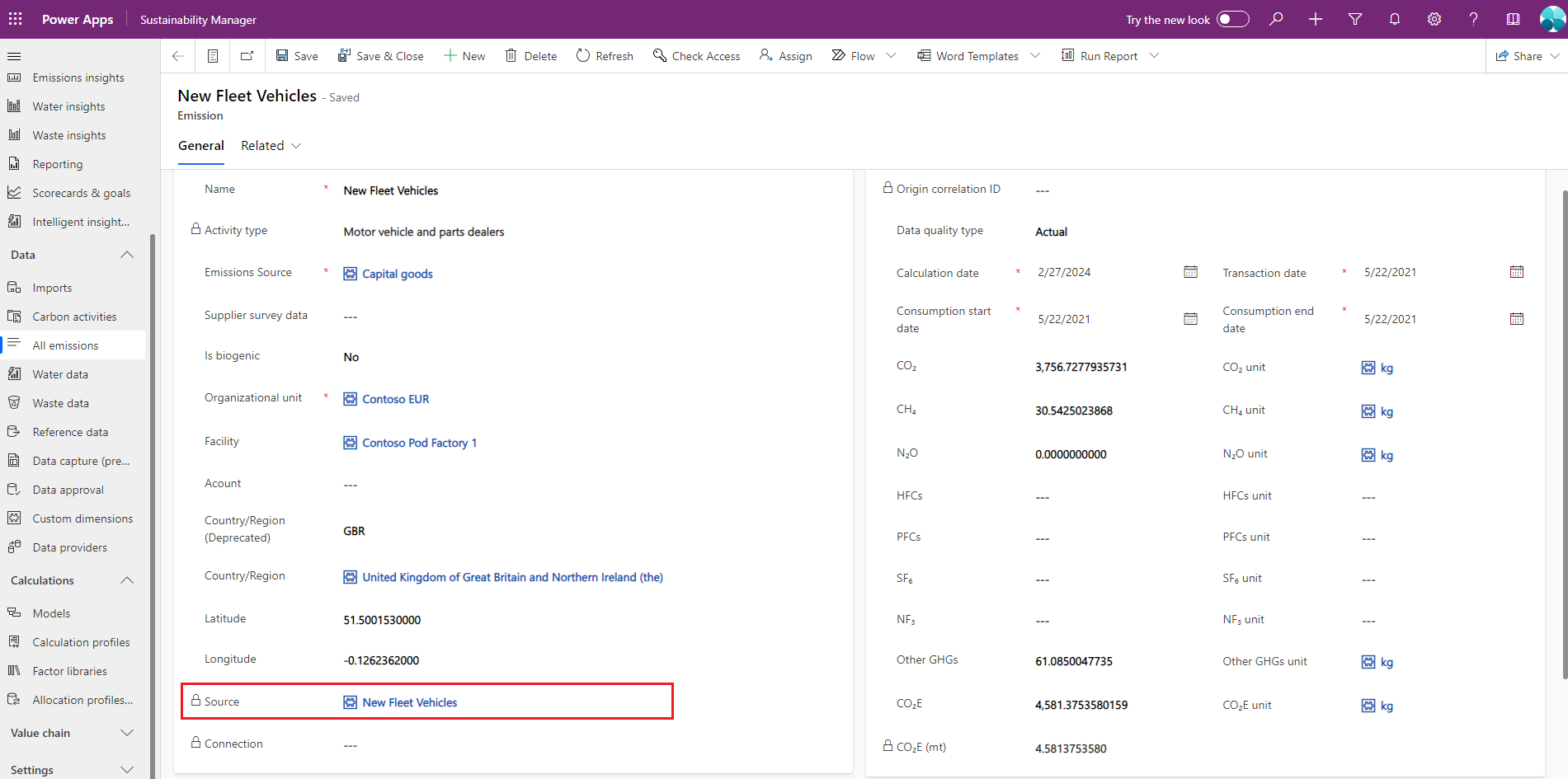
You can trace emissions to the underlying activity data if those emissions are generated by using the Microsoft Sustainability Manager calculation engine. Each emission record includes a source table that provides details on the source of the emissions, plus details on the activity data used to arrive at those emissions.
Note
You can only trace emissions for records generated within Sustainability Manager by using the calculation engine with the baseline activity data. You can't trace precalculated emissions imported into Sustainability Manager.
Follow these steps to trace the activity data for an emission record:
In Sustainability Manager, select All emissions under Data in the left navigation. The emissions record contains all the relevant details, including the Source column, which lists the activity data record associated with the emission record.
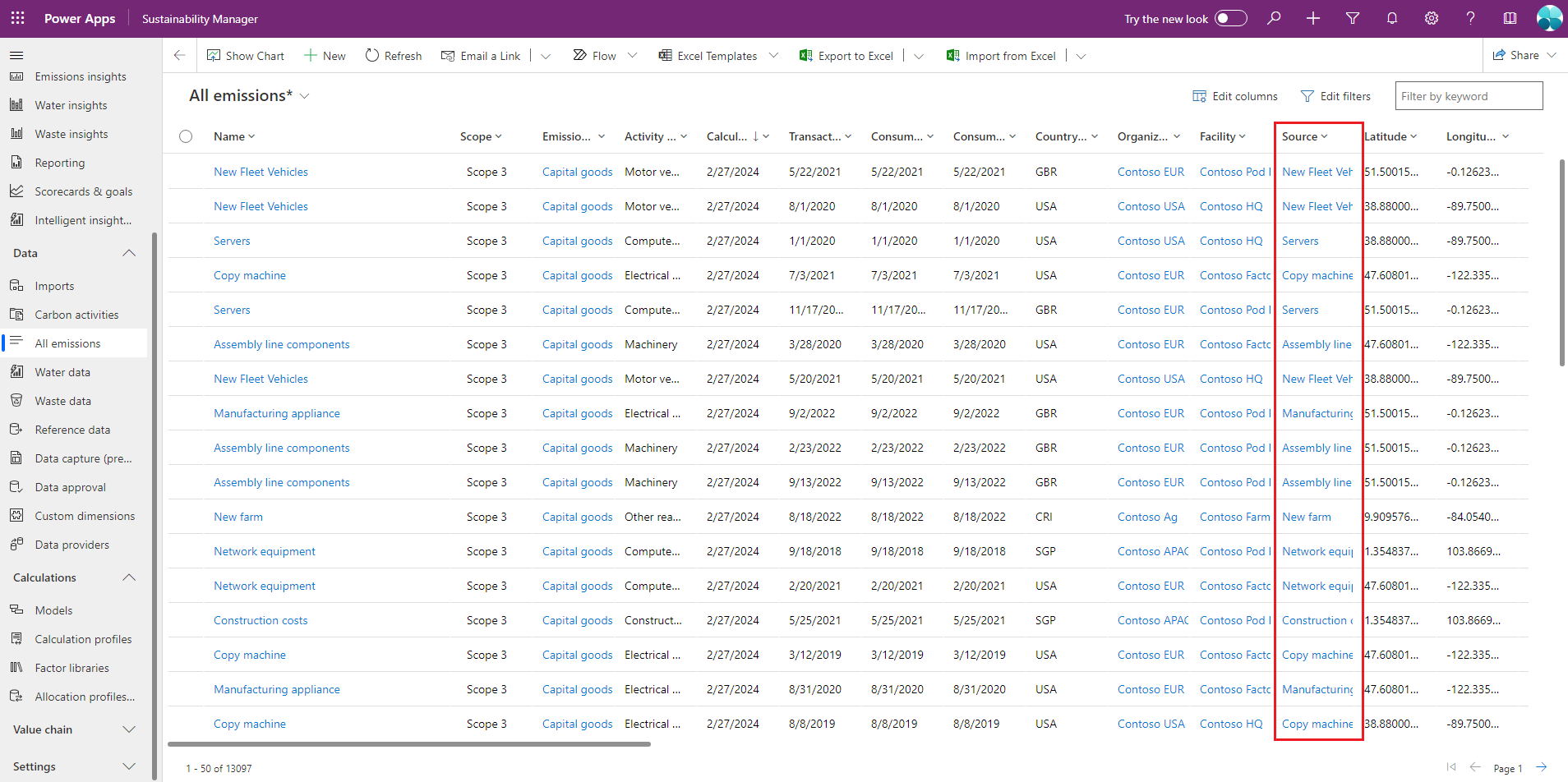
To view details on the activity data record for the corresponding emissions, select a record in the Source column.
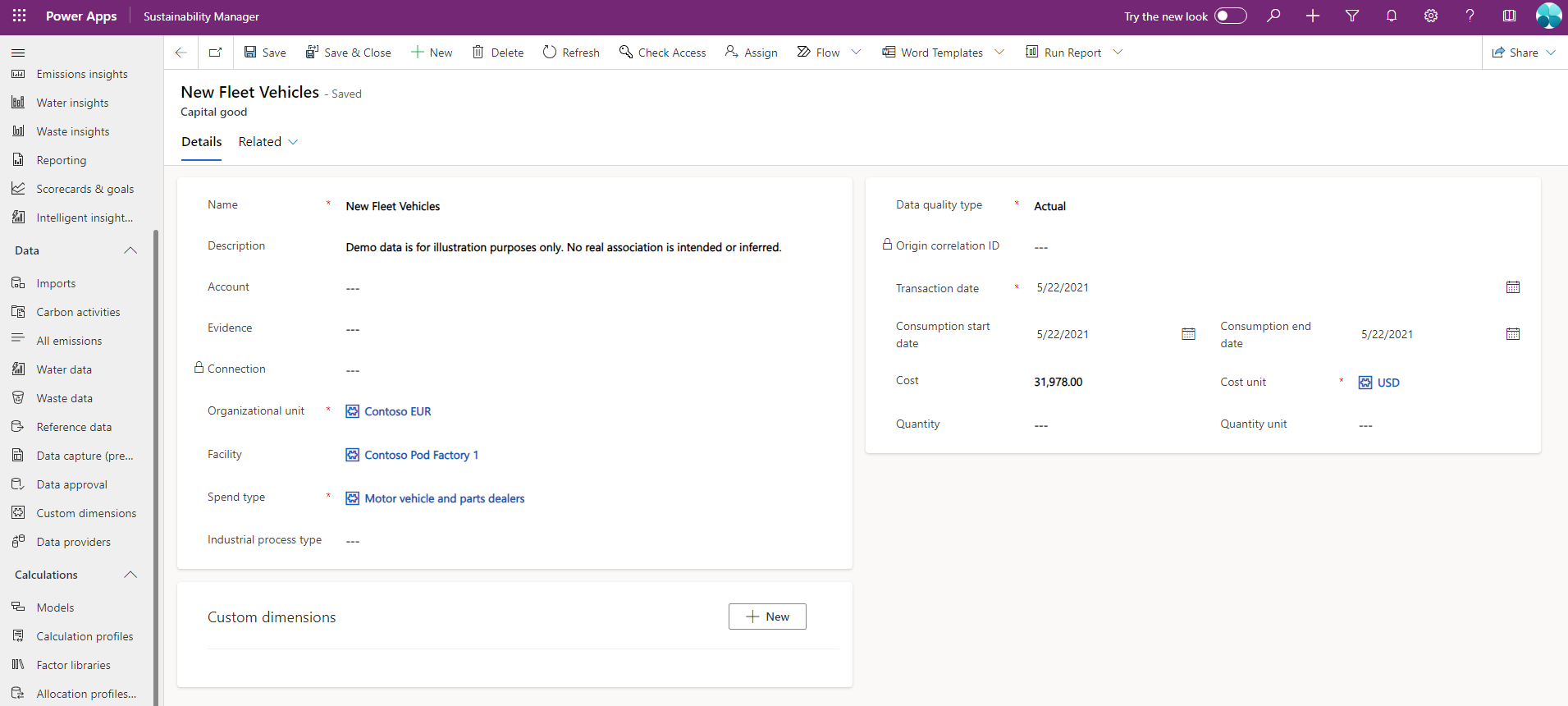
For a more detailed view that includes the activity data source used to calculate emissions, select the emission record. On this page, you can select the Source to view the detailed activity data mentioned in the previous step.