Note
Access to this page requires authorization. You can try signing in or changing directories.
Access to this page requires authorization. You can try changing directories.
The Features page is a centralized location where workspace administrators can enable and disable key capabilities in Microsoft Engage Center.
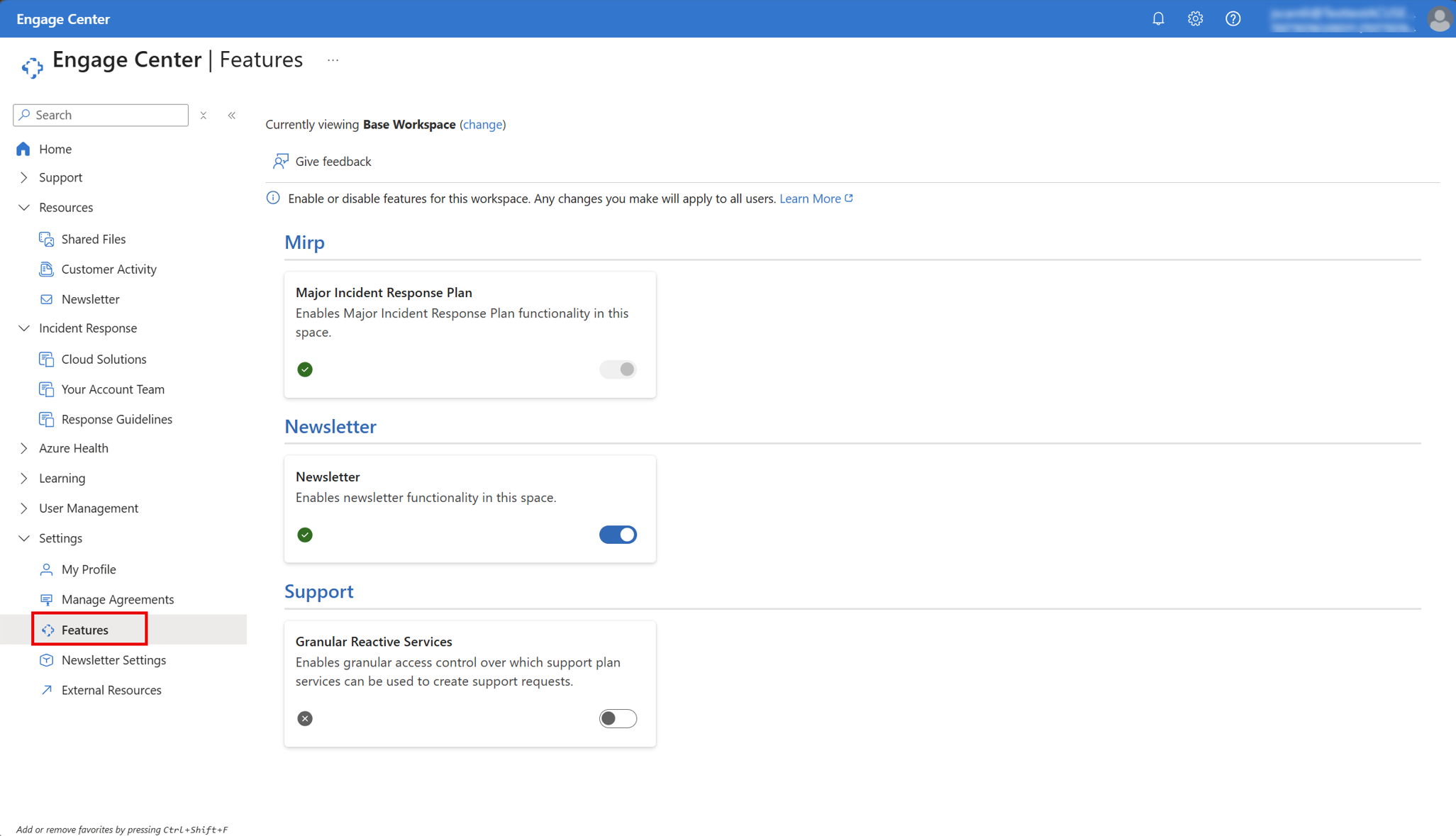
The following sections of this article discusses who has access to the Features page and which features you can toggle on or off within it.
Access the Features page
Access to the features page is controlled by the roles and permissions you have. For more information about access control, roles, and permissions, see Roles and permissions.
MIRP
Major Incident Response Plan (MIRP) is enabled by default.
When MIRP is enabled, you can use MIRP to prepare for, respond to, and recover from major service incidents.
Disabling MIRP removes the feature from your current workspace. In addition, all associated plans are no longer available for users who have created them. Before you disable MIRP, you should identify everyone who relies on it; not doing so can lead to unintended consequences.
For more information about MIRP, see Major Incident Response Plan (MIRP)
Newsletter
The Newsletter feature is enabled by default.
While Newsletter is enabled, you can subscribe to newsletters and Microsoft security briefings that provide you with important security and product updates.
Disabling Newsletter removes the feature from your workspace, and subscribers no longer receive their information. Any user who disables the service is listed here for record-keeping purposes. Before you disable the Newsletter service, you should identify everyone who relies on it; not doing so can lead to unintended consequences.
For more information about the Newsletter feature, see Manage and subscribe to newsletters in Microsoft Engage Center
Support (Granular Reactive Services)
Granular Reactive Services is disabled by default.
While Granular Reactive Services is disabled, users within your workspace can create product support requests using any support plan service associated with that workspace.
Enabling Granular Reactive Services in your workspace shifts you to more advanced setup; workspace administrators have to choose which support plan services should be available for each individual user or group. This granularity allows you to more specifically tailor who has access to support services plans.
For more information about Granular Reactive Services, see Reactive Services in Microsoft Engage Center.