Note
Access to this page requires authorization. You can try signing in or changing directories.
Access to this page requires authorization. You can try changing directories.
This rule looks for resource API versions that are older than 730 days. It is recommended to use the most recent API versions.
Note
This rule is off by default. Change the level in bicepconfig.json to enable it.
Linter rule code
Use the following value in the Bicep configuration file to customize rule settings:
use-recent-api-versions
The rule includes two configuration properties:
maxAgeInDayswith a default value of 730 days (equivalent to two years). A value of 0 indicates that the API version must be the latest version available not in preview or the latest preview version if only previews are available.gracePeriodInDayswith a default value of 90 days. A new API version can take time to be fully deployed across all Azure regions. This configuration property specifies the number of days to wait after an API version is published before recommending it. A value of 0 indicates no waiting period, meaning all available versions are shown.
Solution
Use the most recent API version or one that isn't older than 730 days.
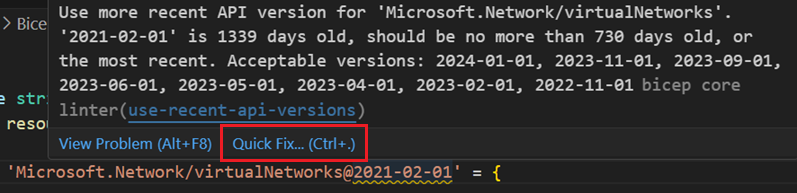
Use Quick Fix to use the latest API version:
Next steps
For more information about the linter, see Use Bicep linter.