Some of people may have experience this problems and some of them may already asked a question and got their answer,
the reason i asked a question is because none of the methodes that they gave are working on solving my problems.
I've tried everything yet none of them are able to solve the problem i have,
let me tell you what exactly happen to me. So when i was working i notice that my wifi icon kept disappearing,
at first i thought it was just some minor issue so i just restart my laptop and everything went back to normal,
Until one day my laptop just stop doing that out of blue. i kept restarting my laptop over and over again yet only to find my Wi-Fi icon isnt showing up.
I thought the problem was the BIOS that i forgot to update but it isnt, my BIOS is in it's latest version wondering what might cause this to happen,
So i brought my laptop to the service center hoping that i could find the answer why and fix the problems, in short they gave me other model so if i ever encounter the same problem i could just change the model.
For once it actually works but soon the error frequently showing up and even after i changed the model it cant no longer fix the issue
when i tried to change into other model it says "Windows has encountered problems when installing the packages" something like that and for hours i've tried every single possible way to fix the problem but it just wont be fixed. So i gave up and just unplugged the ethernet cable and plugged it into my laptop,
i wonder if its the software or the hardware.
(the reason i was given other model for the driver is because they suggest me to factory reset the laptop and i refused), so please help me fix this problem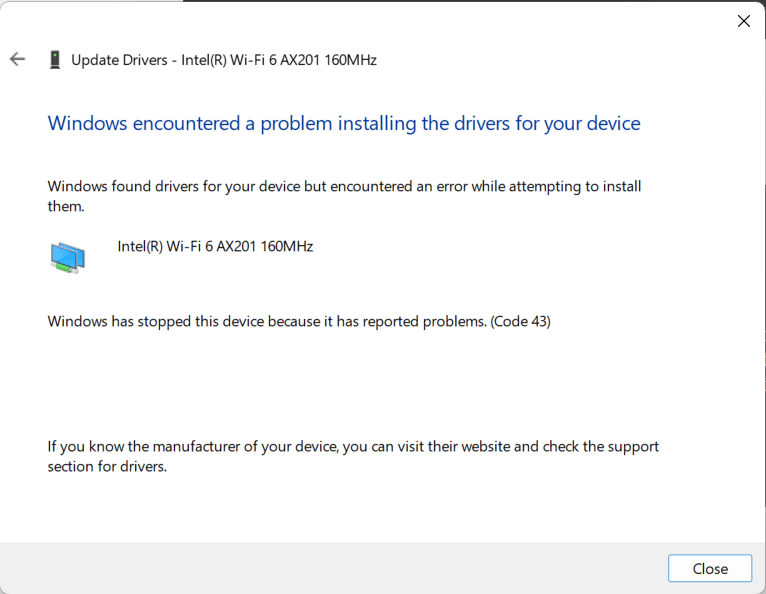
' cx='32' cy='32' r='32' /%3E%3Ctext x='50%25' y='55%25' dominant-baseline='middle' text-anchor='middle' fill='%23FFF' %3EA%3C/text%3E%3C/svg%3E)

