Hello nirmalya starmark, I am Henry and I want to help you with this issue.
Your issue seems caused by a Blue Screen of Death (BSOD) that is happening so quickly you don't have time to see the error code before the system reboots.
First, we need to find the stop code that is causing the crash. You will need to get into the Windows Recovery Environment (WinRE) to change the boot settings.
- Force Entry into WinRE:
- Turn on the server.
- As soon as you see the Windows logo or the spinning dots, press and hold the power button until the server shuts down completely.
- Repeat this process two or three times. On the third or fourth boot, Windows will automatically load the "Automatic Repair" screen.
- Navigate to Startup Settings:
- On the "Automatic Repair" screen, click Advanced options.
- Click Troubleshoot.
- Click Advanced options.
- Click Startup Settings.
- Click the Restart button.
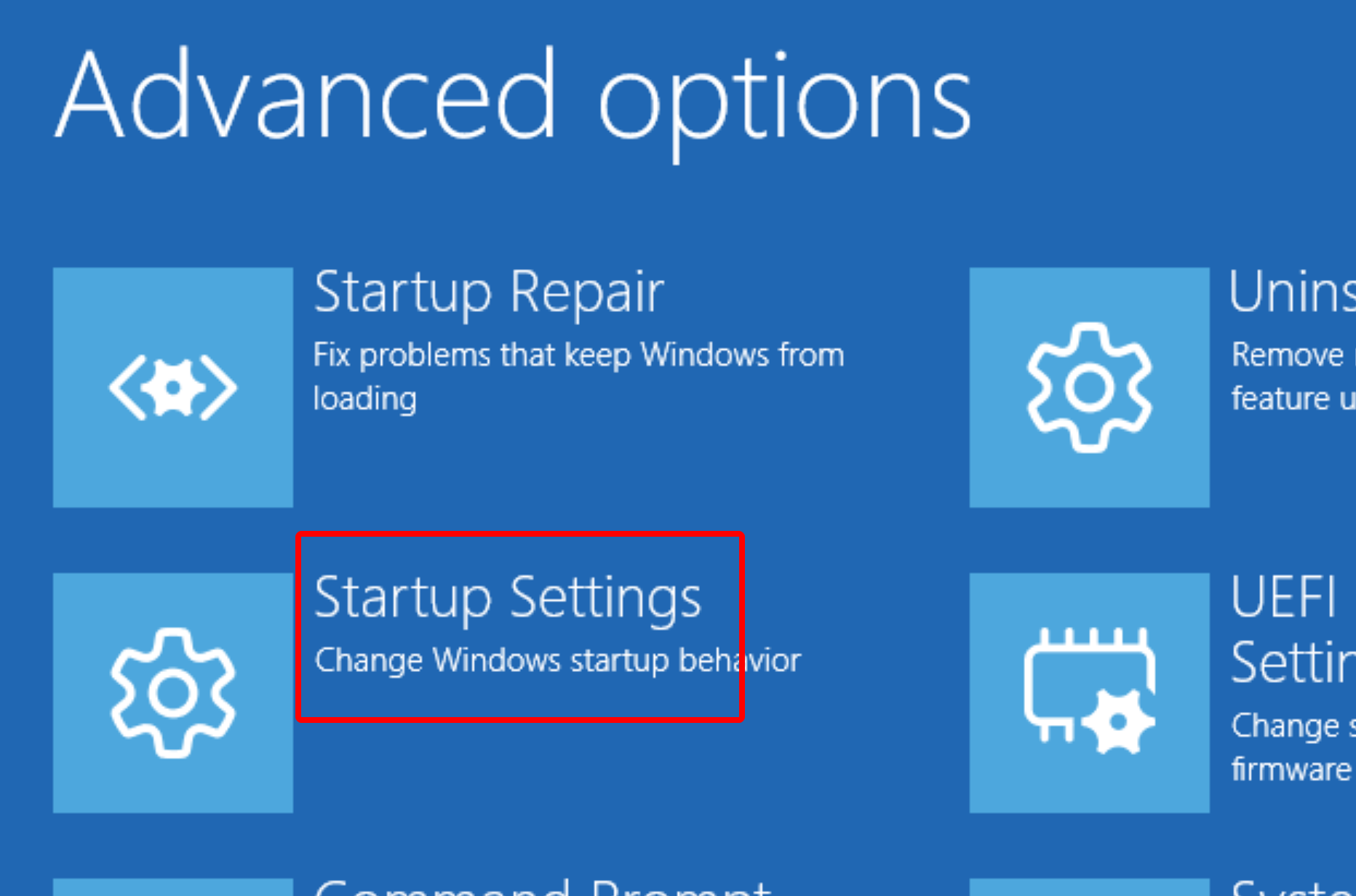
- Disable Automatic Restart:
- After the server restarts, you will see a list of options. Press the number key corresponding to "Disable automatic restart on system failure."
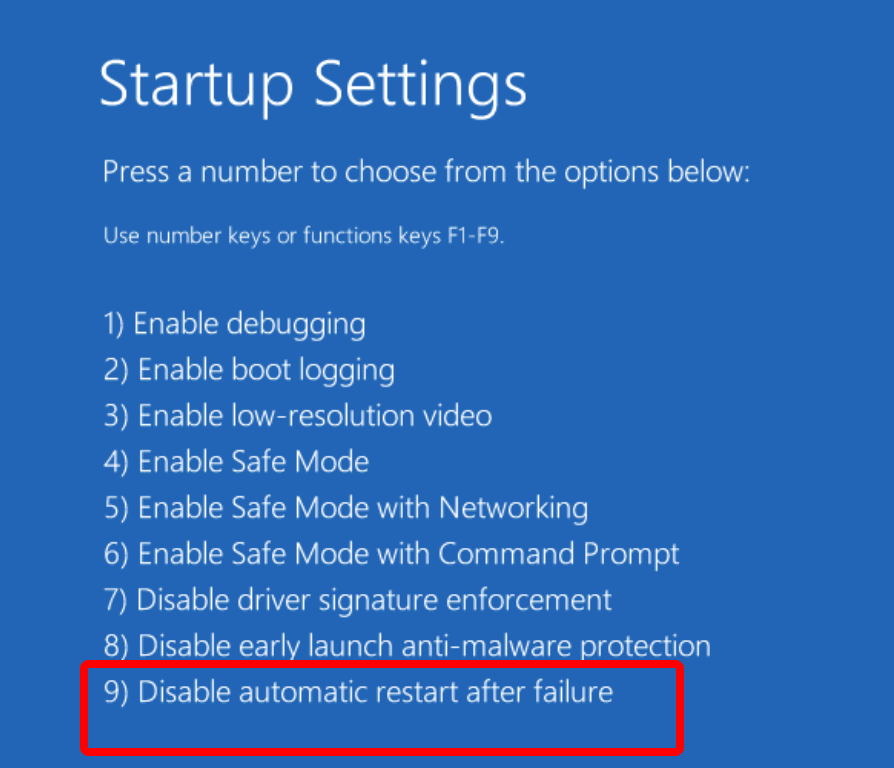
Now, the server will attempt to boot again. This time, instead of restarting, it should crash to a Blue Screen of Death (BSOD). Please help me share the Stop Code displayed on the screen (it will look like 0x... or a phrase like INACCESSIBLE_BOOT_DEVICE).
Step 2: If you can get into Safe Mode, it means the problem is likely a bad driver, a recent update, or a conflicting service.
- Enter the Windows Recovery Environment (WinRE) again using the same method as in Step 1.
- Navigate to Troubleshoot > Advanced options > Startup Settings > Restart.
- After the restart, press the number key for "Enable Safe Mode with Networking."
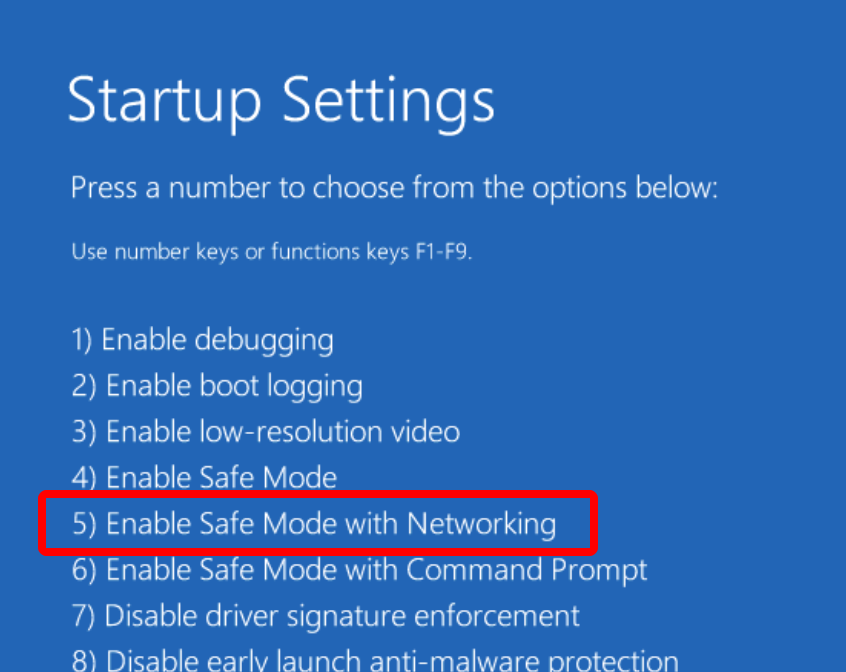
If the server successfully boots into Safe Mode, try to uninstall any recently installed software, drivers, or Windows Updates that might have caused the issue.
Step 3: If Startup Repair fails, the boot files may be corrupted.
- In WinRE, go to Troubleshoot > Advanced options > Command Prompt.
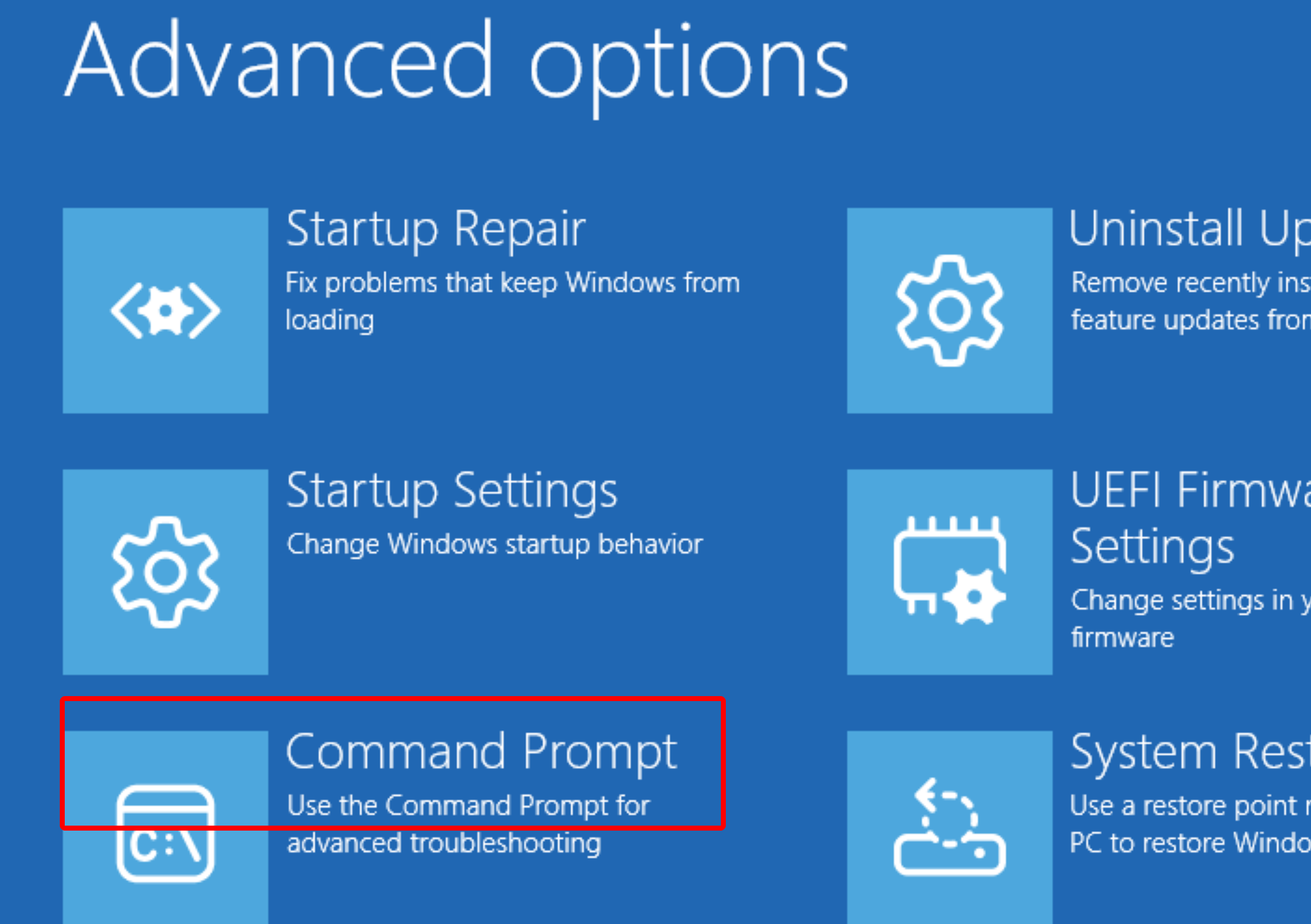
- In the command prompt window, type the following commands, pressing Enter after each one:
-
bootrec /fixmbr
-
bootrec /fixboot
-
bootrec /rebuildbcd
- Restart the server.
Let me know how it goes
' cx='32' cy='32' r='32' /%3E%3Ctext x='50%25' y='55%25' dominant-baseline='middle' text-anchor='middle' fill='%23FFF' %3ENS%3C/text%3E%3C/svg%3E)

' cx='32' cy='32' r='32' /%3E%3Ctext x='50%25' y='55%25' dominant-baseline='middle' text-anchor='middle' fill='%23FFF' %3EP%3C/text%3E%3C/svg%3E)
' cx='32' cy='32' r='32' /%3E%3Ctext x='50%25' y='55%25' dominant-baseline='middle' text-anchor='middle' fill='%23FFF' %3EHM%3C/text%3E%3C/svg%3E)